


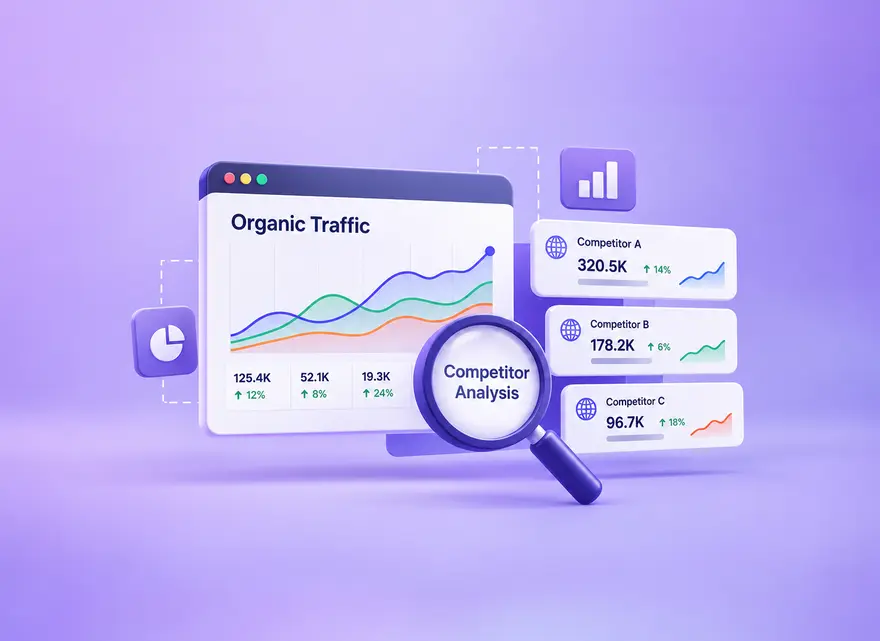
Competitor organic traffic is not public first-party data, but SEO tools can estimate it from rankings, keywords and click models. Learn how to compare tools, validate important pages and turn estimates into useful decisions.
To check a competitor’s organic traffic, use an SEO tool to compare its estimated search visibility, top pages, and ranking keywords under consistent settings. Then inspect the important pages and search results yourself. Unless the competitor shares verified first-party figures or grants appropriate access, you cannot know its exact Google Search clicks, website sessions, or conversions.
The useful outcome is not a precise-looking visitor count. It is a better decision about which audience needs to serve, which existing pages to improve, and which topics to leave alone. This guide shows how to estimate competitor organic traffic, recognize misleading comparisons, and turn a manageable set of findings into an evidence-based content brief.

What Competitor Traffic Tools Actually Estimate
Ranking-based tools combine the keywords they observe with modeled search volume and expected clicks at the recorded positions. A simplified way to understand this is:
Estimated monthly organic clicks ≈ the sum of search volume × expected click-through rate for each observed keyword position.
This is an explanatory model, not a universal formula for every platform. For example, Ahrefs describes its organic traffic calculation using observed rankings, search volume, and estimated CTR. Different products can use different datasets and methods.
Consider a hypothetical keyword with an assumed monthly volume of 2,000 searches and an assumed click share of 10%. That produces an estimate of 200 clicks for that keyword. Neither input is measured traffic to the competitor, and the 10% assumption is not a recommended or universal CTR benchmark. Changing either assumption changes the estimate.
Search volume is not unique people, and estimated clicks are not automatically sessions, qualified leads, or sales. A tool can miss long-tail queries or observe a different location, device, or result layout from your customers. Two nearly equal traffic estimates should not be treated as a reliable league table.
Also distinguish organic search estimates from all-channel website visits. Direct, referral, social, paid search, and other sources answer different acquisition questions. A competitor’s total estimated visits cannot be compared directly with another site’s estimated Google organic traffic.
If you calculate a share across your chosen competitors, label it as a share of that selected sample under one tool’s model. It is not the website’s share of the entire market. Excluding a marketplace or adding a large publisher changes the denominator without changing any business’s actual performance. Keep the comparison set stable when presenting a trend, and explain any deliberate change to its membership.
Choose the Right Comparison Set
Separate business competitors from search competitors. A business competitor sells a similar solution. A search competitor might be a publisher, marketplace, forum, or specialist tool that answers the same query. Both can be informative, but they should not automatically receive equal weight.
Start with a small working set, such as three to eight relevant domains. Check several queries connected to your actual products or services and note which sites repeatedly appear. Keep commercially similar businesses in one group and editorial competitors in another. A general encyclopedia may compete for a definition without being a useful model for your product strategy.
Compare Equivalent Scopes
Record whether each result covers a root domain, subdomain, subfolder, or exact URL. Comparing a specialist’s entire website with one department of a large retailer can create a false gap. Choose the scope that matches the business question and confirm what each report actually includes.
Align country, device, reporting month, and search coverage wherever the product supports those settings. Record unsupported or unavailable filters instead of pretending the comparison is exact. For multilingual sites, a country filter alone does not isolate a language; check the actual pages and queries as well.
Separate branded and non-branded searches when researching new audience opportunities. A famous retailer’s navigational demand does not demonstrate that its general guides are better than yours. Review brand variants and product names rather than trusting an automatic brand filter without checking its output.
Keep seasonal timing consistent too. A holiday guide’s strongest month should not be compared with your quietest month as evidence of a permanent performance gap. Save the settings with every export so someone else can reproduce the comparison later.

Tools for Competitor Organic Traffic Analysis
Choose the tool by the question, not by whichever dashboard displays the largest number. The table below separates research roles; access, historical depth, and export limits depend on the provider and subscription.
Ahrefs and Semrush
Use organic research reports to identify ranking URLs and keywords, then inspect the relevant page-level data. Keep one provider as your comparison baseline. A second platform is useful for challenging a valuable conclusion, not for choosing whichever estimate supports a preferred story.
Even reports inside one platform can measure different things. Semrush distinguishes ranking-based Domain Analytics from clickstream-based Traffic Analytics. Do not mix those totals in one column labeled simply “organic traffic.” Write the product and metric name beside the export.
When two providers disagree, inspect the pages driving the disagreement. Is one finding an important topic the other misses? Are they observing different positions or markets? Do not average the two totals and call the result verified traffic. If the disagreement could change a costly content decision, narrow the research to the relevant pages and queries before committing resources.
| Source | Useful for | Do not infer |
|---|---|---|
| Ahrefs or Semrush organic research | Estimated search visibility, keywords, and candidate pages | Exact competitor sessions or revenue |
| Similarweb traffic analysis | Broader estimated channel and audience patterns | That missing data means no visitors |
| Google Trends | Relative demand and seasonality | Exact searches or competitor clicks |
| Live search results and page review | Current intent, formats, and visible gaps | A fixed result for every searcher |
| Your Search Console and GA4 | Your visibility, visits, and measured outcomes | Private competitor performance |
Similarweb
Similarweb can help investigate a broader channel mix, while availability varies with the website and market. Its explanation of “Not enough data” says limited evidence can prevent reliable estimates from being displayed. Treat that message as unavailable information, not zero demand.
When channel estimates disagree with a ranking-based tool, check definitions before looking for a winner. The practical question is whether both sources support the same relevant opportunity, not whether their modeled totals can be made identical.
Google Trends and Live Search Results
Google Trends reports normalized relative interest, rather than exact keyword traffic. Keep geography, period, search type, and term-versus-topic choices consistent. A rising index can suggest a demand pattern worth investigating; it does not show which competitor captured the resulting visits.
Review the live results for important queries. Note whether searchers are shown guides, product categories, videos, local results, or other formats. A keyword export can hide these differences, and your own search is still only a snapshot under particular conditions.
Your Own Search Console and GA4
Use Search Console to examine your Google Search queries, pages, clicks, and impressions. Use GA4 to investigate the visits and useful actions your implementation records after arrival. Google’s organic search report documentation distinguishes Search Console metrics from on-site Analytics metrics. Do not expect clicks, sessions, and users to be interchangeable.
Comparing a tool’s estimate for your own site with first-party data can reveal a mismatch in scope or coverage. It does not produce a universal correction factor for competitors. A tool that underestimates your specialist site may behave differently for a large brand. Record the discrepancy as a limitation, not a statistical confidence interval.

A Repeatable Competitor Traffic Workflow
The seven steps below turn modeled data into a short decision record. Work through a limited number of meaningful opportunities before expanding the research. A large spreadsheet is useful only if someone can explain what action it supports.
1. Define the Business Question
Decide whether you need to improve an existing page, find an underserved topic, understand a market, or choose a content format. Write the intended audience, country, relevant product, and useful next action. This prevents a high-traffic but irrelevant topic from taking over the research.
For a running hypothetical example, imagine a retailer selling repairable hiking backpacks. Its question is: “Which maintenance guide should we improve for people who already own a backpack and may need replacement parts?” This is narrower and more actionable than “How can we get our competitor’s traffic?” No traffic or sales result is assumed.
2. Record Comparable Estimates
For each candidate, record the provider, report, retrieval date, market, device setting where available, URL scope, estimated traffic, and observed ranking queries. Add a note explaining any missing filter or incomplete export. Use the same setup for the comparison rather than silently substituting a global total for one domain.
If a tool shows traffic value or traffic cost, read its definition. Semrush describes its cost metric in relation to paid-search equivalents; it is not the competitor’s disclosed revenue, profit, or actual advertising spend. Keep it separate from your own economic forecast.
For a free research pass, use available public previews, manual page reviews, and your own Google reports. Mark the resulting keyword coverage as partial. An incomplete preview can still identify a useful page, but it cannot support a claim that you have measured the whole competitor.
Keep the raw export and a separate working sheet. Preserve ranking URLs, metric labels, and dates when cleaning the data; combining subdomains or stripping meaningful paths can erase the distinction you are trying to study. Add your interpretation in a new column instead of overwriting the provider’s original value. This makes later disagreements easier to investigate and keeps the research auditable.
3. Analyze Top Pages, Not Only Domain Totals
Inspect which URLs account for the estimated visibility. Classify their topic, audience, format, intent, and connection to a product or service. Look for dependence on a single popular page: a large domain total may be driven by an unrelated calculator, celebrity article, or branded support section.
For the hypothetical backpack retailer, a broad travel article may appear larger than a cleaning guide. That does not make it the better investment. The cleaning guide has a clearer relationship to care instructions and replacement parts. Review what the existing guides explain, where readers still lack an answer, and what evidence your business can contribute.
Keep the ranking URL with each finding. Otherwise, your team may brief a new article without noticing that its own existing care page already addresses the same intent.

4. Inspect Keyword Clusters
Group queries by the task the searcher is trying to complete, then map each group to the pages appearing for it. Variants such as cleaning a hiking backpack and washing a hiking pack may belong together. Waterproofing a fabric and replacing a damaged buckle could require different instructions and different evidence.
Check the results instead of grouping by repeated words alone. If the same useful page answers several variants, expanding one strong guide may be better than creating several thin articles. If the tasks are genuinely different, define the boundary between pages and add relevant contextual links.
Record the reason for grouping or separating each cluster. This makes the research useful for avoiding internal overlap, not just for collecting more keyword targets.
5. Validate Important Opportunities
Open the competitor page and inspect the current results for a few representative queries. Look for the expected depth, evidence, examples, usability, and content format. Identify a specific contribution your team can make: original photographs, tested instructions, an expert explanation, or a decision aid grounded in real experience.
In the backpack example, the retailer could document cleaning steps for the materials it actually sells, explain care-label limitations, and show when a buckle should be replaced rather than repaired. It should not invent a test or generalize those instructions to every fabric simply because competing pages do.
Check feasibility before commissioning content. Can the team obtain evidence, maintain the advice, and support the reader’s next action? A topic can be attractive in a tool yet unsuitable for the business. Defer it if the only proposed improvement is more words or a close imitation of the ranking page.
6. Build an Opportunity Score
Use a simple internal rubric for relevance, unmet audience need, evidence available, feasible effort, and maintenance burden. If you use a one-to-five scale, define which direction is better: high relevance helps, while high effort is a cost. Do not add oppositely defined scores and mistake the result for an objective SEO prediction.
The following hypothetical decision table continues the backpack example. Its judgments are planning assumptions, not measured demand or promised rankings.
| Candidate | Relevant evidence | Decision |
|---|---|---|
| Cleaning an existing hiking backpack | Own care instructions and product photos | Improve the existing guide first |
| Replacing a backpack buckle | Parts compatibility needs expert confirmation | Research before a separate guide |
| General travel inspiration | Weak product connection and no distinct contribution | Defer despite apparent traffic potential |
Attach a short brief to the selected opportunity: reader problem, existing target URL, missing explanation, evidence owner, internal links, and review criteria. Preserve rejected candidates with the reason. This keeps the team from reopening the same low-fit idea every time a dashboard highlights it.
Define the expected contribution without inventing an uplift target. For the care guide, the first deliverable could be verified material-specific instructions and clear links to compatible parts. The review then asks whether relevant queries and useful actions develop, not whether the article captures an assumed percentage of a competitor’s modeled traffic.
7. Track the Decision Over Time
Save the baseline, implement the chosen improvement, and log its publication date. Follow your own relevant queries and landing pages in Search Console, then examine qualified actions in GA4. Define the action before launch, such as a parts inquiry, completed purchase, or genuinely useful guide interaction.
Re-run the competitor comparison on a consistent schedule, such as quarterly, and after a meaningful market change. Record changes in report definitions or coverage. A rising modeled estimate is not proof that your page caused a business result, and a short-term fluctuation is not a reason to replace the strategy immediately.
Keep selected-keyword monitoring separate from whole-site traffic estimation. A rank tracker can follow the terms you choose; it does not reveal a competitor’s complete keyword portfolio, private analytics, or sales. Use it to decide where to investigate, then return to the underlying pages and business evidence.
For the hypothetical retailer, keep a small, stable set of relevant maintenance queries and the intended guide URL. Record the same location and device settings at each review. If positions change, inspect the page and current results before claiming an improvement caused the movement. If rankings improve without useful visits or actions, revisit the demand, snippet, audience fit, and measurement hypotheses rather than declaring the work successful.

Keyword Rank Tracker
Track selected keywords and compare competitor positions with SEOVisitor’s optional paid Keyword Rank Tracker. Use the history alongside your research; it measures rankings, not competitors’ actual visits or sales.
Common Competitor-Analysis Mistakes
The most expensive mistakes usually come from interpretation rather than arithmetic. Before handing over a report, check whether the proposed action still makes sense without the impressive headline number.
- Mixing scopes: keep global totals, country estimates, subfolders, and exact URLs clearly labeled.
- Treating missing data as zero: record unavailable evidence and use another appropriate source.
- Copying the largest page: verify audience fit, a distinct contribution, and a useful next action.
- Applying one correction factor: your own tool discrepancy does not establish a competitor’s real traffic.
- Equating modeled traffic with revenue: measure outcomes on your own site rather than inventing competitor conversion rates.
Purchased visits are a separate campaign activity. They do not validate an organic traffic estimate, demonstrate earned search demand, or provide evidence of improved rankings. Keep campaign reporting outside the organic competitor benchmark.
Final Takeaway
Estimate competitor organic traffic to find and test opportunities, not to claim access to private numbers. Match the scope, investigate top pages and intent clusters, and choose work your business can support with distinctive evidence. The final deliverable should be a defensible next action, its limitations, and a way to evaluate your own results.
Start with one relevant page and a clear improvement brief. Expand the research only when another comparison could change the decision. That discipline makes competitor traffic analysis more useful than an ever-growing collection of uncertain totals.
Frequently Asked Questions
Quick answers to common questions about competitor organic traffic
Only if the competitor shares verified first-party figures or grants appropriate access. Otherwise, external tools provide estimates, not exact Google Search clicks or website sessions.
Ahrefs, Semrush, and Similarweb answer different questions and use different data. Choose one consistent tool for comparisons, then use another source and live SERPs to validate important findings.
They use different keyword databases, ranking observations, countries, devices, search-volume estimates, click models, and update schedules, so their totals are not expected to match.
Use estimates directionally. Reliability varies with market, site size, brand demand, coverage, and methodology. Your own first-party data can reveal limitations, but does not establish a correction factor for competitors.
Analyze top pages and intent clusters, validate the live results, score opportunities by business relevance and evidence, then measure your own impressions, clicks, leads, and revenue after publishing.
Choose competitors that serve similar audiences and compete for relevant queries. A large brand can provide ideas, but its domain-wide estimate may reflect different countries, products, and branded demand. Compare equivalent page groups where possible.
No. Limited database coverage or low search volume can leave a tool with little estimated activity. Check relevant pages and live search results, and distinguish missing estimates from verified first-party traffic figures.
Use them to identify audience needs and gaps, then create an answer supported by your own expertise and evidence. High estimated traffic does not prove relevance or profitability for your business, and copying does not establish a useful competitive advantage.



Comments
Leave a Comment