

Great job! I was happy using Seovisitor on a few pages, and the results were noticeable. The traffic looked natural and helped improve engagement.

Daniel BrooksSEO Consultant
Automated Website Visits with Selected AI Referrers
Buy AI traffic for your chosen landing page with selectable sources such as ChatGPT, Claude and Gemini. Set your visit volume, delivery period and available targeting options, then review recorded activity in your analytics. Start with a focused automated campaign to check how your website handles AI-referrer visits and how those sources appear in your reports.
 Start Your Traffic Campaign
Sign up with Google and receive a $1 account bonus plus 500 Club Points.
Starting at just $0.08 per 100 visits





Choose a predefined Quick Order package for a faster setup, or use Advanced to customize the available traffic, targeting, session, device, and scheduling options for your campaign.
By selecting one of these plans, you can benefit from the following features:
Unlock these benefits by choosing the advanced options:
Configure Visits for Your Articles, Products or Service Pages
Create your AI referral traffic campaign in Seovisitor by entering your destination URL and selecting the available AI sources. Choose a ready-made package for a fixed visit allowance, or use the AI order form to customize country targeting, device mix, daily volume and session settings.
Review the included visits, delivery period and total campaign price before ordering. Your purchase provides automated visits carrying selected AI referrers; it does not deliver real assistant users or buy recommendations, citations or placement in AI answers.
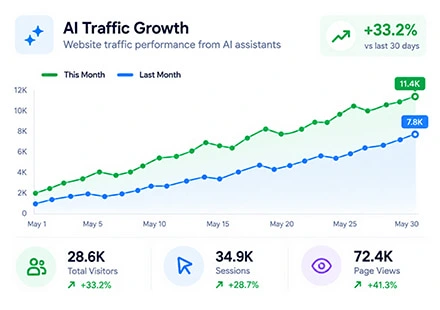
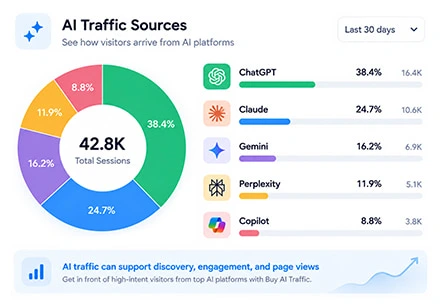
AI referral traffic describes website visits attributed to AI assistants or answer platforms. An earned referral can begin when someone follows a link to your article, product, or service from an assistant’s response. The referring information available to your analytics helps determine how that visit is reported.
Seovisitor’s AI website traffic service creates automated visits carrying selected AI referrers. You choose the destination and available campaign settings, then track how the resulting activity appears on your website and in your reports.
Seovisitor provides automated website visits carrying selected AI referrers. Use the service for controlled source attribution checks, campaign reporting checks, and configured activity on your landing page and additional pages.
These visits are not real people sent by ChatGPT or other assistants. Your order does not purchase recommendations, citations, placement in AI answers, or AI crawler activity. It also does not provide a direct improvement in organic search rankings.
If your campaign needs other referring sources, explore our referral traffic service or social traffic service. Choose the service whose source options match the campaign you want to run.
Automated AI-referrer campaigns give analytics, website, and marketing teams a defined source and destination for controlled checks. Choose the task you need to validate before setting your campaign volume.
Analytics teams can check how selected referrers appear in acquisition reports and custom channel groups. Compare the recorded source, landing page, and campaign dates to investigate unexpected classifications or missing activity.
Website teams can check pages that change their content or messaging according to the referring source. Confirm that the intended page version loads and that relevant internal links work during the configured activity.
Marketing teams can compare campaign records with activity collected by their reporting tools. Use a clearly identified test destination where possible, and keep automated campaign events separate from verified customer inquiries and purchases.
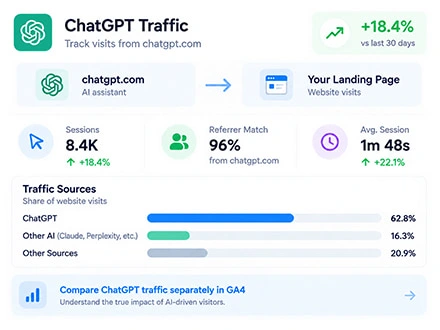
Buy ChatGPT traffic for an article, product page, or service page you want to include in an automated campaign. Select ChatGPT as your source to configure visits carrying chatgpt.com as the referrer, and keep it as the only selected source when you want to track that campaign separately.
Choose a ready-made package or customize the available country targeting, device mix, daily volume, and session settings. Match the campaign length and visit settings to the pages you want to test. Check the quantity, measurement unit, and total campaign price in the AI order form before placing your order.
LLM stands for large language model. In website analytics, LLM referral traffic generally describes visits from assistants such as ChatGPT, Claude, and Gemini when someone follows a website link from an answer or conversation. The link may lead to an article, product, service, or another page referenced by the assistant.
AI crawler activity is different. A crawler may retrieve website content without a person opening a link in an assistant’s answer. Automated visits carrying an AI referrer are another distinct category, so a recorded source label alone does not establish how the visit originated.
Seovisitor’s service provides the automated campaign activity described above. Keep it separate from independently earned LLM referrals when measuring audience growth and business results. For reporting instructions, see our guide to tracking AI traffic in GA4.
Configure your AI referrers, device mix, visit volume, and session settings in the AI order form.
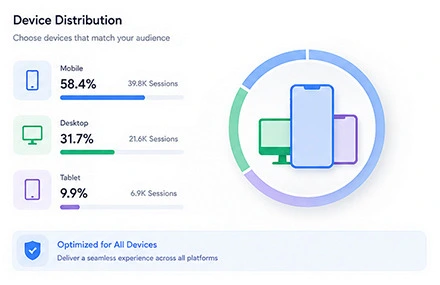
Choose the available mobile and desktop mix in your custom campaign. Use an all-mobile, all-desktop, or mixed configuration according to the version of your website you want to check.
A product listing, a service inquiry form, and a long comparison page can behave differently across screen sizes. Check menus, content, and important buttons on your selected devices before starting the campaign.
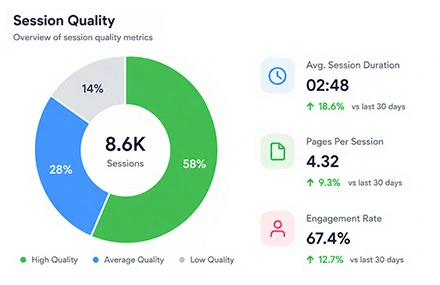
Custom AI campaigns support 60–270 seconds on the landing page and optional browsing of up to 6 additional pages. Select the available page settings according to the content included in your campaign, and check how they affect the final price.
Keep visits and pageviews separate when planning volume. One visit can include more than one pageview, and configured visit duration can differ from the engagement time recorded by your analytics tools.
For custom AI campaigns, choose 50–5,000 visits a day over 1–120 days, subject to the selected targeting options. Set a daily volume your website can accommodate and a campaign length that fits your planned activity.
Check the complete configuration and total campaign price in the AI order form before payment. Start with a manageable volume so you can confirm page access and source attribution before running a larger campaign.
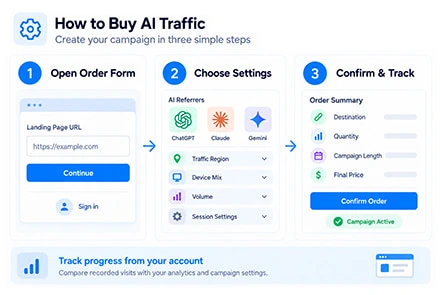
Create your campaign in three steps, then track its progress from your account.
Open the AI Traffic order form and sign in to your Seovisitor account. Enter the full URL of the public landing page you want to include in your campaign.
Select the available AI referrers and choose a package or custom configuration. For country targeting, use the traffic region options in the AI order form, then set the available device mix, volume, and session settings.
Check the destination, quantity, campaign length, and final price before payment. After the campaign starts, track its status in your dashboard and compare the first recorded visits with your analytics and order settings.
Explore locations across Seovisitor’s traffic services below. Confirm the countries available for your AI campaign in the AI order form before placing your order.
Explore our dedicated pages for popular GEO-targeted traffic locations:
View traffic by countryTrusted by 20,000+ users, processing over 400,000 orders
Real experiences from marketers, creators and website owners using Seovisitor.
Great job! I was happy using Seovisitor on a few pages, and the results were noticeable. The traffic looked natural and helped improve engagement.
I didn’t expect much at first, but after a few days I noticed better time on page. I mainly use it when launching new content.

I tried Seovisitor on a side project. The traffic increase was subtle but noticeable, and it gave me useful insights for testing new content layouts.

Seovisitor works well for older articles that have stopped getting attention, helping bring them back into circulation.

I’ve used the system several times and noticed an immediate change in my website stats.

This system was used for several blog posts and helped turn one article into one of the most visited. That was amazing.

I don’t run it all the time, only for specific campaigns. For controlled testing, it does the job well.
I applied Seovisitor to a few product pages. It helped me observe user patterns and refine my marketing strategy.
Using Seovisitor for my tech blog posts gave me a better sense of which topics readers engage with most. Very insightful.

Monitor incoming visits and view real-time campaign updates from your Seovisitor dashboard.

In GA4, open Reports → Acquisition → Traffic acquisition. Select Session source / medium and look for a source such as chatgpt.com, then compare it with Session default channel group. Recognized AI sources can appear in the AI Assistant channel, so check individual source values alongside their channel classification.
Set the campaign date range and check recorded sessions, engagement, and key events for your selected source. Compare the landing pages with your campaign destination, and use a dedicated test page where practical to help distinguish automated activity from independently earned visits. For detailed instructions on source filters, channel rules, and landing-page reports, see our guide to tracking AI traffic in GA4.
Where session recordings are available, inspect the pages and navigation captured during your campaign. Use those recordings to investigate visible loading problems or unexpected page behavior.
Interpret recordings alongside the activity included in your order. Automated browsing does not establish how a prospective customer would use the page, and a configured session does not guarantee that a recording will be available.
Start with a small campaign and compare its recorded source with your selected settings. Redirects, missing referrers, consent choices, and tracking configuration can affect attribution. Investigate unexpected results before increasing your daily volume.
Seovisitor, GA4, and Clarity can report different totals. Compare the same dates, destination, and measurement unit, and account for filtering and reporting delays when checking campaign activity.
Prepare your destination pages and analytics for the campaign you want to run.
Confirm that your analytics tag works on the landing page and any additional pages. Test redirects and relevant events, check consent settings, and record a baseline so you can identify campaign activity separately from existing traffic.
Make sure your destination loads publicly without login requirements or unexpected errors. Check hosting limits and access rules, choose a manageable daily volume, and monitor page availability alongside your usual traffic when the campaign starts.
Compress large images and reduce unnecessary scripts. Test menus, forms, internal links, and primary buttons on your selected devices. Check that the landing page and additional pages remain easy to read and navigate throughout the campaign.
Answers about AI sources, campaign settings, tracking, and ordering.
Choose from the AI source options currently available in your Seovisitor account. This page describes ChatGPT, Claude, Gemini, Perplexity, Copilot, DeepSeek, Grok, Meta AI and Mistral; check the order form for the sources offered for your campaign.
No. Buying ChatGPT traffic is a website visit order. It does not purchase recommendations, citations, answer placement, or changes to how ChatGPT responds to other users.
These are automated website visits carrying the AI referrer selected for your campaign. They are not real people sent by ChatGPT or other assistants. Your order configures website activity; it does not purchase an audience, recommendations, or placement in AI answers.
Choose from the countries shown for your AI Traffic order. Match your destination’s language, offer and currency to the selected market. Country targeting controls the campaign location; it does not choose a visitor’s prompt, profession or interests.
Yes. Enter the full destination URL for your product, service, article, or other public landing page. Check that it loads correctly and that analytics is active on the page and any internal pages included in the campaign.
The price depends on the selected package or campaign configuration. Check visit volume, campaign period, visit duration, and additional page activity in the order summary. Confirm whether the displayed amount is a daily estimate or the total campaign cost.
Open Traffic acquisition and compare Session source / medium, the channel group, campaign dates and landing page. Recognized AI sources can appear under AI Assistant; missing referrers, redirects or tracking settings may lead to other classifications. Check an initial campaign rather than assuming every ordered visit will appear. See our guide to tracking AI traffic in GA4.
No. Gemini is a separate AI assistant source. Google Analytics classifies non-ad clicks from Google AI Overviews and AI Mode as Organic Search, rather than the AI Assistant channel. A Gemini traffic order does not purchase placement in either search feature.
Not necessarily. GA4 automatically excludes known bot traffic, and recorded totals can also differ because of consent choices, tracking availability, collection methods, and reporting delays. Check the same dates, destination, and measurement unit across tools. Contact support with your campaign ID if a material difference remains unexplained.
This service does not provide real prospective customers or a direct improvement in organic search rankings. It does not purchase AI citations or recommendations. Use automated visits for the campaign and reporting checks you configured, and measure verified inquiries, purchases, and independently earned traffic separately.
Referral traffic is generally attributed to a referring website rather than another acquisition channel. GA4 can place recognized AI sources in the AI Assistant channel, so check Session source / medium and the channel group together. In this service, the referrer is carried by an automated campaign visit; it does not prove that a real person clicked an assistant’s answer.
Check the campaign status, report dates, destination URL, redirects, and analytics tags. If the issue continues, contact Seovisitor support with your campaign ID and relevant reports. Refund requests are assessed under the applicable service terms and refund policy.
Choose your destination, select the available AI referrers, and configure a package or custom campaign. Confirm your settings and total price, then track the automated activity from your dashboard and analytics.
Buy AI Referral TrafficPractical guides, fresh ideas and proven strategies to help you grow smarter.
 All About Site Traffic
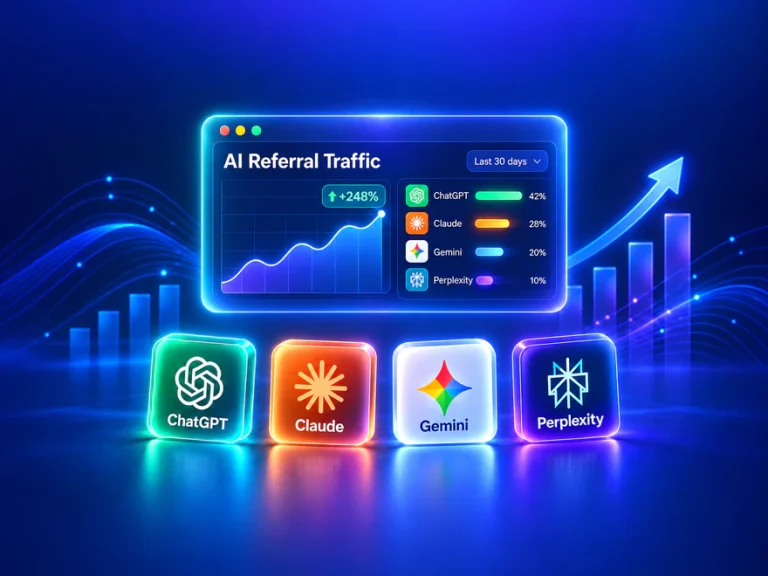
AI referral traffic starts when someone follows a link from an AI assistant to your website. Learn how it differs from organic search, what public studies measure, and how to separate genuine referrals from crawler requests and attribution tests.
 All About Site Traffic
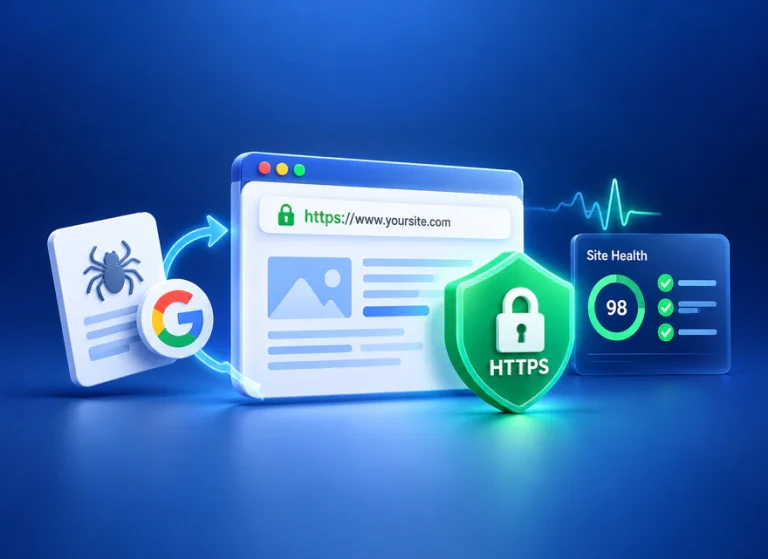
Technical SEO helps search engines and visitors access the right version of your pages. Learn how to check crawling, indexing, HTTPS, URL consistency and performance, then prioritize and verify the fixes that matter.
 Seo Learning
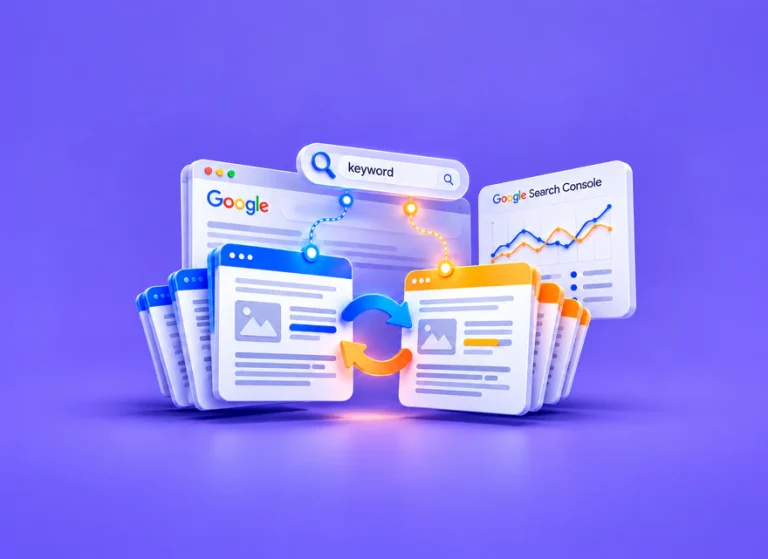
Use query-to-page evidence and a content review to distinguish harmful overlap from useful related pages, choose a defensible fix, and check the result.