

Great job! I was happy using Seovisitor on a few pages, and the results were noticeable. The traffic looked natural and helped improve engagement.

Daniel BrooksSEO Consultant
Worldwide packages from $1.99 for 2,500 Direct Visits.
Buy website traffic for your product pages, services, or content. Choose a ready-made package, or use Advanced to order targeted website traffic by country and device, configure daily visits, session duration, and internal pageviews, and track your campaign from your Seovisitor account.
 Start Your Traffic Campaign
Sign up with Google and receive a $1 account bonus plus 500 Club Points.
Starting at just $0.08 per 100 visits





Choose a predefined Quick Order package for a faster setup, or use Advanced to customize the available traffic, targeting, session, device, and scheduling options for your campaign.
By selecting one of these plans, you can benefit from the following features:
Unlock these benefits by choosing the advanced options:
Quick Order for worldwide packages. Advanced for custom settings.
Buy traffic to your site with a worldwide Quick Order package that matches your quantity and budget. Each card shows its Direct Visits allowance, included pageviews, and price, so you can compare options before ordering.
Choose Advanced when you need country targeting or a different delivery setup. Configure the available devices, daily volume, campaign length, visit duration, and additional pageviews. Watch the overview to see how ordering works, then review your selected settings before payment.
Your order covers a set number of visits to the public URL you enter. Before you pay, check how many visits are included, when they will be delivered, and whether the order includes additional pageviews.
A visit begins when someone or an automated session arrives on your site. A pageview is counted when a page loads during that visit. For example, a session that opens a product page and then a pricing page counts as one visit and two pageviews. Compare packages by their visit totals first, then check how many pageviews are included.
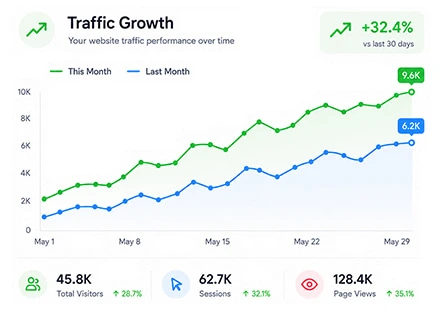
When you buy website traffic from Seovisitor, you can pay for a single campaign from your account wallet. Review the total price before paying and leave auto-renew off if you only need one run.
Use Advanced for targeted website traffic when you need visits from a specific country or want to set the mobile and desktop mix. If a preset volume fits your plans, you can choose a worldwide Quick Order package instead.
After placing your order, open the campaign in your dashboard to see its scheduled start and daily visit totals. The daily breakdown lets you check how delivery is progressing against the schedule you chose.
When you buy direct website traffic, each campaign visit starts on the public URL you enter. Direct Visits open that page without first going through a search result, social post, or referring website.
Choose the entry page based on what you want to measure. For example, if you are launching a new pricing page, enter its full URL and check the activity recorded on that page during the campaign. For a general introduction to your site, you can use the homepage.
If your campaign needs visits configured around a search keyword, use the separate SEO traffic service. To check how analytics attributes visits to AI platforms, use AI website traffic, which sends automated visits carrying the AI referrers you select.
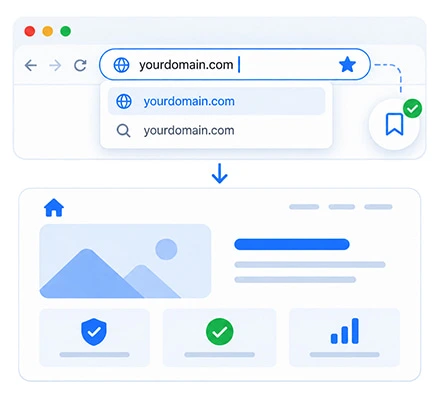
Before you buy website traffic, decide which page you want to support and what you will measure. A campaign for a new article may focus on visits to that URL, while a product or service page also needs a clear next step for the reader.
Keep delivery figures separate from business outcomes. Use your order report to review purchased activity, then measure inquiries, purchases, or other meaningful events in your own analytics. This makes it easier to decide whether another campaign fits your goals.
Control the available targeting, delivery schedule, and browsing settings in Advanced.
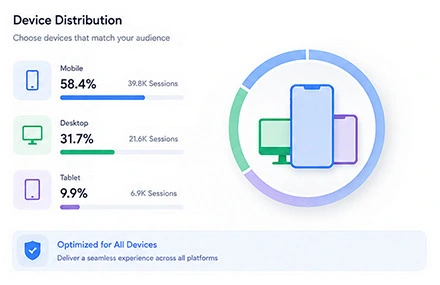
Choose the available mobile and desktop settings in Advanced to match your destination. A mobile storefront, a service inquiry form, and a detailed comparison page can work differently across screen sizes, so check the browsing experience before starting your campaign.
Use your existing device breakdown to guide your selection. If you run separate mobile and desktop orders, keep the destination, dates, and other settings comparable. You can then review the recorded activity for each device category more clearly.
In Advanced, set 60–270 seconds on the landing page and enable browsing of up to 9 additional pages. Choose the available duration and page settings to suit your destination, then check how they affect the order price.
One visit can include several pageviews. These are website visits and configured browsing activity, rather than paid ad clicks or a guaranteed count of unique people. A selected duration or internal-page click does not establish customer interest or a conversion.
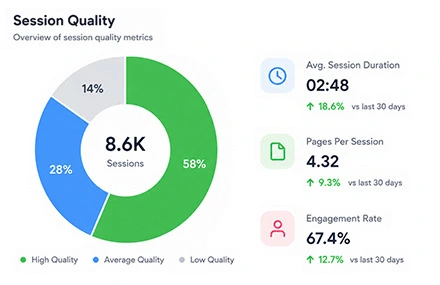
Custom Direct Visits campaigns support 50–2,000 visits a day over 1–120 days, subject to the selected targeting options. Choose a manageable volume and keep the destination and its offer available throughout delivery.
Review the full payable amount before ordering; a daily estimate differs from the campaign total. Compare the packages above or see all website traffic prices before choosing your campaign.
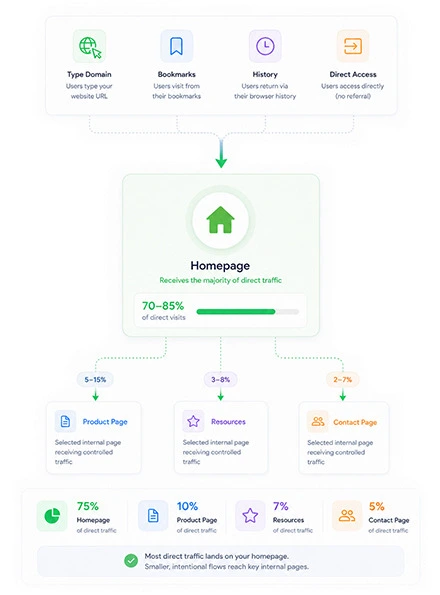
Send your campaign to the page that best matches its purpose. A homepage introduces your business and its main offers; an internal page gives a product, service, or article a more specific destination. Choose the URL before configuring the order so the campaign has a clear focus.
For an online store, use a product page for one item or a collection page for a related range. A service page should explain the offer, availability, and inquiry process. For published content, link directly to the article rather than making readers find it from the homepage.
Enter the complete public URL and follow its redirects before ordering. Keep the page, its offer, and any selected internal links available during the campaign. If you are comparing several destinations, use separate orders and a consistent naming system so you can review their settings and results without mixing the data.
GA4 can record visits when its tracking tag runs and the activity is included by your consent and reporting settings. Sessions may appear as (direct) / (none) when no clear referral source is available to Analytics.
The Direct category is not a separate list of your purchased visits. It can also include typed URLs, bookmarks, and other untagged activity. Use the destination page, campaign dates, countries, and device categories together when reviewing a traffic order.
Keep users, sessions, and pageviews distinct, since they measure different things. For the definitions behind these reports, see Google’s channel grouping guide. The reporting steps below explain how to compare campaign activity without treating every Direct session as part of your order.
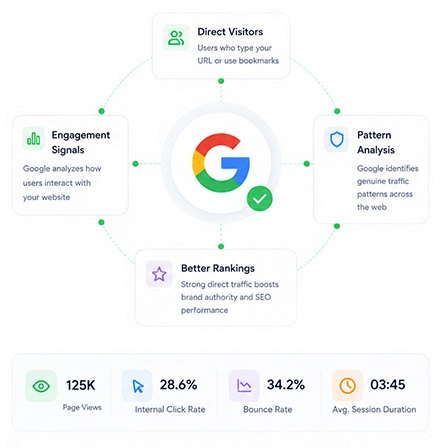
Choose available countries in Advanced, or select a worldwide Quick Order package.
Explore our dedicated pages for popular GEO-targeted traffic locations:
View traffic by countryTo buy USA website traffic, explore our United States options and review the available country and device settings before ordering.
Trusted by 20,000+ users, processing over 400,000 orders
Real experiences from marketers, creators and website owners using Seovisitor.
Great job! I was happy using Seovisitor on a few pages, and the results were noticeable. The traffic looked natural and helped improve engagement.
I didn’t expect much at first, but after a few days I noticed better time on page. I mainly use it when launching new content.

I tried Seovisitor on a side project. The traffic increase was subtle but noticeable, and it gave me useful insights for testing new content layouts.

Seovisitor works well for older articles that have stopped getting attention, helping bring them back into circulation.

I’ve used the system several times and noticed an immediate change in my website stats.

This system was used for several blog posts and helped turn one article into one of the most visited. That was amazing.

I don’t run it all the time, only for specific campaigns. For controlled testing, it does the job well.
I applied Seovisitor to a few product pages. It helped me observe user patterns and refine my marketing strategy.
Using Seovisitor for my tech blog posts gave me a better sense of which topics readers engage with most. Very insightful.

Monitor incoming visits and view real-time campaign updates from your Seovisitor dashboard.

Open Traffic acquisition in GA4 and select the dates of your order. Review Session source / medium and Session default channel group, then use a landing-page report or exploration to check the destination URL. Compare the recorded countries and device categories with the settings you purchased.
Save a baseline before launch and compare the same date ranges across tools. If supported by your campaign setup, campaign tags can help separate activity, but they may change its source classification. Record the tagging method you used when interpreting the Direct channel.
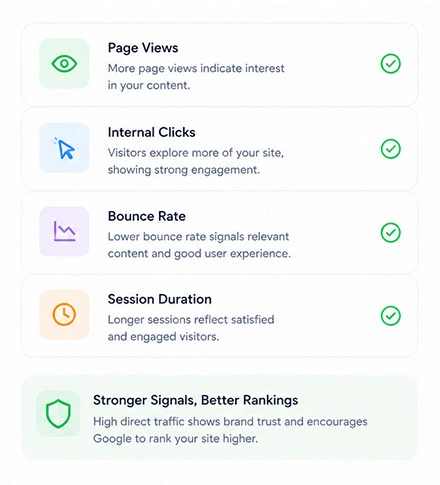
Use your Seovisitor order details as the starting point for a delivery check. Confirm the destination, campaign status, selected settings, and reported progress. Compare daily figures with daily figures, and the campaign total with the complete delivery period.
If your own analytics show a different count, first align the dates and time zones. Then check redirects, consent choices, tracking tags, and reporting filters on the destination and any additional pages. Analytics tools can apply different definitions and counting rules, so their totals may not match exactly.
Where Microsoft Clarity recordings are available, use them to inspect navigation and page loading on the selected devices. If a difference remains unexplained, send support your order ID, destination URL, affected dates, and relevant screenshots. Those details help the team investigate the specific campaign rather than an unrelated change in overall website traffic.
Confirm the order details, total cost, and applicable terms before payment.
Check the public URL, visit source, available countries, and devices. Ask how visits are generated and what evidence supports any human-traffic or fraud-control claims. Match delivery speed, duration, and additional pageviews to your goal.
Read Direct Visits and Page Views separately. Confirm the delivery period, full payable amount, and renewal settings. Start with a small campaign and compare reported delivery with your selected settings before ordering more.
Read the service terms for cancellation, refunds, and support. Check advertising-platform restrictions before ordering for monetized pages. Treat guaranteed rankings or sales, undisclosed sources, and missing refund terms as red flags.

Check access, mobile usability, analytics, and important actions before delivery begins.
Load the destination and selected internal pages on mobile and desktop. Check menus, buttons, redirects, and oversized images so the pages open correctly and the next step is easy to find.
Make sure the URL is public and reachable from your selected countries. Review hosting limits and security rules, allowing for your normal traffic alongside the daily volume you plan to order.
Confirm that your analytics tags run on the relevant pages and respect your consent setup. Record current sessions, countries, devices, and key events so you have a baseline for comparison.
Submit a test inquiry or check the purchase flow where relevant. Verify that important events and confirmation pages work, and keep test activity separate from actual customer inquiries or transactions.
Answers about choosing a campaign, pricing, delivery, and tracking.
You order a Direct Visits campaign for a public destination URL. Your package or Advanced settings define the visit allowance, delivery period, and browsing options. Review the order summary for the exact settings included in your purchase.
Choose Quick Order for a preset worldwide package with a listed price. Choose Advanced when you need available country targeting or want to configure devices, daily visits, campaign length, visit duration, and additional pageviews.
Quick Order packages start at $1.99 for 2,500 Direct Visits. Check the package cards for their current prices and included pageviews. Advanced pricing depends on your selected settings; confirm the full campaign cost in the order form before paying.
Advanced provides the country and mobile or desktop options currently available for your order. Quick Order packages use worldwide traffic. Check the available choices and your final order summary before payment.
Signing up with Google provides a $1 account bonus plus 500 Club Points. This is account credit rather than a separate free traffic package. The $1 bonus alone does not cover the $1.99 starting package; check any remaining payment and Club Points redemption rules in your account.
No. One visit can include several pageviews, and the same visitor can make repeat visits. Read the Direct Visits and Page Views allowances separately. Neither should automatically be interpreted as a count of unique people.
When an order finishes, its supplied visits end, so total traffic can return toward your usual baseline. That change alone does not show damage to your website or explain a change in organic rankings.
Check the scheduled dates and optional auto-renew setting in your account. A running campaign cannot be paused; review cancellation terms before payment and switch off auto-renew if you do not want another term.
Visits can appear in GA4 when your tracking tag runs and the activity is included by your consent settings and reporting filters. Compare the destination, dates, countries, and devices with your order report. The (direct) / (none) category can include unrelated visits, so do not treat every Direct session as purchased traffic or expect identical counts across tools.
Not by itself. Buying visits does not replace relevant content, technical SEO, or relevant, earned links. Use the campaign to check page loading and analytics across your selected locations, rather than as evidence of customer demand. More visits, longer configured durations, or additional pageviews do not guarantee higher rankings, leads, or sales.
Read the service terms for applicable usage, cancellation, and refund conditions. For an existing order, contact support with your order ID, destination URL, campaign dates, and relevant screenshots so the team can investigate your request.
There is no universal AdSense-safe guarantee for purchased traffic. Publishers remain responsible for invalid clicks and impressions. Do not use this service to generate ad clicks or artificial ad impressions. Review Google’s purchased-traffic guidance and your traffic sources before ordering for an ad-supported page.
There is no universal safety guarantee. Assess how the visits are generated, your website’s capacity, and any advertising-platform rules before ordering. Check the selected settings and service terms, then monitor delivery and reporting for unexpected activity. For ad-supported pages, also review the separate AdSense answer and Google’s requirements.
Choose a worldwide package from $1.99, or configure an Advanced campaign for your destination. Review the full order details, then place your order.
Buy Website TrafficPractical guides, fresh ideas and proven strategies to help you grow smarter.
 All About Site Traffic
Select an old post using relevant Search Console queries, decide whether to keep or refresh it, audit its answer, add original value, and measure the result without assuming AI Overview inclusion.
 All About Site Traffic
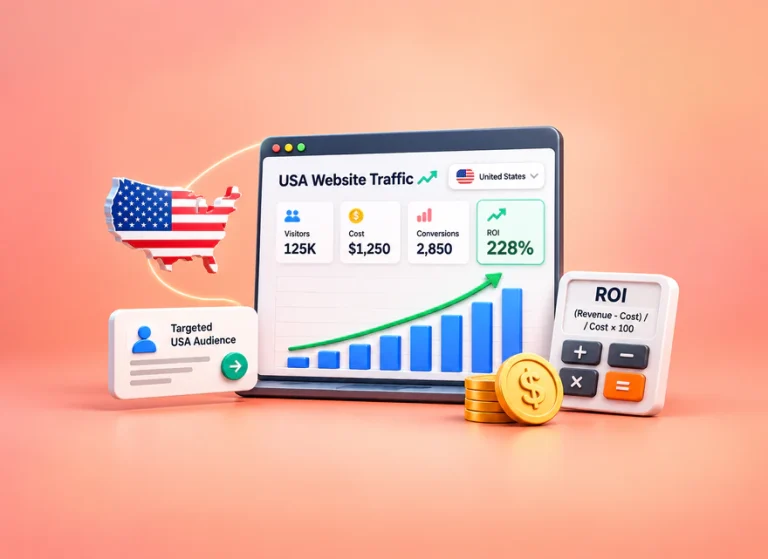
Calculate whether a USA-targeted website traffic campaign covers its full acquisition cost. Compare ROI with ROAS, follow a hypothetical margin and break-even example, and use verified outcomes to decide whether to stop, revise or continue.
 All About Site Traffic
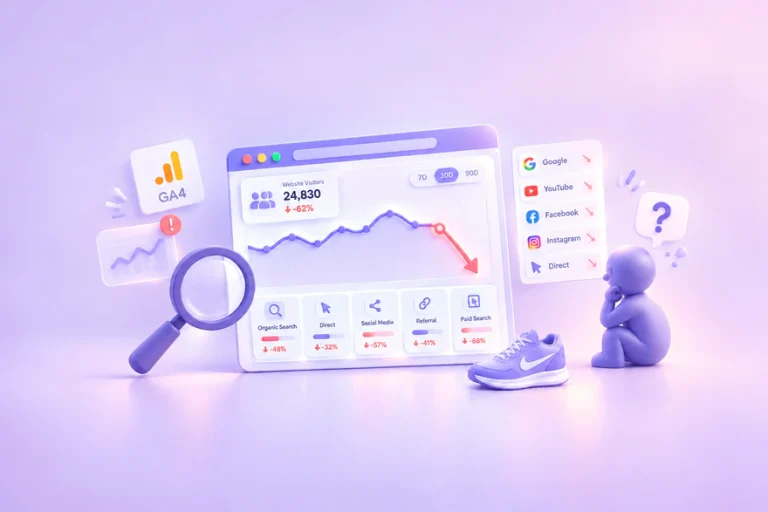
Investigate a sudden drop in website traffic before changing your site. Use a channel-by-channel process, practical worksheets and a hypothetical example to separate reporting changes from real losses.