


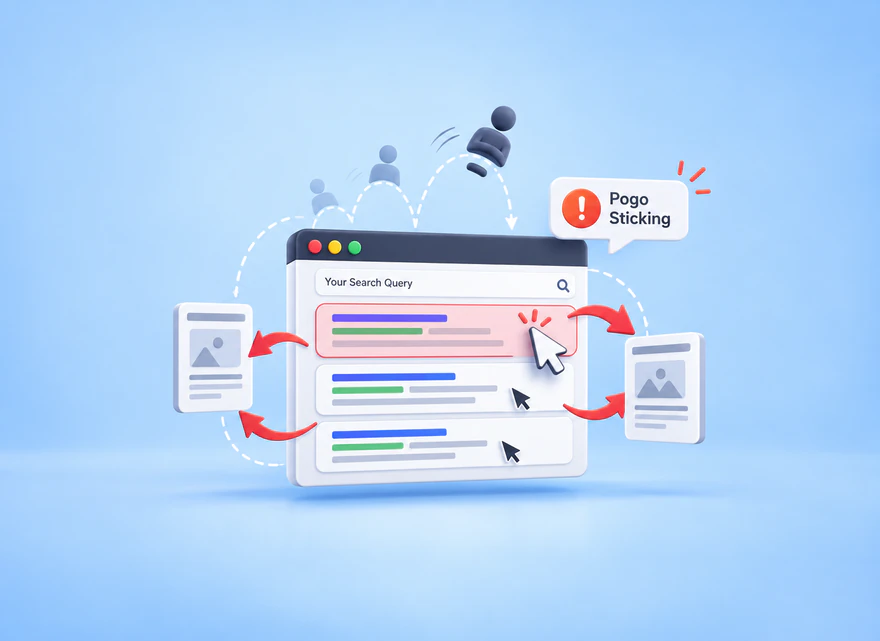
Understand what pogo sticking means, why it is not a confirmed standalone ranking factor, how it differs from bounce rate and dwell time, and how to diagnose page dissatisfaction.
Pogo sticking describes a search journey in which someone opens a result, returns to the results page, and chooses another result. SEO discussions usually use the term when the first page appears not to satisfy the searcher. However, the return alone does not establish dissatisfaction, and publishers do not receive a Google “pogo-sticking score” to optimize.
The useful response is to investigate the promise made by the result and the experience delivered by the page. Check whether visitors can find the answer, understand its limits, and complete the intended task. This guide separates pogo sticking from bounce rate and dwell time, explains the ranking claims carefully, and provides a practical page-level investigation without pretending to observe a person’s complete Google journey.
What Pogo Sticking Looks Like
Imagine someone searching for instructions to replace a backpack buckle. They open a result that promises a repair guide but find a long product introduction with no compatibility advice or repair steps. They return to search and select a practical tutorial. That is a hypothetical example of the pattern commonly called pogo sticking, not a measured SEOVisitor case study.
Now consider a different visitor who wants a store’s closing time. They find it immediately, leave the page, and compare another location. The short visit may have succeeded. Someone researching an expensive purchase may also compare several good sources deliberately. Similar navigation can therefore reflect very different intentions.
Multiple tabs make the story less obvious still. Someone may leave your page open while reading another source, or return later to complete a task. A referrer and an exit do not reconstruct that sequence. Avoid treating every short visit as rejection or every long open tab as attentive reading; both interpretations require evidence you may not have.
Distinguish the observed sequence from the explanation. A participant in a usability test can show you a return to search and explain why it happened. A short GA4 session does not reveal that reason. If the evidence only shows an exit or low engagement, describe it that way rather than labeling it confirmed pogo sticking.
The question to carry into the investigation is specific: “What did this visitor expect, and what prevented that task?” It is more useful than trying to stop every exit or increase every visit’s duration.
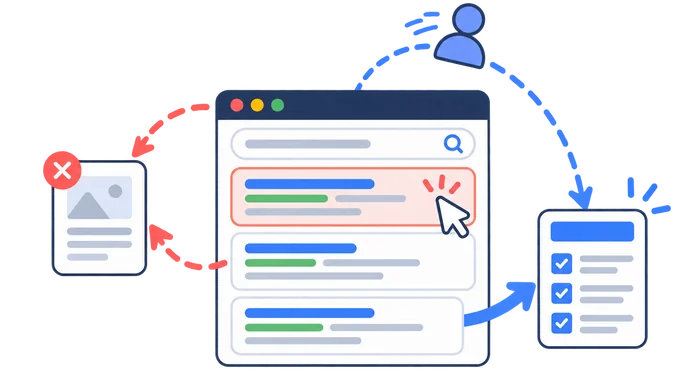
Is Pogo Sticking a Google Ranking Factor?
Google does not document a standalone publisher-facing pogo-sticking metric or a universal threshold that triggers a ranking penalty. Its ranking systems guide describes notable systems, not a complete recipe that lets a publisher calculate a page’s ranking from one behavioral number.
That does not justify claiming Google ignores all interaction data. Google’s explanation of ranking results says it uses aggregated, anonymized interaction data to help assess relevance. This is different from saying your GA4 bounce rate, one quick return, or a purchased visit directly changes rankings.
Keep the conclusions proportionate. You can identify an overpromising title, an inaccessible answer, or a broken interaction and fix it. You cannot infer a specific Google penalty from a session recording or promise a ranking increase because visitors stay longer after a redesign. Search demand, query mix, competing pages, and other changes can affect the same period.
Check technical accessibility separately when necessary. If Google cannot reliably access the intended content, an engagement investigation will not resolve that problem. The guide to what Googlebot does covers that distinct question. Keep crawling, relevance, page usability, and analytics observations separate in your diagnosis.
Do not use a before-and-after ranking chart to fill that evidence gap. A content revision may coincide with a different mix of searches or changes to competing results. Report what improved in the page and what changed in the reports, while keeping the causal explanation tentative unless the investigation supports it.

Pogo Sticking vs Bounce Rate, Short Click, and Dwell Time
These terms describe different observations. In GA4, bounce rate is the percentage of sessions that were not engaged. Under the default engagement timer, an engaged session lasts longer than ten seconds, includes a key event, or has at least two page or screen views. Google’s engagement and bounce-rate documentation explains these criteria.
The time threshold is configurable in Google tag settings. Record your configuration before comparing periods. Changing measurement settings can change a report without improving the experience. None of these engagement criteria identifies whether someone returned to Google and selected another result.
“Dwell time” commonly means the interval between selecting a search result and returning to the results. A “short click” describes a brief result visit, but there is no universal publisher benchmark defining how short is unacceptable. Neither is a standard GA4 report of the full search journey.
| Term | What it describes | Can GA4 measure it directly? |
|---|---|---|
| Pogo sticking | Returning to search results and choosing another result | No |
| Bounce rate | Percentage of sessions that were not engaged | Yes |
| Dwell time | Interval between a search-result click and return to results | No |
| Short click | A brief result visit in a search journey | No |
| Search dissatisfaction | The page does not meet the underlying need | Only indirect clues; not a satisfaction score |
Do not rename average engagement time “dwell time.” GA4 engagement time concerns activity with the page in focus; it is not a clock that follows someone through Google and competing websites. A longer recorded visit could mean useful reading or difficulty locating an answer.
Diagnose Intent and Snippet Mismatch
Start with one landing page and one recognizable task. Save the page version and review complete, comparable periods. A sitewide engagement average can hide a problem affecting only one template or audience. The goal is to connect a plausible expectation with observable on-page friction, not to produce a fictional pogo-sticking rate.
Review the Query and Result Promise
In Search Console, filter the relevant page and inspect the queries associated with its impressions and clicks. Group them by task, such as a definition, comparison, instructions, price, or download. Compare those tasks with the title, description, opening answer, and section order. Inspect the actual search result too; do not assume it always displays your preferred wording.
Record a concrete mismatch: “The result promises a downloadable checklist, but the checklist is missing,” rather than “Users dislike this page.” Search Console does not expose every query or identify individual visitors. Its data limitations and processing differences matter when interpreting small segments.
A CTR change is about the choice to click, not the experience after that click. Compare the same query groups where possible and inspect changes in position or result appearance. If the page begins appearing for broader informational searches, its overall CTR may change even though the experience for its original audience is unchanged.
Inspect On-Site Outcomes in GA4
Review the landing page for the relevant session acquisition source, device, and country. Keep Google organic traffic separate from email, paid campaigns, and social visits. Compare engagement with an action that fits the page’s purpose, such as opening a useful resource, completing a form, or purchasing a compatible part.
Separate reader success from your commercial goal. A repair guide can help someone identify an incompatible part without generating a sale. Conversely, a click on a product link does not prove that the advice solved the problem. Choose a small set of meaningful observations and state what each can, and cannot, demonstrate about the page’s purpose.
Check the implementation before interpreting a change: missing tags, duplicated events, altered consent behavior, or a newly defined key event can affect comparisons. Do not assign a particular Search Console query to an individual GA4 session merely because the page and date match. These are complementary views, not a complete person-level journey.
Do not improve the reported engagement rate by marking routine activity as a key event solely to change the metric. Define events around genuinely useful actions and document any configuration change. Otherwise, the apparent improvement may reflect a different measurement rule rather than a better answer or a more usable page.
Observe Friction in Microsoft Clarity
Review relevant recordings and heatmaps for repeated difficulties, not just the most dramatic session. Clarity recordings reconstruct captured page interactions; they are not a recording of everything the person does across the web.
Use the available Clarity filters to investigate dead clicks, repeated clicking, excessive scrolling, or quick returns. A quick back identifies navigation worth examining; it does not establish that someone returned to Google and chose a competitor. Preserve privacy protections and avoid putting sensitive visitor details into shared investigation notes.
Write down the observed action and the hypothesis separately. “Repeated taps on the buckle image” is an observation; “the visitor expected a size selector” is an interpretation to test. Check the interaction on the same device and ask a suitable test participant what they expected, without coaching them toward your preferred explanation.
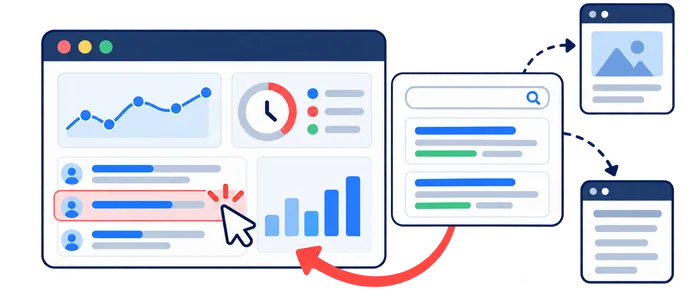
Common Causes of Search Dissatisfaction
Intent mismatch is a useful hypothesis, not a diagnosis to apply to every low-engagement page. Review the format, audience, and promised outcome first. A beginner may need definitions and prerequisites; an experienced buyer may need compatibility, limitations, and a direct comparison.
Other problems can produce similar symptoms. The answer may be accurate but buried under a long introduction. A mobile overlay may hide the first step. A comparison may omit the decisive constraint, or an old screenshot may make current instructions impossible to follow. Each requires a different correction.
When the evidence is ambiguous, use a short task test rather than adding unrelated features. Ask someone from the intended audience to find the relevant instruction and explain what they would do next. Observe where they hesitate, then ask a neutral follow-up. This tests findability and comprehension without claiming to replicate Google’s ranking systems.
Use this table to turn a vague concern into a testable next check. The signs are clues, not proof of what happened after the visitor left.
| Observed sign | Possible explanation | Next check |
|---|---|---|
| Queries ask for a template; the page explains a concept | Promise and format mismatch | Verify the result wording and actual deliverable |
| Repeated taps on a noninteractive graphic | Misleading visual affordance | Reproduce the interaction on the affected device |
| Visitors repeatedly scroll past the key instruction | Poor signposting or answer placement | Test whether a reader can locate the step |
| Engagement changes after an analytics release | Measurement change rather than UX change | Check event and timer configuration |
Traffic quality also matters, but it is a separate question from an organic search journey. Use a consistent website traffic channel framework. Purchased visits do not demonstrate earned search satisfaction or validate a claim about Google rankings; keep their reporting separate.
Prioritize confirmed obstacles with a clear effect on the task. A broken primary action deserves attention even before you can estimate how many people encountered it. A small change in an aggregate engagement rate needs more context before it justifies a major rewrite.

Fix the Page for User Satisfaction
Give the main answer early, then explain the method, evidence, limitations, and next steps. Do not force the visitor through background material to discover whether the page can help. Make the title and description honest about what is included rather than adding a promise merely to attract a click.
In the hypothetical buckle guide, the opening could explain how to identify the buckle type and check strap width before describing replacement. The page can then separate a straightforward replacement from cases needing specialist repair. That is more useful than repeatedly claiming the guide is comprehensive.
Use descriptive headings and concise paragraphs so visitors can locate the next action. Introduce a table when it helps compare options, and place an illustration beside the instruction it explains. Internal links should continue a related task, not send people elsewhere before answering the original question.
Check whether every promised asset exists and works. A “download” that leads to a generic sales page, a calculator with no usable result, or a repair guide without the required steps creates a concrete expectation gap. Correct that gap rather than merely making the introduction longer.
Keep the scope disciplined. A practical repair page need not become a general history of backpacks, a buying guide, and a traffic-acquisition article. Add the missing prerequisite or example that helps complete the task; move a genuinely separate question to a relevant linked resource. More text is useful only when it makes the answer clearer or more complete.

Test the affected mobile experience from arrival through task completion. Check loading, layout stability, readable text, usable controls, and overlays. Reserve appropriate space for media, remove unnecessary blocking elements, and verify that a dismiss control works. Reproduce the actual problem instead of treating a performance score as the whole diagnosis.
Do not try to “reduce pogo sticking” by trapping people on the page. Google explicitly addresses back-button hijacking as a spam-policy violation. Respect normal navigation; inserting deceptive history entries or diverting someone who presses Back is not a legitimate engagement improvement.
A successful fix can make a visit shorter. Clear compatibility advice may let a reader finish quickly; a working download may eliminate unnecessary clicks. Evaluate whether the change removes the obstacle and supports the task, not whether it maximizes time, scroll depth, or pageviews.
Run a Page-Level Investigation
Write the hypothesis before editing: “People seeking a repair tutorial cannot find the compatibility check on mobile.” Name the evidence, planned correction, owner, and validation method. Avoid simultaneously changing the title, layout, offer, and tracking if you need to distinguish their effects.
A Hypothetical Before-and-After Plan
Before: the buckle guide promises repair instructions, but opens with company history and a large promotion. The compatibility check appears much later, and a decorative image looks like a selectable size guide. These are fictional observations for the example, not reported findings from this website.
Decision and correction: move the concise compatibility explanation into the opening answer, label the illustration clearly, and put the detailed steps in a logical sequence. Keep the relevant commercial action after the practical advice. Preserve a copy of the old page and record what changed.
Validation: ask a suitable participant to locate the correct part and explain the next step without coaching. Check the same mobile interaction, confirm that relevant events still work, and review subsequent complete reporting periods. No numerical uplift or ranking recovery is assumed in this hypothetical plan.
Use Search Console to follow the relevant query mix and page performance, GA4 to examine useful on-site actions, and Clarity to inspect the identified friction. Keep country, device, source, and event definitions consistent. Allow for low sample sizes and unrelated releases when interpreting a difference.
A simple before-and-after review is not automatically a controlled experiment. Preserve the comparison setup and note promotions, seasonality, tracking releases, or major content changes elsewhere on the site. If the evidence cannot isolate an effect, describe a plausible improvement with its limitations rather than assigning an invented percentage of benefit to one edit.
Decide what each outcome means before reviewing results. If the confusing interaction is fixed but engagement time falls, investigate task completion rather than automatically reverting. If clicks rise while qualified actions fall, check audience fit and measurement. If the data is too sparse, record uncertainty instead of announcing a proven win.
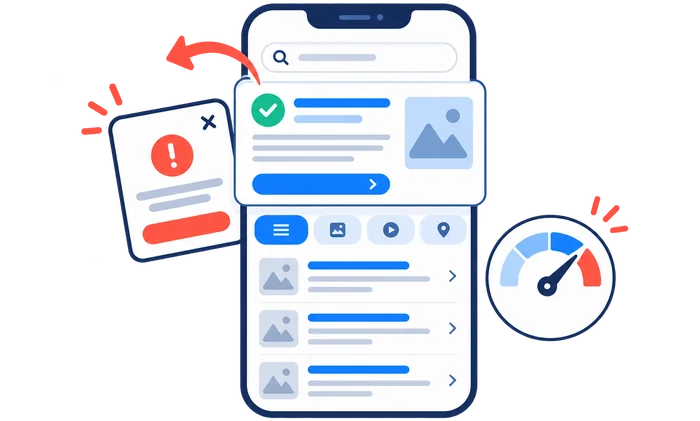
Focus on the Searcher, Not the Myth
Pogo sticking is useful language for discussing a search journey, but it is not a metric your standard analytics reports can directly measure. Google’s use of interaction data does not turn your own bounce rate into a confirmed standalone ranking score.
Keep the investigation grounded in a query, a page, and a task. When outdated or incomplete information is the issue, follow a structured old-content refresh process. When the issue is a broken control or intrusive overlay, fix that mechanism instead of adding unrelated text.
Close the review with a short record: what was observed, what explanation was tested, what changed, what was verified, and what remains unknown. The strongest outcome is a clearer and more usable answer with defensible measurement, not a claim to have manipulated an invisible search signal.
Frequently Asked Questions
Quick answers to common questions about what is pogo sticking
Pogo sticking describes clicking a search result, returning to the results, and choosing another result. It is often discussed as dissatisfaction, but the return alone does not prove why the visitor left.
Google describes aggregated, anonymized interaction data, but does not publish a standalone pogo-sticking score or universal penalty threshold. This does not make GA4 bounce rate a confirmed direct ranking factor.
No. GA4 bounce rate is the percentage of sessions that were not engaged. It does not show whether a visitor returned to Google and selected another result.
No. GA4 measures on-site engagement and events, not the complete journey between Google results and other websites.
Compare queries and CTR in Search Console, landing-page engagement and key events in GA4, and page friction in Microsoft Clarity recordings and heatmaps.
Align the snippet with the page, answer the main question early, improve mobile speed and layout, remove intrusive elements, and make important information easy to find.
Yes. A visitor may get a brief answer, compare sources, or continue researching. The return alone does not reveal satisfaction. Examine the query, the page's purpose, and meaningful on-site actions before diagnosing a problem.
Record the change and compare equivalent query-page segments and complete reporting periods. Review relevant clicks, on-site outcomes, and observed friction together. A before-and-after change in engagement does not by itself prove a ranking effect.



Comments
Leave a Comment