



Understand how Googlebot discovers, crawls and renders pages, why indexing is a separate decision, and how to investigate problems with Search Console and server logs.
Google’s crawler, commonly called Googlebot, discovers URLs, requests page resources, renders JavaScript when needed, and passes the result to Google’s indexing systems. Crawling is not the same as indexing, and indexing is not the same as ranking.
Understanding each stage helps you diagnose why a page is missing from search. The right fix depends on whether Google cannot discover the URL, cannot fetch it, cannot render important content, chooses not to index it, or indexes it without ranking it prominently.
Googlebot Smartphone, Desktop and Other Google Crawlers
Googlebot is the general name for Google’s main web-search crawlers, including Smartphone and Desktop. Google primarily uses the mobile version of a site’s content for indexing. Check that mobile visitors can access the same important explanations, product details and internal links as desktop visitors, rather than treating mobile as a shortened edition.
Google also operates crawlers for particular products and user-triggered fetchers. A request from an inspection tool is not the same evidence as a routine Googlebot recrawl. Use the crawler identity and request time when interpreting a server log; do not group every request containing “Google” into one event.
Check delivery conditions before comparing mobile and desktop. A visitor signed into an account may see information that a public crawler cannot access; a device-specific template may omit the main answer or its links. Start with the intended public experience and identify exactly which content must be available. Do not expose private information merely to make a crawler test look complete.

Discovery: How Google Finds URLs
Googlebot discovers URLs mainly through crawlable links on known pages and through sitemaps. Internal links are especially important because they communicate site structure and help both users and crawlers reach important pages. A URL that appears only in a search form, script event, or orphaned sitemap entry may be harder to discover reliably.
Use standard HTML links with an href value, link from relevant pages, and include canonical indexable URLs in the XML sitemap. A sitemap is a discovery signal; it does not guarantee crawling or indexing.
For example, a newly published guide should be reachable from a relevant category or existing article, not only from the site’s internal search box. Check the actual link destination after redirects. A useful navigation path explains where the guide belongs and helps a reader discover it too. See Google’s sitemap guidance for the limits of sitemap submission.
Review the URL inventory as well as individual links. A single useful guide can become many URLs through filters, tracking parameters, or alternate paths. Decide which version represents the public resource and make the navigation consistent. The objective is a clear route to the intended page, not the largest possible number of discovered addresses.
Crawling: What Googlebot Requests
When Googlebot crawls a URL, it makes an HTTP request and receives a status code, headers, and content. A successful 200 response allows processing to continue. Redirects point to another URL; 404 and 410 responses indicate missing content; repeated 5xx errors can reduce crawling because the server appears unavailable.
A 200 response alone is not evidence that a useful page was delivered. A blank template, error message or login screen can still return 200. Check the response content as well as the code. Google’s HTTP status-code documentation explains why successful fetching and successful indexing are different outcomes.
Googlebot also requests resources referenced by the page, including CSS, JavaScript, and images. Blocking essential resources can prevent Google from understanding the rendered page. The official Googlebot documentation explains the mobile and desktop crawler types and access behavior.
Rendering: How Google Processes JavaScript
For a traditional server-rendered page, useful content and links are already present in the HTML response. JavaScript applications may return an app shell and generate the main content later. Google can render JavaScript with an evergreen Chromium environment, but rendering may be queued and depends on accessible scripts, APIs, and resources.
Do not rely on client-side code to remove an initial noindex directive. Google may see the noindex before rendering and stop further processing. Server-side rendering or pre-rendering can make critical content available sooner to users and crawlers, although it is not mandatory for every site.
Inspect the rendered HTML, not just the screenshot. Can you find the main answer, descriptive links and relevant metadata? If content requires a click, login or a failed API call, a normal browser visit may not reflect what the crawler receives. Follow Google’s JavaScript SEO guidance when debugging the rendering stage.
Compare a small set of concrete elements across the response and rendered HTML: the main heading, a distinctive explanatory sentence, and an important destination link. If an element is absent, trace the resource or condition responsible before redesigning the page. A successful resource request does not establish that the right data was returned, just as a complete-looking screenshot does not prove that every relevant link exists in the HTML.
Indexing and Ranking Are Separate Decisions
After crawling and rendering, Google analyzes the content, title, links, images, language, duplicates, and other signals. It may select a canonical URL and decide whether the page belongs in the index. An accessible page is not automatically indexed: duplication, limited unique value, exclusions and other processing issues can affect eligibility. Read the specific Search Console status rather than treating every excluded URL as the same problem.
Ranking happens only after content is eligible to appear for a query. Ranking systems evaluate relevance and many other signals; Googlebot itself does not award rankings. Paid or purchased traffic does not cause Googlebot to index a page or improve its organic position.
| Stage | Main action | Common diagnostic |
|---|---|---|
| Discovery | Find URLs from links and sitemaps | Internal links and sitemap inclusion |
| Crawling | Request the URL and resources | Status codes, robots.txt, server logs |
| Rendering | Execute JavaScript and build rendered HTML | URL Inspection rendered page |
| Indexing | Analyze content and canonical signals | Indexing status and selected canonical |
| Ranking | Choose results for a query | Search performance and relevance |
The stages provide an investigation order, not a promise that every page advances to the next one. First write down the exact question: has Google requested this URL, did the intended content arrive, or is the page included in the index? Each question needs different evidence. A screenshot of a search result cannot answer what the server delivered during a previous crawl.
Use a small record with an observation, a suspected cause, and the next check. For example, “main comparison missing from rendered HTML” is actionable; “Google dislikes the page” is not. If the page is already indexed, investigate its query relevance and performance separately instead of trying to repair crawling that has not been shown to fail.
Robots.txt, Noindex, Sitemaps, and Canonicals
Robots.txt controls which URLs compliant crawlers may request. It is not a reliable way to keep a URL out of search because an uncrawled URL can still be known through links. Use a robots meta tag or X-Robots-Tag with noindex on a crawlable response when you do not want a page indexed.
A robots.txt block and a noindex directive solve different problems. Blocking a URL can prevent Google from seeing the noindex on that page. Neither robots.txt nor noindex protects private information; confidential areas need appropriate authentication. Review the matching rule in Google’s robots.txt specification before changing access.
An optional llms.txt index is separate from robots.txt, noindex, and XML sitemaps. Review its proposed purpose before treating it as a search or crawler control.
A canonical is a signal that identifies the preferred version among duplicates. Keep canonical signals consistent across redirects, internal links, sitemaps, and rel=canonical markup. Do not point every thin or unrelated page to one URL. Google can choose a different canonical when signals conflict.
When a page is permanently replaced by a closely matching page, a permanent redirect is different from leaving both pages published with a canonical hint. Link directly to the preferred destination and keep obsolete URLs out of its sitemap. Google’s canonicalization documentation explains these signals; a canonical is not a shortcut for merging unrelated topics.
Separate a duplicate-version decision from an access problem. If both URLs serve substantially the same guide, compare the declared preference with the links and sitemap entries that point to them. If one URL serves a login screen or an unrelated topic, investigate that response rather than using a canonical to conceal it. Document why the preferred URL is the correct destination for the same reader task.
How Google Chooses What to Crawl and Revisit
There is no universal timetable for recrawling every page. Google’s crawl-budget documentation distinguishes crawl demand from crawl capacity. Demand concerns which URLs Google wants to revisit; capacity concerns what it can request without overloading the host.
Crawl demand: changes, usefulness and URL inventory
Update frequency, popularity and the value of the available content can influence demand. These are not instructions to manufacture visits or rewrite dates. Publish meaningful changes, expose relevant links and avoid generating endless near-identical URLs. A frequently changing news page and a stable reference guide need not be revisited on the same schedule.
Crawl capacity and site size
Crawl budget matters mainly for very large or rapidly changing sites. Small sites usually gain more from fixing discoverability, duplicate URLs, server errors, and weak content than from attempting to “optimize crawl budget.” Avoid infinite faceted URLs, calendar traps, long redirect chains, and duplicated parameter pages.
Healthy server responses allow Google to crawl efficiently. If Googlebot receives repeated rate-limit or server errors, crawling may slow. Use server logs to see actual Googlebot requests and verify suspicious user agents when necessary rather than trusting the name alone.
Verify Googlebot in Server Logs
A user-agent name can be imitated. When investigating suspicious requests, follow Google’s request-verification procedure: use its published IP ranges or verify reverse DNS and then confirm that forward DNS resolves back to the original IP. Do not trust a hostname containing the word Google without checking the actual domain.
Keep a compact investigation record beside the raw logs. The following is an illustrative template, not a real request or a reported outcome. Complete it with observed values and keep sensitive server data inside the appropriate team.
Investigated URL: [exact public URL]
Observed request time and timezone: [recorded value]
Request category and verification: [crawler/fetcher + method]
Response and required resource: [observed status/content]
Deployment or test time: [recorded value]
Next evidence needed: [specific unresolved question]
This record prevents a later live test from being mistaken for an earlier routine crawl. It also gives the developer a specific failure to reproduce instead of asking them to “make Google index the site.”
Check the coverage of an extract before interpreting missing entries. Ask which time window, host, URL variants, and request categories it includes. An incomplete export can support a positive observation about a request it contains; it cannot establish that Google never requested the page. Keep that uncertainty in the handoff.
For a useful crawl log, retain the requested URL, time, response code and verified crawler identity. Look for repeated failures across a template, not only one request. Logs can demonstrate a fetch; they cannot show that the fetched page was indexed or selected for a particular query.
Diagnose Problems With URL Inspection
In Search Console, inspect the exact canonical URL. Check whether crawling is allowed, whether indexing is permitted, the last crawl, the user-declared and Google-selected canonicals, and any page-fetch issue in the stored report. A live test checks current accessibility, not whether Google will index the page or choose it as canonical.
Compare the rendered output with what a user sees. Confirm that the primary text, links, title, canonical, and robots directives are present. Then investigate the cause that matches the stage: strengthen internal discovery, fix blocked resources, return the correct status, remove accidental noindex, clarify canonical signals, or improve the page’s unique value. If the page is technically eligible but dated, use a structured old-content refresh workflow.
Use the official URL Inspection instructions to distinguish the stored report from the live test. Keep the test date and deployment date in your investigation notes so that an old crawl is not mistaken for the current implementation.
| Observed status or symptom | Next check | Useful action |
|---|---|---|
| Discovered, not yet indexed | Internal discovery, host health and URL inventory. | Improve meaningful links and resolve broad availability problems. |
| Fetch failed or access blocked | Response, robots.txt, firewall and authentication. | Remove the unintended barrier, then retest the affected template. |
| Main content missing after rendering | Scripts, API responses and interaction-dependent content. | Make essential content available in the rendered page. |
| Crawled, currently not indexed | Rendered value, duplication and page purpose. | Address the evidence; this label alone does not identify the cause. |
| Alternate canonical selected | Declared canonical, redirects and internal links. | Align signals around the genuinely preferred version. |
Choose the smallest change that addresses the observed failure. Repeatedly submitting the same URL is not a substitute for fixing a blocked resource, an empty template or a redundant page. Once the technical barrier is resolved, assess content separately rather than assuming another crawl will solve every visibility problem.
After a correction, repeat the check that originally failed and retain its result. If several URLs share the same template, sample other affected pages and an unchanged page to check scope. Avoid changing unrelated directives at the same time: otherwise a different canonical or access rule can make the follow-up comparison difficult to interpret. A documented technical pass is useful even while the later indexing outcome remains unknown.
A Hypothetical Crawl and Rendering Investigation
Imagine an online store publishes a laptop-bag buying guide. Its team sees that the URL has been crawled but is not indexed. This is a hypothetical example, not a customer result. The page returns 200, appears in the sitemap and has a relevant category link, so the team does not assume discovery is the main problem.
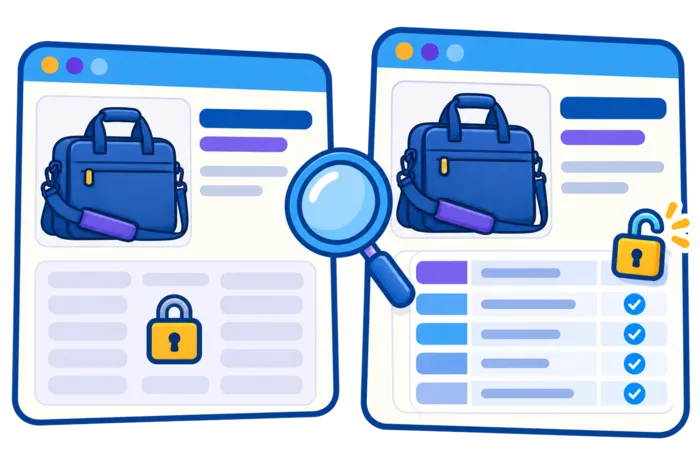
The team compares the browser page with the rendered output from inspection. The visible introduction is present, but the useful size comparison loads from an API that requires a logged-in session. A developer reproduces the missing response in a fresh, logged-out browser. That evidence supports a rendering-access hypothesis; the indexing label by itself did not establish it.
The developer makes the public comparison available without authentication while keeping account details protected. The editor checks that the guide answers a distinct buying question instead of duplicating the product category. They retain the same URL and review its canonical and robots directives for accidental conflicts.
Before release, the team defines a narrow acceptance check: a logged-out request must receive the public size comparison, and the inspection output must contain the same essential explanation and crawlable links. It tests another page using the template so the fix is not limited to the one demonstration URL. Authentication remains in place for genuinely private account information.
The handoff records the API-access issue, the changed component, the release time, and the checks performed. It does not claim that this was Google’s only reason for excluding the page. If the content is now present but the URL remains unindexed, the next review considers duplication and the guide’s distinct value instead of repeatedly applying the same rendering fix.
The first verification is specific: the intended text and links now appear in the rendered output, and the relevant resource no longer fails. The team then monitors later crawl and indexing information. Organic impressions and clicks are a separate downstream check, not proof of guaranteed recovery or a promised increase.
For later position observations, an optional Keyword Rank Tracker can supplement Search Console. Keep its location, device, and query set consistent. Position monitoring does not confirm a fetch or explain an indexing decision.
Keep Promotion Separate From Crawler Diagnostics
Once the guide works as a public destination, the business may choose a separate campaign to promote it. Label that campaign and assess its visits against its own objective. Those visits are different evidence from verified crawler requests, rendered content, or an indexing report. Buying additional visits does not repair a blocked API or cause Googlebot to revisit the page.

If you want to bring more visits to a specific page, you can use SEOVisitor’s website traffic service to build a campaign around the content you want to promote.
Common Google Crawler Myths
More crawler activity is not automatically better SEO. Judge a technical change by whether the intended pages can be processed correctly, then evaluate search performance separately.
- “Every crawl leads to indexing.” A successful fetch is one stage, not an indexing commitment.
- “A sitemap forces Google to visit every URL.” It helps discovery but does not override crawl rules or guarantee selection.
- “Speed is a reward that buys rankings.” Reliable, efficient responses help access; they do not establish a ranking entitlement.
- “Buying visits buys crawl priority.” Google does not sell more frequent crawling or higher organic rankings. Campaign traffic must be evaluated independently.
The last distinction is explicit in Google’s explanation of how Search works. Keep acquisition decisions separate from crawler diagnostics and do not attribute an indexing change to purchased visits simply because the events happened close together.

What Googlebot Does—and Does Not Do
Googlebot fetches and renders pages so Google can process their content. It follows technical rules such as robots.txt, interprets status codes and links, and supplies information to indexing systems. It does not guarantee that a fetched URL will be indexed or rank.
Build crawlable links, serve useful content in reliable responses, keep directives consistent, and validate the result with URL Inspection. That evidence-based process is more effective than trying to trigger crawling through purchased visits or other unrelated traffic tactics.
Frequently Asked Questions
Quick answers to common questions about what does Google crawler do
Googlebot discovers URLs, requests pages and resources, renders JavaScript when needed, and sends processed content to Google’s indexing systems.
No. Crawling fetches a URL, while indexing analyzes and may store its content. A crawled page is not guaranteed to be indexed.
Not reliably. Robots.txt controls crawling. Use a crawlable noindex directive when you want Google to exclude a page from the index.
Google has fetched the page but has not selected it for indexing at the time reported. Review rendered content, duplication and unique value. The status alone does not establish a specific technical or quality cause.
Yes. Google can render JavaScript with Chromium, but rendering may be queued and depends on accessible scripts, APIs, and resources.
No. Purchased visits do not cause Googlebot to crawl or index a page and do not directly improve organic rankings.
There is no fixed schedule for every website. Crawl demand, meaningful changes, URL inventory and server capacity affect revisits. A sitemap or purchased traffic does not guarantee a faster recrawl.
Do not rely on the user-agent name alone. Match the requesting IP to Google’s published crawler IP ranges, or verify reverse DNS and confirm that forward DNS resolves back to the original IP.
No. A live test checks the current page's accessibility and possible indexability. It does not prove inclusion in the index or predict Google's selected canonical. Review the stored indexing report separately and note when each test was performed.
Repeat the specific check that failed on the same URL: response content, required resources, rendered text or links. Record the deployment and test times, check other affected pages where relevant, and assess later crawl/indexing data separately from search performance.




Comments
Leave a Comment