


Learn how AI Overviews can affect search visibility and clicks, then investigate your own pages with Search Console and GA4. Includes current reporting limits, a hypothetical comparison and a practical decision framework.
Google AI Overviews can change organic traffic by changing what people see, read and click on a search results page. Some questions may be answered without a visit; others lead readers to supporting sources or a business. There is no reliable percentage that predicts the effect on every website. To understand your own results, separate three questions: was the page visible, did someone click, and did that visit produce a useful outcome?
This guide explains AI Overviews’ effect on organic clicks and a practical way to measure it in 2026. It combines Search Console query-and-page comparisons, the current Generative AI impression report and GA4 landing-page outcomes. It does not treat a citation as a sale, a falling CTR as proof of AI displacement, or purchased visits as organic recovery.

What are AI Overviews, AI Mode and SGE?
AI Overviews are generated summaries that may appear within Google Search, with links to supporting websites. AI Mode is a separate, more conversational Search experience. SGE, or Search Generative Experience, was the earlier experimental name; it is historical context, not the name of a separate current traffic channel.
Google’s AI features documentation explains that AI Overviews and AI Mode can use related searches, sometimes called query fan-out, to gather supporting information. Their responses and links can differ, and an overview does not appear for every query. Neither feature is simply another name for the familiar first organic result.
That distinction matters when interpreting a ranking report. A page can retain a familiar organic listing while the surrounding page gains an answer, shopping results or other elements. Alternatively, it can become a supporting source without the same pattern of visits as a conventional listing. Visibility and clicks are connected, but they are not interchangeable.
An automated AI-referrer campaign is a separate reporting exercise. The service below supplies configured visits, not real people referred by an assistant, earned recommendations or placement in Google’s answers.

If your website promotion includes AI-source visits, SEOVisitor’s AI traffic service gives you a way to create a campaign and track its traffic to your selected page.
How AI Overviews can affect organic clicks
A generated answer can satisfy a simple information need before a reader reaches a website. It can also introduce a source the reader wants to investigate. A comparison, test method, downloadable resource or transaction may still require a visit. These are plausible user journeys, not rules that predict how every informational or commercial query behaves.
Consider two tasks: checking a measurement conversion and choosing equipment for an unusual installation. The first may end with a short answer. The second may require detailed specifications, evidence and advice. For your site, identify which task the affected page actually serves before changing its content or reducing its budget.
What public click research does—and does not—show
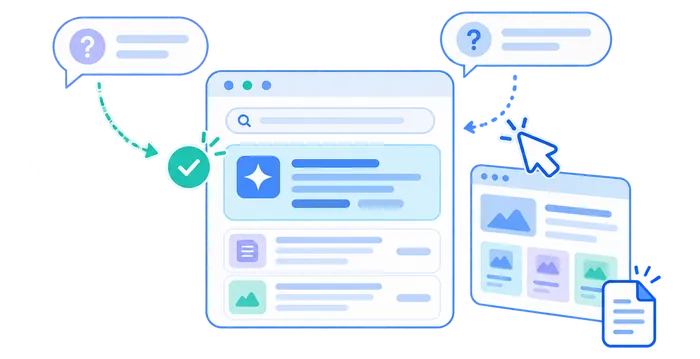
Pew Research Center’s July 2025 analysis examined 68,879 Google searches from 900 U.S. adults’ March 2025 browsing. Traditional result links received a click on 8% of visits with an AI summary, versus 15% without one. Links within the summaries were clicked on 1% of visits with a summary.
Those are observed visit-level patterns in a particular sample, not an expected CTR for an individual website. Pew reconstructed search results in April, after the March browsing period, and noted that summaries can change. The comparison was not a randomized experiment assigning the same searches to layouts. It supports investigating click behaviour, not declaring that every publisher lost the same share of traffic in 2026.
Before applying a public finding to your own forecast, write down its population, observation dates, measured action and unit of analysis. A share of search visits with any click is not the same denominator as your page’s Search Console CTR. Check whether your affected audience, search task and market resemble the sample. If those details differ, use the study to frame a question rather than copy its percentage into a revenue projection. That is especially important when estimating the effect on a single high-value page.
A featured snippet can also answer a question on the results page, but it is not an AI Overview. Record the feature you actually observed rather than labelling every answer box as AI.
Use a small result-layout log for important queries: date, country, device, visible features and whether your page appeared. A screenshot is evidence of that observation, not a record of every searcher’s experience throughout the reporting period.
Separate visibility, search clicks and business outcomes
Start with a measurement map. Each tool answers a different question, so a useful report keeps the original metric names and denominators instead of blending them into one “AI traffic” total.
| Question | Report or evidence | Important limit |
|---|---|---|
| Did Google show links to this page in AI features? | Search Console Generative AI impressions | Search combines AI Overviews and AI Mode; impressions are not visits. |
| Did relevant searches produce more or fewer clicks? | Search Console Search results, filtered by query and page | Overall Web data is not an AI-Overview-only click report. |
| What did recorded visitors do on the landing page? | GA4 acquisition, landing pages and key events | Collection and attribution do not identify every AI Overview click. |
| Did useful commercial activity change? | Validated leads, orders or subscriptions | A recorded event needs a business definition and quality check. |
Do not add AI-feature impressions to overall Web impressions: they are already included in that broader reporting. Likewise, dividing overall organic clicks by AI-feature impressions does not produce an AI Overview CTR. The numerator and denominator describe different populations.
Google’s click, impression and position methodology also matters. A click on an external AI Overview link counts as a click; all links within one overview share its position. Average position therefore cannot tell you a citation’s order within the answer or how far someone scrolled to see it.

Build a comparable Search Console baseline
Choose a manageable set of important pages and relevant query groups. Keep a written definition of the audience and task for each group. A product comparison, a basic definition and a brand navigation query should not become one average simply because they lead to the same website.
Create a reusable cohort label, such as the canonical page plus its comparison-intent query group and target market. Record the exact filters, export date and reporting time zone beside that label. Keep a fixed group for evaluating recurring demand, and a separate view for newly appearing queries. Otherwise, a growing set of broad searches can change the denominator halfway through your investigation. Have another team member reproduce one saved view before distributing the report; reproducibility is more useful than a dashboard with unexplained totals.
Compare complete periods and the same search scope
Use equal-length, completed periods, such as two 28-day windows, with the same Search type. Record whether you are reviewing text-based or multimodal search where that distinction is available. For seasonal topics, inspect the comparable prior-year period as context rather than assuming the previous month represents unchanged demand.
Note migrations, title edits, campaigns, outages, consent changes and major content releases. Google’s traffic-drop guidance recommends examining other explanations, including technical issues, ranking changes and seasonality. An AI explanation should compete with those possibilities, not replace the investigation.
Review Query × Page before accepting the site-wide average
Filter Search results to a specific page, inspect Queries, and select a relevant query or clearly defined group. Compare clicks, impressions, CTR and average position together. Then inspect country and device if the change may be concentrated in one audience. Save the filters so the next review uses the same population.
A fall in aggregate CTR can come from new impressions for broader queries, even when the original query’s clicks hold steady. Conversely, a stable page-wide average can hide a decline in one valuable query group. Read both the page total and the recurring query/page pairs before deciding that the page has become less useful.
The Search results Performance report explains filtering and aggregation. Some queries are withheld, so exported query rows may not reproduce every chart total. A position average is not a fixed ranking or screen location; compare consistent scopes and avoid treating small movements as exact measurements of exposure.
If you need a clearer view of ranking changes, you can use SEOVisitor’s Keyword Rank Tracker to follow your chosen keywords across the locations and devices that matter to you.
Use the current Generative AI performance report correctly
Google introduced dedicated Generative AI reports in June 2026 and announced worldwide rollout by August 31. The current Search report documentation covers impressions from AI Overviews and AI Mode, grouped by page, country, device or date. It also documents text-based and multimodal Search filters.
Use this report to compare AI-feature visibility for the same pages and completed periods as your baseline. It does not supply a dedicated query-level list of AI Overview clicks, CTR or conversions. Do not label the combined Search figure “AI Overviews only,” or assume a missing report proves a technical exclusion; Google says insufficient impressions can prevent it from appearing.
Check the canonical URL used for the page and keep aggregation consistent. A property-level chart can count a site’s multiple links differently from page-level rows. Search and Discover also have different contexts and separate reports. Preserve those distinctions instead of adding their impressions to a Search click denominator.
In your working sheet, keep AI impressions in their own column with the report name and filters. A rise next to falling organic clicks is a useful observation to investigate. It is not a direct join proving that the AI feature displaced a particular query’s clicks.
Connect the search review to GA4 without inventing attribution
Search Console describes search activity; GA4 describes recorded activity on your site. Google’s current default-channel definitions include non-ad visits from AI Overviews and AI Mode in Organic Search. Its separate AI Assistant channel covers recognized assistant sources and excludes those Google Search features. Not every AI-related visit should be called Referral.
Review the relevant landing pages with session-scoped acquisition dimensions. Start with Google organic sessions, then compare engaged sessions, useful key events and validated outcomes. Confirm what each event represents: a successfully submitted enquiry is different from opening a form, and a purchase event should correspond to a genuine transaction.
Keep the date range, landing-page grouping and country/device cuts as comparable as practical. Check the Analytics property’s time zone against Search Console reporting. Consent, tag implementation, redirects, session definitions and attribution can create differences between clicks and sessions; Google’s guide to combining the two tools explains why their totals need not match.

This comparison cannot reliably assign a specific query’s visitor or conversion to an AI Overview. If outcomes fall while click volume stays similar, investigate the offer, visitor mix and measurement before rewriting everything for AI. If visits decline but validated orders hold steady, report both facts without assuming that AI visitors are inherently better.
For recognized assistant referrals outside Google Search, use the separate tracking workflow rather than folding those sessions into this organic analysis.
Give those visits a separate line in the review, with the recorded source, destination page and observation period. A page receiving both Google organic sessions and assistant-attributed sessions does not make the two audiences interchangeable. Keep each source’s outcomes beside its own session count. Avoid claiming that a rise in assistant referrals replaced the exact readers lost from Search; the reports do not establish that those people or their tasks were the same. This separation also prevents a successful referral campaign from masking a decline in an important organic landing page.
Keep automated test campaigns excluded from the earned-traffic comparison. A configured referrer or campaign label records a delivery or tagging setup; it does not prove that an assistant recommended the page to a real prospective customer.
Before comparing outcomes, validate a representative action through the site’s normal measurement checks. Confirm that a successful form submission is recorded once and that a mere button click is not being counted as a completed enquiry. Note known collection changes in the review. If an event definition changed between periods, resolve that break in comparability before judging traffic quality.

A hypothetical AI-era traffic review, from observation to decision
Hypothetical example: a publisher reviews a guide to choosing a home water filter. All numbers below are invented to explain the analysis, not an SEOVisitor case study, benchmark or forecast. The analyst uses the same page, query, country, device and two completed 28-day periods.
The publisher wants to decide whether the guide needs a substantive improvement, not produce an alarming headline. A separate page-level outcomes view can track a defined action, such as a worksheet download or subscription. Those outcomes are not joined to individual Search queries: the table below describes only the Search Console cohort. The analyst also records title and tracking changes before comparing periods, so an implementation change is not mistaken for a change in audience behaviour.
| Measure | Earlier period | Later period |
|---|---|---|
| Impressions | 4,000 | 4,500 |
| Clicks | 160 | 135 |
| CTR: clicks ÷ impressions | 4% | 3% |
| Average position | 5.2 | 5.3 |
The correct first statement is that clicks fell by 25 while impressions grew and CTR fell by one percentage point. It is not “AI removed 25 visitors.” Broadly similar average position narrows the investigation but does not hold every ranking, audience or result layout constant.
The distinction between percentage points and relative change matters here. Moving from 4% to 3% is a one-percentage-point decline, or a 25% relative reduction in CTR. Neither describes the click decline itself: the impression count also changed. State the underlying counts alongside the rate rather than substituting one dramatic percentage for the full comparison.
Check competing explanations
The analyst inspects adjacent queries, title changes and representative results. If “filter types” has gained many low-click impressions, it may explain part of the page-wide CTR movement, but not automatically the decline in the exact cohort above. A sampled AI Overview is recorded alongside other elements, such as shopping units, rather than isolated as the only changed feature.
Next, the analyst reviews the page’s AI-feature impressions separately. That confirms reported visibility, not how many of the cohort’s lost clicks belong to AI. The page-level AI report covers more searches than this single query, and it does not recreate a world where no AI Overview appeared.

Choose a bounded action and a review point
If readers still need evidence the guide lacks, the publisher can add a genuine comparison method and explain product limitations. If the immediate problem is a broken form, that takes priority over another content section. If the evidence is thin, continue observation rather than changing several variables at once.
Assign an owner, record the actual change and choose the next completed comparison window. Recheck the recurring query cohort, AI visibility and validated landing-page outcomes separately. A further 28-day review is an administrative choice in this example, not a deadline by which Google must respond or a guaranteed test of causality.
Write the decision before implementing it: the verified reader problem, the proposed change, the person responsible and the evidence that would justify keeping or revising it. Save the published version and implementation date. For a content improvement, first confirm that the intended change is actually visible and useful; then review performance in the agreed scope. An inconclusive result remains inconclusive. Do not keep adding sections merely because a small sample failed to produce a clear movement in clicks.
Turn the evidence into a proportionate response
Use the following decision aid to choose the next investigation. It preserves the original article’s central caution: similar chart movements are evidence to examine, not proof of one universal AI effect.
| Observed pattern | Next check | Possible response |
|---|---|---|
| Clicks fall; impressions and position look similar | Same query/page, intent, title and sampled layout | Address a verified reader gap; avoid claiming a proven AI loss. |
| Impressions rise; total CTR falls | New queries versus recurring valuable queries | Report the mix change before attempting a CTR fix. |
| Clicks and impressions both fall | Demand, indexing, site changes and ranking | Resolve the verified cause rather than assume AI displacement. |
| AI impressions rise; visits do not | Page scope and ordinary Search click trends | Treat visibility as visibility; do not report acquired customers. |
| Sessions hold steady; useful outcomes fall | Event validation, visitor intent and landing-page friction | Fix the measured experience or tracking issue first. |
For an outdated article, the separate old-post audit and refresh workflow covers selecting and improving content. This page’s role is to interpret exposure, clicks and outcomes, not repeat that full editing process or provide a formula for earning citations.
Prioritize the response by business exposure and evidence quality. A page that supports qualified enquiries deserves a different discussion from a low-value page with a conspicuous CTR drop. Repair a confirmed measurement failure before commissioning an extensive rewrite. Where no clear fault exists, maintaining a useful resource and monitoring a consistent cohort can be a reasonable choice. Agree what would trigger a deeper review, such as a repeated decline across comparable completed periods, rather than treating every daily fluctuation as a new content brief.
A useful management summary names the affected cohort, the size of the change, competing explanations, the chosen action and the next review. Separate “observed,” “plausible” and “not established.” That vocabulary helps a team make a decision without disguising uncertainty as a measured result.

Eligibility and content controls are not a citation formula
Google’s newer generative AI optimization guide says a page must be indexed and snippet-eligible, and the site must be included in Search generative AI features in Search Console. These are eligibility conditions, not a promise that a page will be selected or receive visits.
The guide rejects special AI markup requirements and treats SEO as relevant to these experiences. There is no special schema, llms.txt requirement or fixed content length that buys inclusion. E-E-A-T should not be presented as a citation score. Work on genuine usefulness and accuracy rather than manufactured statistics, repetitive “AI-ready” sections or inauthentic mentions.
The Search generative AI control can include or exclude a site from these Search features. Preview controls such as nosnippet have separate implications. This is an editorial and business decision to review carefully, not a routine traffic-recovery tactic. Nothing in this guide requires changing your site’s inclusion, robots or indexing settings.
Keep advertising and purchased test visits outside organic recovery claims
Google Ads and organic Search answer different acquisition questions. Google’s AI Overviews ads documentation says eligible ads can appear above, below or within overviews, but it does not currently provide a separate reporting segment for ads served within them. An account-wide paid CTR change cannot isolate that placement’s effect.
Evaluate paid campaigns with their own spend, clicks and validated conversions. Evaluate an automated traffic test as a separate technical or campaign exercise, not as earned AI recommendations. Neither type of purchased visit restores a Search Console organic click, proves demand for your content or guarantees ranking or AI placement.
The practical conclusion is to maintain a repeatable evidence trail: comparable search cohorts, separately labelled AI visibility, recorded on-site outcomes and a change log. Improve the problem you can substantiate. Report uncertainty when the tools cannot isolate the cause, and judge progress by useful reader and business outcomes rather than one dramatic CTR headline.
Frequently Asked Questions
Quick answers to common questions about AI Overviews and organic traffic
No. Effects differ by query, intent, page and result layout. Public studies describe particular samples, not a universal loss rate; compare your own recurring query/page cohorts and competing explanations.
The Search report shows impressions from AI Overviews and AI Mode, with page, country, device and date views. It is not an AI-Overview-only query, click, CTR or conversion report.
Compare completed equal-length periods for consistent pages, queries and Search types. Review clicks, impressions, CTR and position together, then check device, country, AI-feature visibility and validated landing-page outcomes separately.
No. Paid campaigns and automated test visits are separate activities. They do not restore organic Search Console clicks, buy genuine AI recommendations or guarantee inclusion; measure their costs and outcomes separately.
SGE was Google's earlier experimental Search Generative Experience. AI Overviews is the current summary feature; AI Mode is a separate Search experience. SGE is used here only as historical context.
No. Google requires Search eligibility and inclusion in its Search generative AI features, but no special schema or quality-score formula guarantees selection. Accurate, useful content remains important without a promise of citations.
No. Google's current default channel definitions include non-ad AI Overviews and AI Mode visits in Organic Search. The AI Assistant channel excludes those features, so it is not an AI Overview traffic report.
No. Query mix, demand, competitors, titles and result layouts can also change. A similar average position does not hold every exposure constant; record the evidence and label the cause as unproven when it cannot be isolated.
Google says a site may not have enough impressions in supported generative AI features for the report to appear. Site inclusion settings can also matter. A missing report alone is not proof of a penalty, an indexing failure or zero demand; review the relevant evidence separately.
No. Overall organic clicks and combined AI-feature impressions do not describe the same population. That division is not an AI Overview CTR. Keep the Search results click comparison and Generative AI visibility report separately labelled.
No. The tools measure different activity, with differences in collection, session definitions, time zones and attribution. Compare consistent landing-page cohorts and investigate tracking changes, but do not force the totals to match or assign the difference to AI Overviews.




Comments
Leave a Comment