


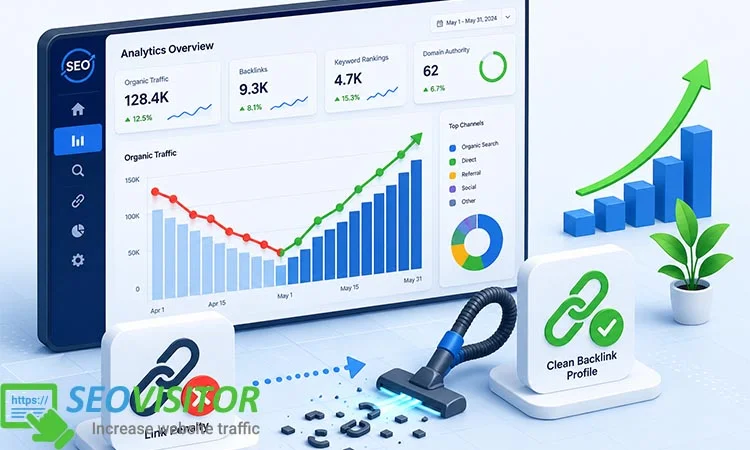
Imagine checking your analytics one morning and realizing your organic traffic has dropped sharply, your best-ranking keywords have disappeared from page one, and your backlink profile looks suspiciously messy. For many website owners, this happens after chasing shortcuts like Buy Backlinks Traffic strategies without fully understanding the risks…
Imagine checking your analytics one morning and realizing your organic traffic has dropped sharply, your best-ranking keywords have disappeared from page one, and your backlink profile looks suspiciously messy. For many website owners, this happens after chasing shortcuts like Buy Backlinks Traffic strategies without fully understanding the risks behind unnatural links, spammy domains, or over-optimized anchor text.
A Google link penalty can feel overwhelming, but it is not the end of your SEO growth. With the right recovery process, you can identify toxic backlinks, clean up harmful referring domains, submit a proper disavow file, and rebuild your site’s authority using safer, long-term link-building methods.
In this guide, you’ll learn exactly how to recover from link penalty, understand the warning signs of harmful backlinks, and follow a practical step-by-step plan to restore your rankings, protect your organic visibility, and avoid future SEO penalties.
What Is a Link Penalty in SEO?
Before diving into the recovery process, it is vital to understand what you are fighting against. A “link penalty” is a collective term for any negative ranking impact on your website caused by violating Google’s Link Spam Policies.
The Two Types of Link Penalties
It is crucial to distinguish between the two primary ways your site can be impacted:
Manual Action
This is a direct penalty issued by a human reviewer at Google. If your site triggers a manual action, you will receive an explicit notification in the “Manual Actions” section of your Google Search Console. This is a clear indicator that your site has been flagged for “unnatural links to your site.”
Algorithmic Penalty
This is far more insidious. There is no notification. Your site’s rankings simply drop after a major update (like a Google Spam Update or a Core Update). This happens because Google’s algorithms have determined that your link profile is untrustworthy or manipulative, and it has subsequently devalued those links or the site as a whole.
Understanding the difference is the first step in knowing how to treat the “disease.” Manual actions require a specific submission process, while algorithmic issues require a complete shift in link authority and content quality.
Signs Your Website Has a Link Penalty
How do you know if your SEO woes are link-related or something else, like a technical site error? Look for these distinct patterns:
Sudden Organic Traffic Cliff
Unlike a slow decline, a penalty often manifests as a sharp, vertical drop in traffic graphs.
Specific Keyword Ranking Losses
If you lose rankings across the board for your target keywords—even brand terms—it’s a major red flag.
Manual Action Notifications
As mentioned, this is the most definitive sign.
Algorithmic Correlation
Check the Google Search Status Dashboard to see if your traffic drop aligns with the rollout of a known spam or core update.
How to Confirm If You Have a Google Link Penalty
Before you start deleting files or sending emails, you must conduct a proper diagnosis. Do not assume; verify.
Access Google Search Console
This is your primary diagnostic tool. Navigate to the “Security & Manual Actions” tab. If the report says “No issues detected,” your problem is likely algorithmic.
Analyze Your Backlink Growth
Compare your traffic drop with your backlink growth chart in tools like Ahrefs or Semrush. If you see a massive spike in low-quality backlinks preceding the traffic drop, you have found the culprit.
Audit Your Anchor Text
Does your site have an unnatural percentage of “Exact Match” anchor texts (e.g., “buy cheap shoes” or “best payday loans”)? An over-optimized anchor text profile is a textbook trigger for algorithmic link penalties.
How to Recover from Link Penalty: Step-by-Step
This is the core of your recovery mission. Follow these steps methodically.
Step 1: Perform a Complete Backlink Audit
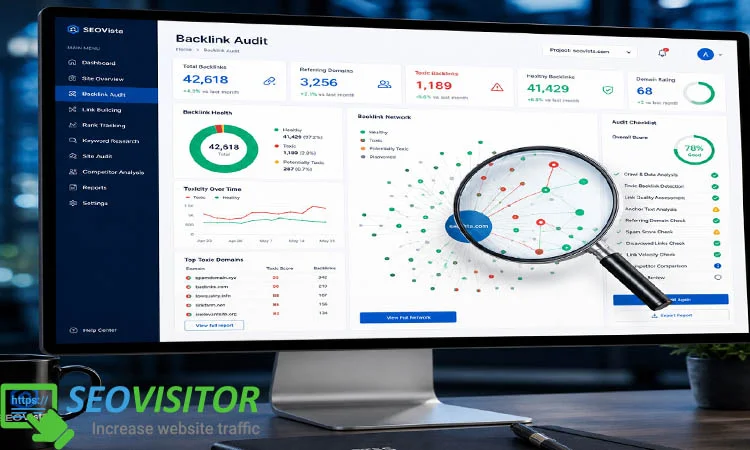
You cannot fix what you cannot see. Export every backlink you have from Google Search Console, Ahrefs, and Moz. Consolidate these into a single master sheet.
Step 2: Identify Toxic Backlinks and Spammy Referring Domains
Not all links are “toxic.” You need to categorize your links:
High Risk: Links from PBNs (Private Blog Networks), pornographic sites, gambling sites, or sites with no content.
Medium Risk: Links from low-quality directories, article spinning sites, or sites with high “Spam Scores.”
Low Risk: Guest posts on legitimate sites, niche directories, and social media.
Step 3: Prioritize Links for Removal
You don’t want to remove healthy links. Focus your cleanup efforts on the High-Risk category. Categorize these into a “Removal List.”
Step 4: Contact Webmasters to Remove Bad Backlinks
Before you disavow, you are required by Google’s guidelines to make a “good faith effort” to remove the links yourself. Send professional, concise emails to the webmasters of the toxic sites requesting the link removal. Keep a spreadsheet of these attempts—you will need them for your reconsideration request later.
Step 5: Create a Disavow File for Toxic Backlinks
If the webmasters don’t respond (and they often won’t), it’s time to use the Google Disavow Tool. Create a text file containing only the domains or URLs you want Google to ignore.
Pro Tip: Use the domain: prefix to disavow an entire spammy site, rather than individual URLs.
Step 6: Submit a Reconsideration Request (Only for Manual Actions)
If you have a manual action, you must submit a reconsideration request via Google Search Console. In this request, explain:
What you did wrong (be honest).
The steps you took to clean up (list the webmasters you contacted).
The link to your disavow file.
Your commitment to the Google Search Essentials.
How Long Does It Take to Recover from a Link Penalty?
Patience is your greatest virtue here. For a Manual Action, once your reconsideration request is accepted, you might see recovery within a few weeks. For an Algorithmic Penalty, recovery can take months. Google has to re-crawl, re-index, and re-evaluate your entire link profile. Sometimes, you don’t “recover” to your old position—you have to earn your way back with better content and cleaner links.
Mistakes to Avoid During Link Penalty Recovery
The “Nuclear” Disavow
Do not disavow your entire backlink profile out of fear. You will lose legitimate authority and drop even further. Be surgical.
Expecting Instant Results
SEO is a marathon. A penalty is a setback that requires a long-term fix.
Ignoring On-Page Factors
Sometimes, a link penalty is just one part of the problem. If your content is thin or duplicate, cleaning links won’t save you. You must improve content quality simultaneously.
How to Prevent Future Link Penalties
Prevention is the best cure.
Focus on Digital PR
Instead of buying links, create content that journalists want to link to
Diversify Anchor Text
Use a mix of branded, naked URLs, and long-tail anchor texts to keep your profile natural.
Monitor Backlinks Monthly
Use an automated tool to alert you if you suddenly gain 500 links from a suspicious domain.
Best Tools for Link Penalty Recovery
To effectively manage your recovery, equip yourself with the right tech stack:
Google Search Console
Essential for manual actions.
Ahrefs/Semrush
Best for auditing anchor text and toxic domains.
Screaming Frog
Best for technical site audits.
Hunter.io
Excellent for finding contact emails to request link removals.
Conclusion
Learning how to recover from link penalty is not just about cleaning up a mess; it’s about rebuilding your website’s foundation on integrity. By auditing your profile, disavowing toxic links, and shifting your focus toward creating high-quality, linkable assets, you can restore your rankings and emerge with a more resilient site.
Don’t let a penalty define your brand’s future. Start your backlink audit today, be transparent with Google, and return to the white-hat strategies that build long-term authority. Have you dealt with a link penalty before? Share your experience or questions in the comments below!
FAQs
1. What is a link penalty in SEO?
It is a ranking drop caused by unnatural or spammy backlinks that violate Google’s guidelines.
2. How do I know if my site has a Google link penalty?
Check the “Manual Actions” report in Google Search Console or monitor for sudden, unexplained drops in organic traffic that correlate with Google updates.
3. How long does it take to recover?
Manual penalties usually take a few weeks to clear after a successful reconsideration request. Algorithmic penalties can take several months of consistent improvement.
4. Can disavowing backlinks help recover rankings?
Yes, but only if the disavowed links were truly harmful. Over-disavowing can actually hurt your site by removing legitimate authority.
5. Should I remove backlinks or disavow them?
Always try to contact the webmaster to remove them first. Only use the Disavow Tool for links you cannot remove manually.


Comments
Leave a Comment