


A practical local SEO guide to Google Business Profile, location pages, reviews, local links, mobile contact options, and measurement—with a hypothetical action plan connecting visibility to relevant enquiries.
Local SEO is the process of improving a business’s visibility in location-based search results, including Google Search and Google Maps. It is especially important for businesses that serve customers in specific cities, neighborhoods, or service areas, such as restaurants, clinics, law firms, repair companies, retailers, and home-service providers.
Local SEO is not simply about adding a city name to your pages. Strong local visibility comes from a combination of an accurate Google Business Profile, useful location-relevant content, a technically healthy website, legitimate reviews, local reputation, consistent business information, and continuous performance tracking.
Start with accurate business information and useful pages for the places you genuinely serve. This guide explains what affects local rankings, how to improve your Google Business Profile and website, and how to connect visibility with calls, enquiries, and bookings without treating any tactic as a guarantee.
Location-based searches can name a city or neighborhood, or express a nearby need without naming a place. Match the page to the real service and area behind that need rather than adding geographic terms indiscriminately.
Examples include:
- dentist near me
- best coffee shop in Brooklyn
- plumber in Dallas
- car repair near downtown Chicago
- SEO agency in London
Local SEO can influence visibility in several places, including:
- Google Maps.
- The local results shown in Google Search.
- Organic search results for location-based queries.
- Business Profile results for branded searches.
The goal is to make it easy for Google to understand what your business does, where it operates, how relevant it is to a search, and whether it appears trustworthy and established.
How Google Determines Local Rankings
Google states that local results are mainly based on three factors: relevance, distance, and prominence. Its official local ranking guidance also explains that businesses cannot request or pay for a better local ranking.
1. Relevance
Relevance is how closely your business matches what someone is searching for.
You can improve relevance by providing complete and accurate information about your business, including:
- Primary and secondary business categories.
- Services or products.
- Business description.
- Website content.
- Location or service area.
- Opening hours.
Do not add irrelevant categories or keywords simply because they have high search volume. Your Business Profile and website should accurately represent the real business.
2. Distance
Distance refers to how far a business is from the location associated with the search.
If someone searches for a service near their current location, Google can use location information to determine which relevant businesses are nearby. If a location is included directly in the query, such as “pizza in Miami”, that geographic context also matters.
You cannot optimize your way around physical distance in every search. A business should focus on the locations it genuinely serves rather than trying to appear everywhere.
3. Prominence
Prominence reflects how well known or established a business appears. Google says this can be influenced by information it finds across the web, including links and articles, as well as reviews and ratings.
Prominence can be supported by:
- Legitimate customer reviews.
- Positive ratings.
- Relevant links from other websites.
- Local news or industry mentions.
- Accurate business citations.
- A strong organic search presence.
There is no legitimate way to pay Google for a better organic local ranking.
Optimize Your Google Business Profile
A complete and accurate Google Business Profile is one of the most important assets for a local business.
The service was previously known as Google My Business, so older SEO articles may still use the abbreviation GMB. The current name is Google Business Profile.
Claim and Verify Your Profile
First, make sure the correct business owner or authorized representative controls the profile and complete Google’s verification process when required.
Verification helps establish that you are authorized to manage the business information.
Choose the Correct Business Categories
Select the primary category that most accurately describes the main business activity. Add secondary categories only when they genuinely apply.
For example, a business should not select unrelated categories simply to appear for additional searches.
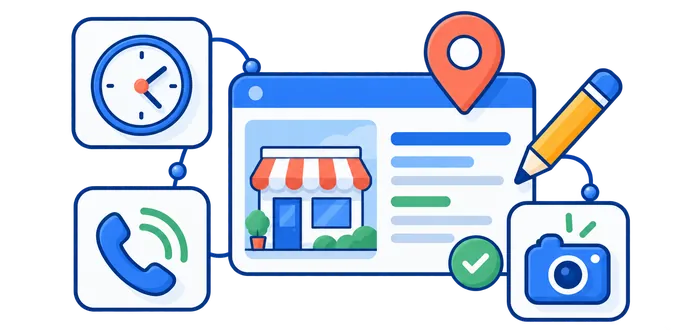
Complete Your Business Information
Make sure important information is accurate and complete:
- Business name.
- Address or service area.
- Phone number.
- Website.
- Opening hours.
- Special hours.
- Business categories.
- Services or products.
Keep this information updated whenever something changes.
Add Useful Photos
High-quality, authentic photos can help users understand the business before they visit or contact you.
Depending on the business, useful images may include:
- Exterior and entrance.
- Interior.
- Team members.
- Products.
- Completed work.
- Facilities.
Use real images that accurately represent the business rather than misleading stock photos.
Publish Useful Updates, Offers, and Events
Business Profile posts can help customers understand what is available now. Use an Update for a relevant announcement, an Offer for a promotion with clear terms, or an Event for an activity with accurate dates and times. Choose the format that matches the information instead of repeatedly publishing generic sales messages.
Send the action button to the page where the customer can actually book, order, or learn more. An event announcement should not lead to an unrelated homepage when a useful event page exists. Check the landing page, availability, and offer conditions before publishing, and correct outdated information when plans change.
Posts support customer communication; they are not a guaranteed ranking mechanism. Google’s Business Profile posts documentation explains the available formats, action links, and review of submitted posts.
Local Keyword Research
Local keyword research helps you understand how customers search for your products or services in a specific area.
Start With Core Services
List the main services or products your business actually offers.
For example, a plumbing company may begin with:
- emergency plumber
- drain cleaning
- water heater repair
- leak repair
Add Geographic Context Where It Is Natural
Local variations may include:
- service + city
- service + neighborhood
- service + region
- service + near me
Examples:
- emergency plumber in Austin
- dentist in Manhattan
- roof repair Dallas
- coffee shop near me
You do not need to force every city name into every paragraph. Use location terms where they help users and accurately describe the business.
Look Beyond Search Volume
A keyword with lower search volume can still be extremely valuable if it has strong local intent.
For example, a search such as “emergency AC repair in Phoenix” may have less volume than a broad informational term, but the user may be much closer to making a purchase.
Optimize Your Website for Local Search
Your Google Business Profile is important, but local SEO also depends on the quality and relevance of your website.
Use a Clear Page Structure
Important services should have clear, useful pages when they deserve separate coverage.
A simple structure might look like:
- Home
- Services
- Service A
- Service B
- Locations
- About
- Contact
Users and search engines should be able to reach important pages through normal internal links.
Optimize Titles and Headings Naturally
Page titles and headings should clearly explain what the page offers.
For example:
Emergency Plumbing Services in Austin, TX
is more useful than a title stuffed with repeated variations such as:
Best Austin Plumber | Plumber Austin | Cheap Plumbing Austin | Austin TX Plumber
Add Complete Contact and Location Information
Where appropriate, make it easy for users to find:
- Business name.
- Address.
- Phone number.
- Opening hours.
- Directions.
- Service area.
- Contact options.
Create Content That Answers Local Questions
Useful local content can help businesses reach people earlier in the customer journey.
Examples include:
- Local service guides.
- Frequently asked questions.
- Area-specific regulations or requirements.
- Seasonal advice relevant to the region.
- Local case studies.
- Guides to choosing a service provider in the area.
Local content should provide genuine information. Simply inserting city names into generic content does not create useful location relevance.
Location Pages: When Should You Create Them?
Location pages can be useful when a business has multiple real locations or genuinely serves distinct geographic areas.
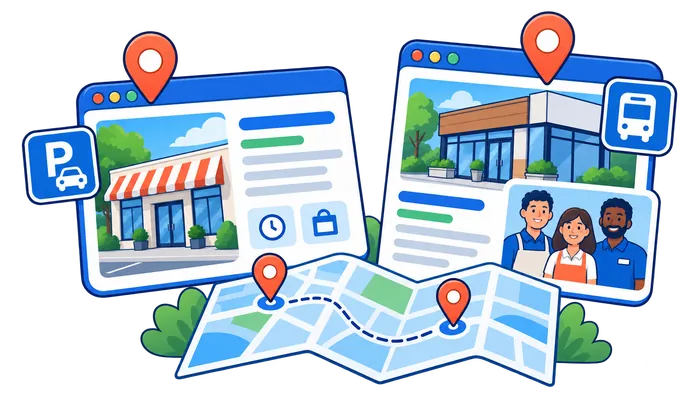
A strong location page can include:
- Unique information about that location.
- Address and contact information.
- Opening hours.
- Services available at that location.
- Local team information.
- Directions or parking information.
- Unique customer reviews or case studies.
- Location-specific photos.
Avoid Mass-Producing Near-Identical City Pages
Do not create dozens or hundreds of nearly identical pages where the only meaningful change is the city name.
Pages created mainly to rank for similar city queries and funnel users to the same destination can fall into doorway-style patterns.
If you do not have useful unique information for a location, creating another page may not be the best strategy.
NAP, Citations, and Business Information Accuracy
NAP stands for Name, Address, and Phone Number.
Your business details should be accurate wherever important business information appears, including:
- Your website.
- Google Business Profile.
- Relevant business directories.
- Industry associations.
- Social profiles.
- Local directories.
The purpose is not to chase hundreds of low-quality directory listings. Focus on accuracy and useful, legitimate sources.
Google can source business information from multiple places across the web, so conflicting details can create unnecessary confusion for users and platforms.
Reviews and Reputation Management
Reviews can influence how users evaluate a local business, and Google states that review quantity and positive ratings can contribute to local prominence.
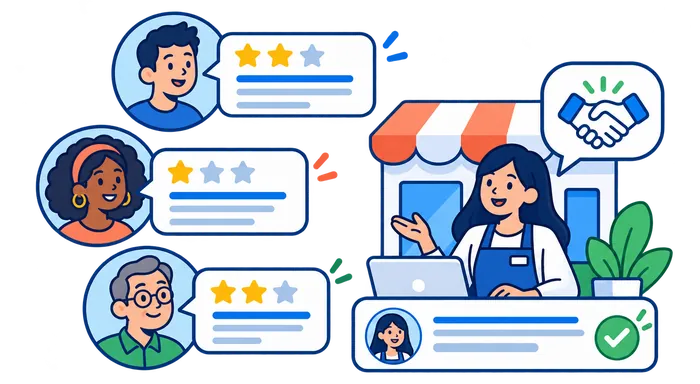
Ask Real Customers for Reviews
Encourage customers to leave honest reviews after a genuine interaction with the business.
Do not:
- Buy fake reviews.
- Create reviews yourself.
- Offer payment, discounts, or free goods in exchange for any Google review.
- Ask only happy customers while systematically filtering unhappy customers away from review platforms.
Use a consistent request process after genuine customer interactions, without screening people by how positive their feedback is likely to be. Google’s review policies prohibit incentivized reviews and selective solicitation of positive reviews.
Respond to Reviews Professionally
Responses show that the business pays attention to customer feedback.
For negative reviews:
- Remain professional.
- Acknowledge legitimate concerns.
- Avoid public arguments.
- Move detailed support discussions to a private channel when appropriate.
Local Link Building and Prominence
Relevant backlinks can support both traditional organic SEO and local prominence.
Useful local link opportunities may come from:
- Local news publications.
- Industry organizations.
- Business associations.
- Local sponsorships.
- Suppliers and partners.
- Community organizations.
- Useful local resources.
Focus on legitimate relationships and editorially useful links.
Avoid buying large quantities of low-quality links or creating artificial backlinks primarily to manipulate rankings.
Build a Useful Resource Before Asking for Coverage
A hypothetical repair business could produce an original seasonal maintenance guide for the area it actually serves. The guide might explain locally relevant scheduling questions, include advice reviewed by its staff, and link to the appropriate service page. It should be useful to a reader even if it never earns a backlink.
The business can introduce that resource to a relevant neighborhood publication or professional association, explaining why their readers might find it helpful. The publisher decides whether to cover or link to it; a link is not owed simply because the business asks. Avoid mass outreach that offers no relevance to the recipient.
If a link comes from a paid placement, sponsorship, or other compensated arrangement, it should be qualified appropriately. Google prefers rel="sponsored" for paid links and also accepts nofollow. See its outbound-link guidance. Assess useful referrals and enquiries separately from changes in search visibility.
Technical SEO for Local Businesses
Local SEO still depends on the technical health of the website.
Make the Website Mobile-Friendly
Many local searches happen on mobile devices, especially searches involving directions, opening hours, calls, and nearby services.
Make sure:
- Text is readable.
- Buttons are easy to tap.
- Phone numbers are easy to use.
- Navigation works correctly.
- Forms are simple to complete.
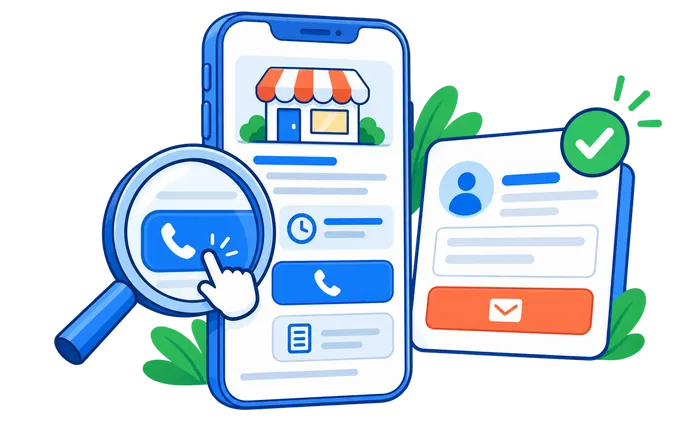
Make Calling Easy, Then Measure the Right Action
Display the correct business number as readable text and provide a clearly labelled telephone link where calling is a suitable next step. For example, the link pattern <a href="tel:+[country-code][number]">Call the business</a> illustrates the structure; replace the placeholder with the business’s real number before use. State relevant opening hours so a visitor knows when to expect an answer.
Test the link on a real phone and check keyboard access, tap spacing, and whether overlays obstruct the control. A working button matters more than simply placing a phone icon in the header. Offer a suitable alternative, such as a short enquiry form, when staff cannot answer immediately.
If you configure a website call-click event in GA4, label it as a click, not a completed call or a qualified lead. A separate booking confirmation or verified enquiry is stronger evidence of a business outcome. Keep personal customer information out of analytics event parameters.
Improve Page Performance
Compress large images, reduce unnecessary scripts, use reliable hosting, and fix performance problems on important landing pages.
Start with a verified problem on a page that customers use to contact, book, or buy. A better lab score alone does not demonstrate that a real-user issue has been solved; use the appropriate field and diagnostic data to guide the fix.
Check Crawlability and Indexing
Important pages should not accidentally be blocked by:
- robots.txt
- noindex directives
- incorrect canonical tags
- redirect loops
- server errors
Google Search Console can help identify many crawling and indexing problems.
Use LocalBusiness Structured Data Where Appropriate
Structured data can help search engines understand business information on your website.
For eligible local businesses, LocalBusiness structured data can describe information such as:
- Business name.
- Address.
- Telephone.
- Opening hours.
- Geographic coordinates.
- Business type.
Structured data should match information visible on the page and should follow Google’s structured data guidelines.
Adding schema does not guarantee a higher ranking, but valid structured data can make your business information clearer to search engines.
Local SEO for Service-Area Businesses
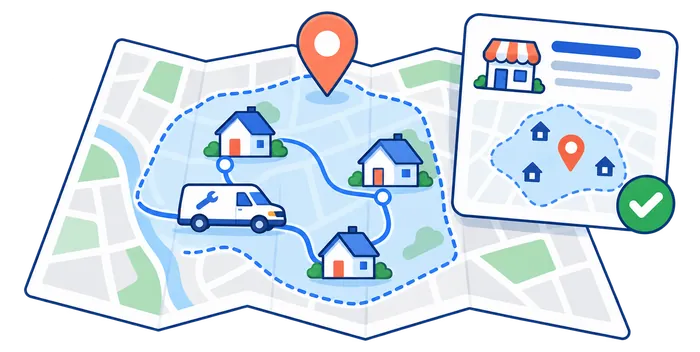
A service-area business travels to customers instead of serving customers at a public storefront. Common examples include plumbers, cleaners, electricians, mobile repair businesses, and some delivery services.
If you do not serve customers at your business address, Google’s Business Profile guidelines say you should remove the public address and configure an accurate service area instead.
Important considerations include:
- Use one legitimate profile for the business unless separate eligible staffed locations genuinely exist.
- Do not create fake offices in different cities.
- Do not use virtual offices solely to create additional Business Profiles.
- Choose accurate cities, postal codes, or service areas.
- Make website service-area content useful and specific.
Google currently allows up to 20 service areas defined by cities, postal codes, or other supported areas. Its guidance says the overall boundaries generally should not extend beyond about two hours of driving time from the business base. Check the current service-area rules and describe where the business actually operates rather than promising coverage everywhere.
How to Track Local SEO Performance
You cannot improve local SEO effectively if you do not measure it.
Monitor Google Search Console
Search Console can help you evaluate:
- Organic clicks.
- Impressions.
- Search queries.
- Landing pages.
- Indexing problems.
Filter your queries and pages to understand which local terms and landing pages are gaining visibility.
Monitor Google Business Profile Performance
Business Profile performance data can help you understand how users discover and interact with your profile.
Track trends over time instead of reacting to a single day of data.
Read the metric definitions before combining reports. Business Profile’s Calls metric counts clicks on its call button, not confirmed conversations. Its website-click metric records clicks on the profile link, not a count of completed purchases. Available metrics can vary by business and supported features; the official performance documentation explains the distinctions.
Separate Website Visits from Business Outcomes
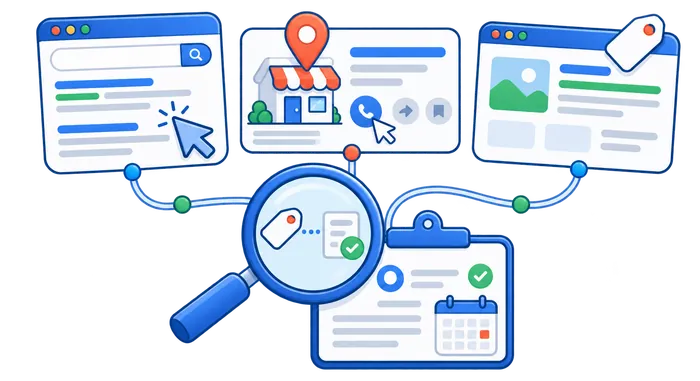
Use a consistent UTM naming convention for Business Profile website or post links when you need to distinguish them in GA4. For example, choose utm_source=google, utm_medium=organic, and a descriptive campaign value such as utm_campaign=gbp_event. Confirm that the parameters survive the journey and that the destination loads correctly. Do not add campaign tags to normal internal navigation links.
Compare tagged sessions with a meaningful next action: a successful enquiry, completed booking, or purchase. Define and test the event before interpreting the report. A button press can be a useful diagnostic event without being the final outcome the business wants.
Search Console, Business Profile, and GA4 do not count the same thing, so their totals need not match. Search Console reports search impressions and clicks; GA4 describes measured website activity; Business Profile reports supported profile interactions. Consent, tracking availability, attribution, and actions completed away from the website limit what you can infer. Google’s campaign URL guidance explains manual campaign tagging.
Track Local Keyword Rankings
Rank tracking can help you understand how visibility changes for important local search terms.
Location matters because the same keyword can produce different results in different countries, cities, regions, and devices.
Seovisitor’s Keyword Rank Tracker provides location-based tracking, ranking history, and selected competitor comparisons. Choose the relevant country or another supported location available in the project settings, and keep the location and device consistent when comparing checks.
Use rank tracking as one measurement tool rather than the only definition of success.
Use the guide below to define and interpret organic Google web positions before comparing changes over time.
Local SEO Metrics That Actually Matter
Useful metrics include:
- Organic clicks from local queries.
- Impressions for target services and locations.
- Local keyword ranking trends.
- Calls and contact-form submissions.
- Bookings or purchases.
- Direction requests where relevant.
- Google Business Profile interactions.
- Conversion rate from local landing pages.
- Review growth and average rating.
A ranking improvement is useful only when it supports meaningful business outcomes.
A Hypothetical Local SEO Action Plan
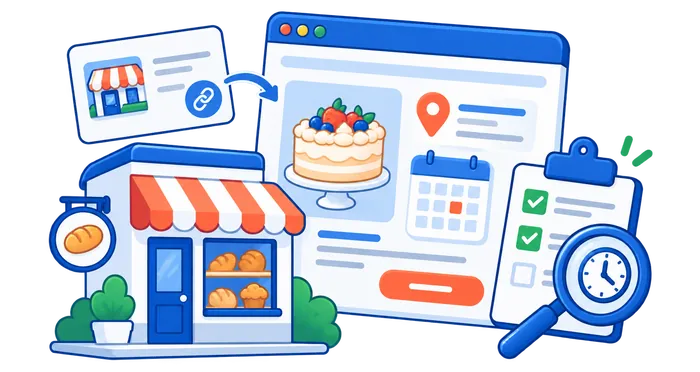
Consider a hypothetical neighborhood bakery that wants more relevant enquiries for cake collection. This example describes a method, not measured results or a promise of additional orders. The bakery first confirms its real opening hours, address, collection arrangements, and service category, then checks whether its website answers the questions customers ask before ordering.
Instead of creating many interchangeable city pages, it improves one useful cake-ordering page. The page explains collection location, lead time, available options, and how to make an enquiry. An authentic photograph shows the product, and the phone link and form provide clear alternatives for the next step.
The bakery then publishes a relevant Business Profile update linking to that page with consistent campaign tags. If it joins a genuine community event, it can share accurate event information with the organizer and local audiences. Social distribution is a separate source of exposure and referrals, not proof of a direct local-ranking signal.
| Action | Destination or asset | Measure | Interpretation limit |
|---|---|---|---|
| Correct business details | Business Profile and contact page | Accuracy check; supported profile interactions | A correction does not guarantee a ranking change |
| Answer cake-ordering questions | Relevant service page | Related Query × Page clicks in Search Console | Clicks are not confirmed orders |
| Publish a relevant update | Tagged link to the ordering page | GA4 campaign sessions and successful enquiries | Tagging and tracking may not capture every journey |
| Make contact easier | Telephone link and enquiry form | Call clicks, successful submissions, verified leads | A call click is not a completed conversation |
| Share a useful community resource | Resource page and relevant publisher coverage | Referral visits and relevant enquiries | Coverage and editorial links are not guaranteed |
After checking that measurement works, the owner compares similar periods and records meaningful changes, holidays, offers, and opening-hour differences. If relevant clicks increase but enquiries do not, the next investigation is the ordering page and contact process—not buying visits to alter a ranking metric.
If the page attracts unrelated searches, the owner reviews the page’s promise and Query × Page data. If people repeatedly ask the same unanswered question, the page is updated with that information. This makes the next action depend on evidence rather than on completing a list of SEO tasks.
Common Local SEO Mistakes
The following mistakes undermine accuracy, usefulness, or measurement. Review them against how the business actually operates; adding more keywords, profiles, or location pages is not a substitute for correcting misleading information and helping customers take a suitable next step.
1. Using an Inaccurate Business Name
Do not add unnecessary keywords to your Business Profile name. Use the real-world business name.
2. Choosing Irrelevant Business Categories
Select categories that describe what the business actually does.
3. Creating Fake Locations
Virtual offices, mailbox addresses, and unstaffed locations should not be used simply to create additional local listings.
4. Creating Thin City Pages
A large group of pages with nearly identical content and swapped city names is not a strong local strategy.
5. Ignoring Reviews
Businesses that never request legitimate feedback or respond to customers can miss an important trust and prominence opportunity.
6. Inconsistent Business Information
Outdated phone numbers, addresses, hours, or website links create a poor experience and can make business information harder to trust.
7. Keyword Stuffing
Repeating a city or service keyword excessively in titles, headings, descriptions, or body content can make a page look unnatural and reduce quality.
8. Focusing Only on Rankings
Rankings are useful, but calls, leads, bookings, sales, and other conversions are more important business metrics.
Local SEO Audit Checklist
Use this checklist when reviewing a local business website:
- Is the Google Business Profile claimed and verified?
- Is the business name accurate?
- Are the primary and secondary categories correct?
- Are address or service-area details accurate?
- Are phone number, website, and opening hours current?
- Are products or services clearly described?
- Are authentic business photos available?
- Does the website clearly explain the business’s services and locations?
- Are important pages crawlable and indexable?
- Are title tags and headings descriptive?
- Does the website work well on mobile?
- Are location pages genuinely unique and useful?
- Is business information accurate across important directories?
- Is there a process for earning and responding to legitimate reviews?
- Are relevant local links and mentions being earned naturally?
- Is LocalBusiness structured data implemented correctly where appropriate?
- Are local keyword rankings being tracked?
- Are local leads, calls, bookings, or sales being measured?
Conclusion
Local SEO is one of the most valuable digital marketing strategies for businesses that depend on customers from specific geographic areas.
Strong local visibility requires more than adding city names to keywords. Google Business Profile accuracy, relevance, distance, prominence, website quality, reviews, location content, technical SEO, structured data, and local reputation all contribute to a complete strategy.
Start with accurate business information and a technically healthy website. Build useful pages for the services and locations you genuinely serve, earn real customer reviews, develop relevant local relationships, and measure results using both search visibility and business conversions.
To monitor how relevant local keywords move over time, you can use Seovisitor’s Keyword Rank Tracker with the supported location and device settings that fit your project. It measures recorded positions; it does not create better rankings or replace business-outcome reporting.
Frequently Asked Questions
Quick answers to common questions about local SEO
Local SEO is the process of improving a business’s visibility in search results connected to a specific geographic location. It can include optimizing a Google Business Profile, website content, local reputation, reviews, technical SEO, citations, and location-based pages.
Google says local results are mainly determined by relevance, distance, and prominence. No single tactic guarantees a top local ranking.
Yes. A complete and accurate Google Business Profile helps Google understand the business and gives potential customers important information such as location, hours, services, contact details, and reviews.
Accurate and consistent business information is important for users and helps reduce conflicting information across the web. However, it should not be treated as a simple formula where matching NAP automatically produces a specific ranking increase.
Reviews help build user trust, and Google states that review quantity and positive ratings can contribute to local prominence. Reviews should always come from genuine customers and follow platform policies.
No. Create location pages when they provide genuinely useful and unique information. Mass-producing nearly identical city pages simply to capture local searches can create low-value or doorway-style content.
There is no fixed timeline. Results depend on competition, location, website quality, Business Profile strength, reviews, existing authority, technical issues, and how much optimization is needed. Track progress over meaningful periods rather than expecting immediate changes.
Use a location-based rank tracker with consistent keyword and device settings. Seovisitor's Keyword Rank Tracker lets you select a country or another supported location available in your project; compare recorded positions with Search Console and business outcomes.
No. Updates, offers, and events help customers understand current information and reach relevant action pages. Use them for useful communication and measure outcomes without promising a ranking improvement.
No. A website call-click event or Business Profile call-button click shows an attempted action, not a confirmed conversation or qualified lead. Track successful enquiries or bookings separately where measurement is available.



Comments
Leave a Comment