


Prepare a paid traffic campaign with a practical launch workflow: write the brief, test the landing page and GA4 events, verify campaign URLs, set spending controls, and troubleshoot the first live journey.
To launch a paid traffic campaign, define one useful outcome, connect the message to a working landing page, verify tracking, and check the campaign’s targeting and spending controls before activation. Then confirm that the first live visits follow the tested journey. Launching successfully means the setup works and the results can be interpreted; it does not mean the campaign is already profitable.
This paid traffic campaign launch checklist is for a team that has chosen an offer and acquisition route but needs a reliable way to go live. It covers setup, pre-launch checks, responsibilities, and early troubleshooting. For deciding which channel to use or evaluating its economics, start with our guide to using paid traffic for business. Those decisions inform this workflow rather than being repeated here.
What a Traffic Campaign Launch Checklist Should Prove
A campaign is ready when an eligible visitor can reach the intended page, understand the offer, complete the desired action, and leave interpretable evidence in the appropriate systems. An active status in an advertising dashboard proves none of those things by itself. Treat readiness as three connected checks: the visitor journey, measurement, and delivery controls.
Paid search, paid social, sponsored placements, and managed website traffic have different settings and delivery mechanisms. Use this workflow across them, but verify each provider’s actual controls. A campaign optimized for clicks or landing-page views is not automatically optimized for qualified leads or sales. Select an objective that fits the task and available measurement; do not treat recorded visits as a substitute for customer value.
1. Write a One-Page Campaign Brief
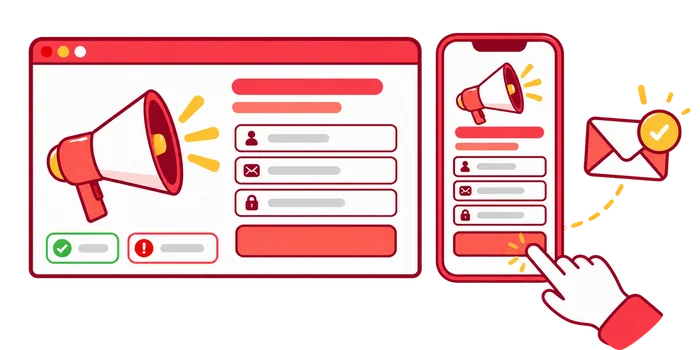
Turn the general idea into a launchable specification. “Bring more visitors” leaves the builder guessing about the page, audience, and success measure. A useful brief states who should arrive, why they would care, what they should do, and how the team will decide whether to continue.
- Purpose: The offer and decision being tested, such as whether an eligible audience requests a product demonstration.
- Audience: The relevant market, customer need, eligibility, and exclusions—not just broad demographic assumptions.
- Destination: The exact landing page and the action it supports.
- Message: The truthful promise the creative or placement makes before the visit.
- Measurement: The completed action, its event definition, and the business record used to validate it.
- Controls: The authorized spend, schedule, review window, and conditions that require pausing.
- Ownership: Who builds, checks, approves, monitors, and can stop delivery.
Keep one primary outcome and a few safety measures. For a lead campaign, a successfully received request can be the initial outcome, with later qualification recorded separately. Pageviews, engagement, and button clicks help diagnose the journey but should not all become competing definitions of success. Write down what remains unknown, including the expected buying delay or the lack of a reliable baseline.
The brief is also the handoff between marketing and implementation. A developer should know when a successful submission is recorded; the campaign operator should know which markets the offer serves. Resolve conflicting assumptions before configuring several versions of the same campaign.

2. Check the Landing Page Before Sending Paid Traffic
Test the page as a prospective visitor, not as its author. Start with the exact destination that will appear in the campaign. A preview link, logged-in session, or staging page can behave differently from the public experience. Verify the offer on representative devices and in the browsers the audience is likely to use.
Match the message, eligibility, and next step
The headline should continue the campaign promise without adding an unsupported guarantee. Explain who the offer suits, what is included, and any important restrictions. If delivery is limited to certain countries, appointment hours, product sizes, or business types, make that clear before the visitor submits a request. Accurate eligibility can matter more than collecting the largest possible number of forms.
Check that the main action is visible and usable with a keyboard and on a phone. Labels, validation messages, pricing, and confirmation instructions should make sense without internal knowledge. Use genuine evidence where available; do not invent testimonials, customer counts, or guarantees to make the page appear more persuasive.
Rehearse successful and unsuccessful journeys
Complete the form or checkout using an authorized test path. Then try missing required information, an invalid entry, and a repeated submission. Check whether the user sees a helpful response and whether the receiving system contains the expected record. A thank-you message alone does not establish that a request reached the team.
Inspect broken images, obstructive overlays, slow interactions, and links that send visitors to an unrelated page. If the journey uses an external booking or payment domain, test the handoff and return path too. Record each confirmed defect and its owner. Fix a broken conversion path before launch rather than planning to diagnose it after the budget starts running.

3. Set Up Campaign URLs and UTM Tracking
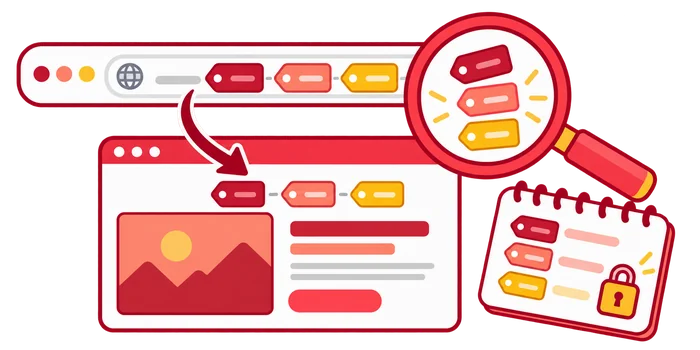
Create the reporting convention before building the live links. For manually tagged campaigns, Google’s campaign URL guidance recommends consistent source, medium, and campaign parameters; content can distinguish creatives. A hypothetical sponsored-newsletter link could use the following values:
https://example.com/demo/?utm_source=industry_newsletter&utm_medium=referral&utm_campaign=demo_pilot&utm_content=eligibility_message
Choose names that reflect the actual route and use them consistently. Document which placements are paid even if their source or medium is classified as referral. UTM labels identify acquisition context; they do not certify a visitor’s identity, intent, or traffic quality. Never put names, email addresses, or other personal information in a campaign URL.
Click the final link through any shortener, tracking redirect, or domain change and confirm that the destination and intended identifiers survive. Do not rely only on the URL stored in a spreadsheet. Where an advertising integration uses automatic tagging, validate it instead of casually replacing its identifiers with manual tags. Keep acquisition UTMs off internal navigation links.
Record the intended GA4 property and the session-source and campaign dimensions the reviewer will use. Google’s documentation places these campaign values in Traffic acquisition reporting. Do not expect the landing-page path dimension alone to reveal every UTM value, and do not mix first-user acquisition with the session context being checked.
4. Verify GA4 Events and the Actual Business Outcome
Tracking readiness is more than finding a tag on the page. Write the event’s trigger in plain language: for example, “the application confirms a successfully accepted demo request.” That is different from a button click or a form attempt. Specify the expected parameters, property, and qualification process before testing.
Check the event during a controlled test journey
Use an appropriately enabled debug session to inspect collection in GA4 DebugView. Google’s guidance also describes how privacy controls and consent settings can affect visibility. Test the permitted measurement behavior; do not bypass a visitor’s consent choice just to make a debugger display an event.
Mark an important action as a key event where appropriate. Google’s key-event verification guidance describes Realtime and DebugView checks. A successful debug observation does not guarantee complete reporting or prove a qualified customer. Reconcile the controlled test with the form, booking, or order system.
Check failures, duplication, and data boundaries

An invalid form attempt should not produce a successful-request event. A confirmation-page refresh should not create an additional business record or inflate the intended result. For purchases, verify the transaction identifier, value, and currency using the relevant ecommerce implementation rather than sending a generic button-click event as a sale.
Document test activity and how it will be distinguished from campaign outcomes. Avoid a permanent data filter that unexpectedly removes real customers. Note measurement limitations such as blocked collection, consent, cross-device journeys, and reporting delay. Later comparisons must use the same definitions; changing the key event after seeing weak results changes the question.
5. Confirm Targeting, Schedule, and Spending Controls
Compare the saved settings with the brief rather than assuming the builder remembers the plan. Check geography, device scope where supported, audience exclusions, placements, destination, start and end times, account time zone, and the permissions needed to pause. Confirm that no old campaign setting was copied unintentionally.
Write down an authorized test envelope and who monitors it. Distinguish the platform’s budget setting from a business spending ceiling. For example, Google Ads budget documentation explains that an average daily budget is not a strict daily cap; daily and monthly spending limits are separate concepts. Read the rules for the actual campaign and budget type instead of multiplying a daily number and assuming the result is guaranteed.
Set both immediate safety stops and a later outcome review. A broken destination, wrong delivery market, missing outcome collection, or breached authorized spend calls for investigation or pausing. A small number of visits without a lead is not automatically a technical failure or proof that the channel is unsuitable. Allow for the offer’s decision cycle and normal reporting delay without leaving spending unmonitored.
For a US-targeted website-traffic test, set an economic break-even threshold alongside the delivery cap. Use full acquisition cost and verified order contribution, and keep that financial review separate from the checks that confirm the campaign launched correctly.

6. Run the Paid Traffic Campaign Pre-Launch Checklist
Have someone other than the builder check the journey when the team can support that separation. In a small business, a documented second pass is still better than a vague “looks fine.” Each row should have evidence, an owner, and a pass or unresolved result. The following worksheet is a reusable starting point, not a certification of future performance.
On a narrow screen, swipe horizontally to read all columns.
| Check | Evidence of readiness | Do not launch if | Owner |
|---|---|---|---|
| Brief and outcome | One agreed action and written eligibility | The builder and reviewer use different success definitions | Campaign lead |
| Final destination | Live link reaches the approved offer | Redirect, page, or offer is wrong | Campaign operator |
| Visitor journey | Representative device completes the action | Form, checkout, or external handoff fails | Page owner |
| Campaign identity | Expected identifiers survive the real link path | Source or campaign cannot be distinguished | Analytics owner |
| Outcome collection | Confirmed success produces the intended event and record | Failure counts as success or duplicates inflate results | Analytics and operations |
| Delivery settings | Audience, market, placements, and schedule match the brief | Unsupported assumptions or copied settings remain | Campaign operator |
| Spend and permissions | Budget behavior is understood; authorized person can pause | No accountable spending control exists | Budget owner |
| Monitoring handoff | Named reviewer, checks, and escalation route | No one owns the first live review | Campaign lead |
Some imperfections are acceptable if their effect is understood: a secondary visual improvement need not block a working campaign. A broken action or unknown spending control is different. Keep nonblocking improvements in a separate queue so the launch decision is not obscured by cosmetic tasks.
If the chosen route is a managed website traffic service, verify its current delivery options and whether they suit the brief. SEOVisitor’s website traffic service is a separate paid acquisition option, not a replacement for valid tracking, suitable visitors, or a working offer. Configured visit duration or page depth should not be treated as independent evidence of customer intent or an organic-ranking benefit.

7. Launch Carefully and Verify the First Live Journey
Record the activation time and approved settings, then confirm that delivery actually starts. Platform approval, billing, scheduling, and eligibility can affect delivery. An active campaign with no impressions is a different problem from impressions without clicks or clicks without a recorded website visit. Follow that sequence before changing the creative.
Compare the early observations with the rehearsal: intended destination, source and campaign labels, representative device experience, and a functioning action. Use the advertising or provider report for delivery and spend, GA4 for observed visits and events, and business records for received requests or orders. These systems measure different things; their totals need not match exactly.
The first-day review is an operational check, not a profitability verdict. Correct a confirmed broken link or duplicated event promptly. If setup is sound but there are few completed outcomes, preserve the planned review window rather than rewriting the audience, page, and offer simultaneously. Keep a change log so later results can be tied to the version that was live.

8. Troubleshoot Early Campaign Problems in the Right Order
Start with the layer closest to the observed failure. A lack of recorded outcomes can reflect delivery, routing, measurement, eligibility, or the offer itself. Do not diagnose every low-conversion campaign as a bad landing page, and do not buy more visits simply to make a dashboard look active.
| Observation | Next check | Useful action |
|---|---|---|
| No delivery | Approval, billing, schedule, targeting eligibility | Resolve the confirmed setup constraint before editing the page |
| Clicks but few observed sessions | Destination loading, redirects, collection and consent conditions | Rehearse the exact live link and document measurement gaps |
| Sessions but unclear campaign source | Final identifiers, automatic tagging and report scope | Repair the labeling or analysis definition |
| Events without business records | Trigger timing, duplicate firing and receiving system | Pause outcome-based decisions and fix the confirmed mismatch |
| Valid requests but poor eligibility | Promise, audience rules and rejection reasons | Clarify eligibility and plan a controlled next change |
No single symptom proves fraud or audience quality. Combine the actual journey, collection checks, delivery evidence, and downstream feedback. If the cause remains uncertain, state the hypothesis and the next test rather than presenting an unverified explanation as fact.
A Hypothetical First Campaign: From Brief to Launch Decision
This is an illustrative planning scenario, not a SEOVisitor case study. All budgets and timings are hypothetical; no visit, lead, or sales results are predicted. Imagine a small bookkeeping business promoting a demonstration of its invoicing workflow to eligible independent consultants through one sponsored industry newsletter.
Prepare the offer and measurement
The brief specifies one demo page, a truthful message about reviewing the workflow, the countries the business can serve, and a successfully received demo request as the initial action. Later, the team classifies requests using a written suitability checklist. The landing page explains who the demonstration is for and does not promise a particular financial result.
The illustrative total authorization is $300: $200 for the initial placement and $100 held back for a later decision. The reserve is not spent automatically. The team agrees to an initial seven-day operational and request review, then a separate qualification review after follow-up. Those dates organize this fictional launch; they are not universal evidence requirements or a sample-size calculation.

Rehearse, fix, and approve
The operator creates the tagged link, the analytics owner checks the successful-request event, and the business owner verifies the receiving record. During the fictional rehearsal, the page displays a confirmation even when the receiving system reports an error. The team blocks launch, corrects the success condition, and repeats valid, invalid, and duplicate-submission tests.
Only after those checks pass does the campaign owner approve the placement. The launch record contains the final link, creative, destination version, schedule, and evidence of the repaired path. That record gives the first live review something specific to compare, rather than relying on recollection.
Review without inventing a winner
When delivery begins, the reviewer checks routing and collection before interpreting request counts. If the tracking breaks, the team repairs it and records the affected period. If requests arrive but do not meet eligibility, it reviews the promise and audience fit. If there is insufficient usable evidence, it can leave the reserve unspent and redesign the next test.
The scenario’s useful output is a documented continue, repair, or stop decision—not an invented conversion rate. Once a stable campaign supports a meaningful experiment, use our dedicated testing guide rather than treating this operational rehearsal as an A/B test.
Hand Off a Campaign That Can Be Reviewed
Finish the launch with a short record: approved brief, final links, destination version, event definition, budget rules, activation time, known limitations, unresolved improvements, and the next review owner. Include who can pause and who confirms that a repair is safe to release. This turns launch knowledge into an operating process instead of leaving it with one person.

Keep safety checks separate from performance decisions. Delivery and measurement can be valid while the offer still fails economically. Conversely, a promising count is not reliable if failures are logged as success. Use completed, comparable outcome windows and consistent business qualification before increasing commitment.
A well-run traffic campaign starts with a clear brief and ends its launch phase with verified routing, interpretable measurement, accountable controls, and a planned review. It does not guarantee buyers, sales, indexing, or higher organic rankings. Fix the confirmed blocker, preserve the useful evidence, and make the next decision from the campaign you actually ran.
Frequently Asked Questions
Quick answers to common questions about paid traffic campaign launch checklist
Include an agreed brief, eligible audience, final destination, working conversion path, campaign identifiers, verified outcome events, spending rules, schedule, permissions, and a named first-live-review owner. Record pass or unresolved evidence rather than relying on an active campaign status.
Start with one defined offer and acquisition route. Write the outcome and limits, rehearse the exact visitor journey, verify tracking and business records, then approve delivery. Check the first live traffic against that rehearsal before evaluating performance or adding more channels.
Check message match, audience eligibility, important restrictions, representative device usability, and the complete action. Test valid, invalid, and repeated submissions and confirm the receiving record. A broken form, checkout, or external handoff should be fixed before launch.
Define the completed action and its trigger, then use an appropriately enabled DebugView session and relevant Realtime key-event checks. Confirm the corresponding business record and inspect failures or duplicates. Consent and collection limits affect visibility; do not bypass them to force a test result.
No. UTMs identify acquisition context but do not verify a completed action, lead suitability, revenue, or causal impact. Combine consistent campaign labels with validated events, business records, and documented reporting scope.
Not necessarily. Budget behavior depends on the platform and budget type. Google Ads distinguishes average daily budgets from daily and monthly spending limits. Check the current rules for your campaign and define who monitors the authorized test spending.
Check actual delivery, spend, the live destination, preserved identifiers, observed visits, and the functioning action. Treat this as an operational review. A small early sample is not a reliable profitability verdict or a reason to change every campaign variable.
Investigate or pause for a confirmed broken destination, failed conversion path, invalid outcome collection, wrong delivery scope, or breached spending authorization. If setup is sound but evidence is sparse, use the planned outcome window and limits rather than inventing a performance conclusion.




Comments
Leave a Comment