



Research U.S. search interests with consistent Google Trends settings, related topics and queries, and your site's Search Console evidence. Follow a fictional example to choose an update, a distinct guide or a deferred topic.
To investigate U.S. search interests, use Google Trends to explore a relevant subject with the location set to United States, then check related topics and queries. Validate the candidates against the questions your business can answer, the current search results and your own Google Search Console data. The useful output is a content decision supported by recorded evidence, not a list of supposedly universal American search habits.
The two tools provide different views. Trends describes relative interest in a broader collection of Google searches. Search Console describes the visibility and clicks recorded for a site you can access. Neither tells you what every person searches for, and a promising phrase does not guarantee an audience, indexing or rankings. This workflow shows how to use their differences productively.
Begin with a question your U.S. audience needs answered
Define the audience before opening a trend chart. A nationwide retailer, a regional service provider and a specialist publisher may all research the same broad subject for different reasons. Write down the market served, the task the reader is trying to complete and the information the organization can provide accurately. That gives the research a boundary.
Build a short seed list from customer questions, sales conversations, support tickets, site search and existing content. A bag retailer might investigate laptop dimensions, carrying comfort and weather protection. A local repair business might investigate common equipment symptoms and service availability. These are starting hypotheses, not claims about which subjects Americans search for most often.
Use wording the audience actually uses. Product terminology can differ from everyday questions, and a technical specification may not describe the decision a buyer needs to make. Keep both the original customer wording and your proposed research phrase in the notes. Later, check whether they refer to the same problem rather than forcing a broad keyword onto an unrelated page.

Choose deliberately between a search term and a topic
In the Trends search box, read the suggestion label as well as the name. A search term investigates particular wording. A topic groups expressions connected to a concept or entity and can include spelling and language variations. Google’s comparison of terms and topics explains the distinction.
Use a term when the question concerns how people phrase a need; use a suitable topic when the question concerns broader interest in a concept. Record which option you selected. Comparing a narrow phrase with a broad topic without acknowledging the difference can produce an attractive chart that answers the wrong question.
Disambiguate words with several meanings. Read the description attached to a topic, inspect the related queries and apply a relevant category where appropriate. Google’s category guidance explains how this can narrow an ambiguous word. A category is a research setting, not a way to remove inconvenient evidence after seeing the result.
A U.S. location filter does not make the audience English-only or establish a searcher’s nationality. A topic can aggregate related wording across languages, while a term investigation depends on the wording you enter. If language matters to the content brief, document the phrases examined and the language you can serve. Do not describe a broad topic chart as evidence for one English keyword’s monthly volume.
Set a consistent United States comparison
Open Google Trends and use Explore for the chosen term or topic. Set the location to United States. Choose the period, category and search type for the question being investigated. Enter comparison candidates in the same view where practical, keeping those controls aligned. Save the settings alongside any observation.

The time range should reflect the decision. A longer period can help examine recurrence and seasonality; a short period can help investigate a recent event. A short spike is weak evidence for a durable buying guide. Conversely, a long-term average can hide the timing that matters to a seasonal campaign. Inspect both deliberately instead of selecting whichever chart makes the opportunity look largest.
For a seasonal question, compare similar calendar periods and note events that could change interpretation. A school-related backpack question and a short-lived product announcement may both produce a peak, but they imply different publishing schedules. Preserve the observation before changing the date range. This makes it possible to explain why the team chose an evergreen update, a time-sensitive resource or no immediate publication.
| Control | Research choice | Why it matters |
|---|---|---|
| Location | United States, or an explicitly relevant subregion | Worldwide interest does not describe the same market. |
| Period | A stated date range suited to the decision | A recent surge and recurring demand require different interpretation. |
| Search type | The surface relevant to the research | Web, shopping, news and video questions can differ. |
| Category | A relevant category when meaning is ambiguous | A shared word can refer to unrelated needs. |
| Term or topic | The chosen wording or concept, recorded explicitly | A narrow phrase and a broad concept have different scope. |
Keep a research note with the date checked, full settings, candidate and intended reader task. If you export or share a chart, retain that context. A colleague should be able to reconstruct what was compared without guessing whether the view was worldwide, U.S. only or filtered to a particular type of search.
Read relative interest without turning it into search volume
Google’s Trends data FAQ explains that data is sampled, normalized for place and time, and expressed on a 0–100 scale. The chart is an index of relative interest. A value of 100 indicates the high point within the selected comparison; it does not mean 100 searches or a monthly-volume estimate.
Low-volume terms can appear as zero, so a zero is not proof that nobody needs the answer. Inspect related wording and other evidence before dropping a niche question. Trends uses aggregated information, and unusual isolated movement can require caution. Record uncertainty rather than assigning exact volume to a precise-looking index.
Do not rank opportunities by comparing the peaks of separately scaled charts. Two subjects can each reach 100 in their own views without having equal search volume. Recheck the candidates together under aligned settings where possible, and keep the observation relative. If the question requires monthly volume, use a suitable keyword-data source with its market and limitations recorded; do not convert the Trends index into a search count.
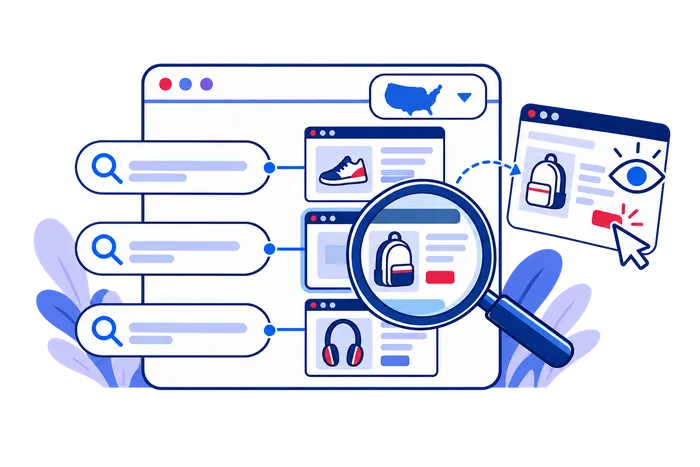
Regional comparisons need the same care. Google’s guidance on interpreting regional interest explains why relative popularity differs from total searches. A smaller state can have stronger relative interest without contributing more absolute searches than a larger state. Do not translate a map’s ranking into a forecast of leads.
Ask what location would change about the answer. A service-area business may need local availability information; a nationwide retailer may need examples suited to a common use case. A state-level chart alone does not justify dozens of near-identical location pages. Geographic research is useful when it changes the information or service the reader needs.
Inspect related queries and topics before expanding the brief
Related topics can reveal adjacent concepts; related queries can reveal wording and questions. Review both, then return to the ones that match the audience’s task. A related item is a research lead, not automatic permission to cover it. It may refer to a different product, a news event or another meaning of the seed term.

In related queries, Top and Rising serve different purposes. Google’s related-search guidance describes Top as frequent searches associated with the entered term within the selected scope, and Rising as growth relative to an earlier period. Breakout indicates growth exceeding 5,000%; it is not a count of searches or a promise that the trend will last.
Open a promising candidate and check its own pattern under the recorded U.S. settings. Does interest recur, remain steady or appear only around an event? Does the related language still describe the same reader need? Group close variants into a shared question and retain genuinely different tasks as separate candidates. This prevents a research export from becoming a publishing queue with no editorial judgment.
Also inspect the actual results for important candidates. Record the country and device context where possible, and describe what you observed as a sample. Personal searches can vary. A set of result pages can help identify the expected format, but one search does not establish a permanent ranking or the demand for an entire market.
Keep a shortlist of reader tasks
Give each retained candidate a reason for inclusion and an existing-page check. “Related to backpacks” is too broad; “helps a buyer check whether a laptop fits the bag” defines an answer the editor can assess. Put alternate phrasings beneath that task instead of treating each variation as a separate article assignment.
Keep excluded candidates with a short explanation too. An unrelated repair query or sewing tutorial can help reveal why an ambiguous seed produced misleading suggestions. The record prevents the same unsuitable phrase from returning in the next export simply because its growth label looks impressive.

Use search intent to choose a useful page
Intent is a way to interpret the evidence, not a substitute for collecting it. A query asking how to measure something may need instructions. A query comparing two materials may need criteria and limitations. A local service query may need coverage, availability and a practical contact route. Brand navigation may need the named destination rather than a new explanatory article.
Inspect the promise of the existing page before deciding to create another. If a buying guide already answers the same question, improve its evidence and clarity. If the site lacks a distinct process or comparison that readers need, a supporting resource may be justified. A different keyword does not automatically represent a different page purpose.
Keep the content response specific. For example, a bag guide can explain how internal dimensions differ from nominal laptop-screen size. It should not call a material waterproof without evidence merely because the related query uses that word. Search research reveals questions; product documentation and original investigation supply reliable answers.
Validate candidates against your site’s Search Console data
Use the correct property and open the Search results Performance report. Set a completed period, the relevant search type and a country filter for United States. Review queries together with the pages associated with them. Google’s Performance report guidance describes clicks, impressions, CTR and average position; these measurements describe your site’s Google Search appearances, not total U.S. demand.
For a candidate query, examine whether an existing page receives impressions and whether that page satisfies the task. Relevant impressions on an incomplete page can support an update. A promising Trends candidate with no Search Console row remains uncertain: the site may have little visibility for it. The absence of a row does not establish the absence of demand.

Read the limitations in Google’s dimensions and data-grouping documentation. Privacy protection and reporting limits can hide query information; country, page and device dimensions answer different questions. Avoid presenting the visible query list as every search performed by Americans or every query for which the site appeared.
Keep comparisons consistent and separate groups when their page purpose or audience differs. Do not compare a worldwide site total with one U.S. query, or a recently incomplete day with a completed month. Record site changes and result-layout observations alongside the baseline so that later movement has context.
Follow the query to the appropriate page
For a relevant visible query, inspect the associated pages under the same U.S. and date settings. Open the likely page and check whether its actual answer matches the task. Then examine that page’s query set: it may already serve the question under wording different from the seed you started with.
When several URLs appear, compare their purposes before assuming they compete. A product page and an explanatory guide can satisfy different needs. If two guides promise the same answer, record a possible overlap for editorial review rather than automatically creating a third page. The research should identify the appropriate owner and the information missing from it.
A hypothetical research example: choosing a laptop-bag guide
This example is entirely fictional. The candidate queries, trend descriptions and Search Console figures below are invented to show the method; they are not measured U.S. search volumes, SEOVisitor results or a forecast. Imagine a retailer serves U.S. customers and wants to improve its laptop-bag buying information.
It begins with questions from its fictional customer-service notes: Will a particular laptop fit? What does water resistance mean? Can the bag be carried comfortably? The editor enters a small set of terms in Trends Explore, selects United States and records the same period and search type. The editor inspects related items, excludes unrelated sewing instructions and groups close size questions into one task.
| Candidate question | Illustrative evidence | Defensible next step |
|---|---|---|
| How do I measure a laptop for a backpack? | A recurring interest pattern; the current category lacks internal dimensions | Add a measurement section with accurate product specifications. |
| Water-resistant versus waterproof laptop bag | A related comparison question; an existing buying guide receives relevant U.S. impressions | Improve that guide with supported material limitations. |
| Carry-on laptop backpack size | A seasonal pattern; the site can explain bag dimensions but not every airline rule | Provide precise dimensions and refer readers to current airline requirements. |
| Free pattern for sewing a backpack | A related phrase that serves a different audience | Exclude it from this retailer’s buying-guide brief. |
Suppose the fictional comparison query has 4,800 impressions and 96 clicks for the buying-guide URL during a completed U.S. reporting period. Its CTR is 96 divided by 4,800, or 2%. That calculation describes recorded search appearances and clicks; it does not say that 2% of all Americans researching bags visited the page.
The editor reviews the result preview and page before making a decision. A low-looking rate is not a diagnosis by itself: position, query mix and result layout may explain it. Here the supported content task is to answer a comparison that the guide currently omits. The retailer verifies the materials, adds a clear explanation and records the publication date.
After publication, the team first checks that the revised information is accessible. It later reviews comparable query and page data, allowing a suitable period for observations to accumulate. No increase in impressions, clicks or sales is assumed. If the question proves broader than the current page’s purpose, the next decision may be a distinct supporting guide rather than repeated expansion of the category page.
Write a decision that another editor can verify
In this fictional case, the assignment could require the guide to distinguish water resistance from waterproofing, identify the product evidence supporting its wording, and explain the limit of that evidence. “Add the keyword more often” would not complete the task. The reviewer should be able to see which unanswered buyer question the revision now resolves.
Keep the original U.S. query and page baseline with the brief. At review time, first check that the requested explanation was published correctly. Then examine the same question group and page scope. A change in total site clicks would not, by itself, establish that this particular revision helped the intended reader or caused the search movement.

Turn the research into a brief and a review rule
For each selected opportunity, write a concise brief naming the U.S. audience, reader question, intended page, available evidence and remaining uncertainty. State what the page must explain and which neighboring questions it will leave to other resources. Assign an owner to verify product, service or factual details that Trends cannot supply.
Add an acceptance condition and the material needed to meet it. A measurement guide may need verified dimensions and a clear method; a material comparison may need supported product documentation. Note whether the required evidence already exists, who will check it and what remains unresolved. This turns the research into a manageable assignment rather than a collection of phrases to insert.
Keep promotion separate from demand research. A dedicated U.S. traffic campaign can support a prepared landing page, but purchased visits do not validate a Trends finding or establish organic search demand. Record campaign activity separately when reviewing the page.

Decide whether to update, create or defer. Update when an existing relevant page can complete the task. Create when a distinct answer needs its own format and the team can maintain it. Defer when the meaning is uncertain, the interest is tied to a fleeting event or the organization lacks the evidence needed to publish a reliable answer.
Choose a review condition before publishing. A seasonal resource needs attention before the next planning period; a new guide needs checks for accessibility and emerging relevant queries. Record the same settings on later Trends reviews rather than silently switching periods or topics to claim growth. Content performance should be assessed with the site’s own search and business evidence.
A useful search-interest review leaves the team with fewer, better-supported questions. Trends helps investigate their relative pattern; Search Console helps examine the site’s existing visibility. Customer evidence, current results and verified information connect those observations to a page worth publishing. The process improves the quality of the decision even when the right answer is to revise an existing resource or wait for stronger evidence.
Frequently Asked Questions
Quick answers to common questions about U.S. search interests
No. Its normalized 0–100 index describes relative interest for the selected comparison. It is not a monthly search count, and a low-volume term can appear as zero. Combine it with other evidence before making a content decision.
In Explore, enter a relevant term or topic and set the location to United States. Record the period, category and search type, then compare interest and related items under consistent settings. Use the findings to investigate a specific audience question.
No. It reports search performance for a site you can access, with privacy and reporting limits. Filter to United States and inspect relevant queries and pages. Missing query data does not prove that nobody searches for the subject.
A search term concerns particular wording. A topic groups expressions connected to a concept or entity, potentially across languages and spelling variations. Select the option that matches the research question and record which one you used.
No. Check the audience, meaning, durability and existing page coverage first. Update a relevant resource when it can answer the question; create a new page for a distinct task; defer a topic when evidence or expertise is insufficient.
Top concerns frequent related searches within the selected scope; Rising concerns growth against an earlier period. Breakout indicates growth greater than 5,000%. These labels do not establish an exact search count, lasting demand or suitability for your business.
A peak of 100 is relative to its selected comparison, not an absolute number of searches. Separately scaled charts do not establish equal demand. Compare candidates under aligned settings where possible and retain the full context rather than treating their peaks as monthly volume.
No. Geographic scope is different from language. A topic can include related expressions across languages, while a term depends on the wording investigated. Record the terms and topic choices used, and match the content's language to the audience you can serve.
Check spelling, consider a longer relevant period, and investigate appropriate alternative wording or a clearly related topic. Preserve the change in scope in your notes. Sparse or zero data is not proof of no demand, and it should not be replaced with an invented volume.
Begin with customer questions, consistent U.S. Trends comparisons and a review of current search results. Validate the answer with reliable product or subject evidence. Treat the opportunity as a hypothesis until the site accumulates relevant observations; missing site history is not a market-wide demand measure.




Comments
Leave a Comment