



Understand how traffic bots work, which GA4 patterns deserve investigation, and when authorized automation is useful. Compare technical tests with managed traffic campaigns and review the risks.
A traffic bot is software that sends automated visits to a website. It can request pages directly or control a browser to load content and trigger events. A website traffic bot may support an authorized technical test, but recorded visits are not evidence of audience interest. Before using one, distinguish testing from promotion: check what the automation does, how GA4 records it, and whether it affects advertising or business reports. More sessions alone do not mean customers or better rankings.
How Traffic Bots Work
An automated traffic bot follows instructions rather than making an independent decision to visit. Those instructions might specify a destination, a schedule, and a sequence of page loads. The same underlying automation can be useful in quality assurance and misleading when sold as audience growth.
Page requests and headless browsers
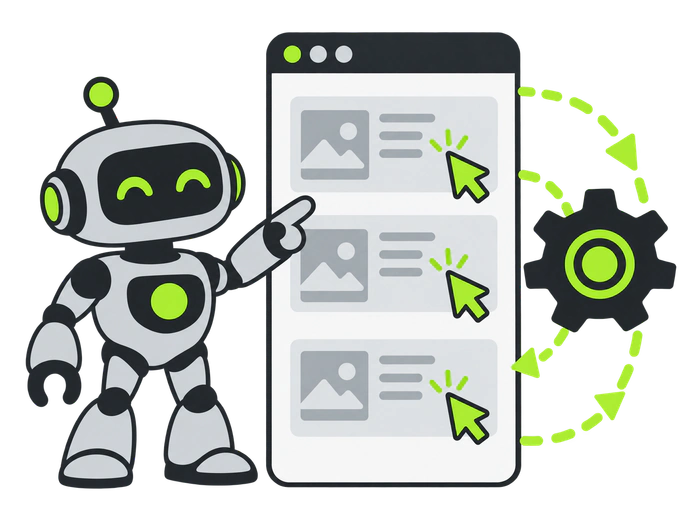
A basic script can request a URL without rendering the page or running its analytics code. That request may appear in server logs without becoming a measured GA4 session. Browser automation can instead load JavaScript, navigate between pages, and exercise interface controls. A headless browser runs without a visible browser window; tools such as Playwright support browser-based testing.
The distinction matters when comparing delivery reports with analytics. A vendor’s request count, a browser visit, and a GA4 session are different measurements. Ask which one is being supplied before treating a package total as a readership figure.
Proxies, scheduling, and repeated patterns
Some systems route requests through proxies and distribute them over time. A proxy changes the network route; it does not turn software into a person. Scheduled bursts, repeated paths, and unusually consistent actions can still reveal automation.
Simple bots often leave obvious patterns, while more sophisticated automation is harder to identify. Detection is not guaranteed in either direction. Cloudflare’s detection documentation describes multiple engines for different bot types, reinforcing why one metric or one IP address is insufficient.
How Bot Traffic Shows Up in GA4
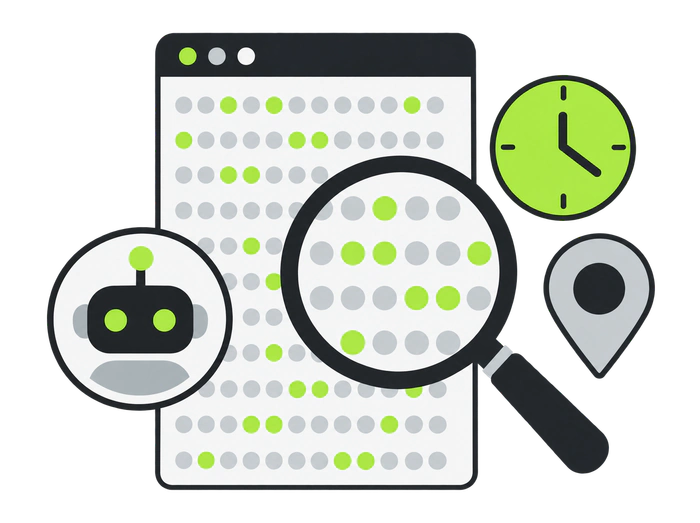
GA4 shows recorded events and sessions, not every request that reaches your server. Google automatically excludes known bots and spiders, but this is not a promise that all remaining visits are human. Google also does not provide a report of the excluded amount.
Engagement time and bounce rate
Investigate unusually brief engagement or repeated event sequences alongside the page’s purpose. A reader can find a quick answer and leave, while automation may generate several pageviews. Neither a high bounce rate nor a low bounce rate proves who visited.
Under GA4’s default engagement definition, a session is engaged if it lasts longer than 10 seconds, includes a key event, or has at least two page or screen views. Bounce rate is the share of sessions that are not engaged. Those rules describe measurement, not a human-verification test.
Direct or referral spikes and unexpected locations
Compare sudden direct or referral growth with campaign schedules, landing pages, and recorded outcomes. An unexplained surge with repetitive behavior deserves investigation, but a newsletter, publicity event, or tracking error may also explain a change.
Unexpected concentrations in cities associated with data centers are another clue. GA4 geography alone cannot establish that requests originated from hosting infrastructure; verify network context in server or edge logs where available. Privacy tools and legitimate shared networks also complicate interpretation. For a broader investigation, see the difference between real users and bot traffic.
Traffic Bot vs. a Managed Traffic Service
A traffic bot supplies programmed activity. A managed service coordinates delivery, targeting, and campaign reporting, but its name alone does not establish how visits are generated. Evaluate the acquisition method and evidence before deciding which approach fits your goal.
If you are considering a website traffic service, ask about placements, automation, incentives, targeting, and the ability to stop delivery. A service should be assessed as a traffic channel, with outcomes measured separately from the number of visits delivered.
| Criterion | Traffic bot | Managed traffic service |
|---|---|---|
| How visits happen | Software follows a programmed sequence. | Delivery depends on the provider’s documented acquisition method; verify whether it includes automation or incentives. |
| Suitable objective | Authorized technical checks with clearly labeled test activity. | Audience distribution or a campaign test when the source and method fit the destination. |
| Evidence to request | Test configuration, request logs, and expected event sequence. | Placement examples, source details, targeting, delivery reports, and pause controls. |
| What to measure | Errors, response times, event accuracy, and completion of a scripted journey. | Relevant visits, voluntary actions, qualified leads, and cost per meaningful outcome. |
| Main limitation | Synthetic actions do not demonstrate human interest or demand. | More delivered visits do not guarantee buyers, ad validity, or higher search rankings. |
A sensible comparison starts with the question you need answered. Checking whether a form submits correctly is different from learning whether customers want an offer. Do not use a successful scripted submission as evidence that a marketing campaign converts.
Choose an outcome before choosing a provider
Write down the destination, intended audience, budget, measurement plan, and stopping condition. For example, a campaign could test whether relevant readers voluntarily subscribe to a guide. A technical test could check whether a subscription event fires once. Keep those two results separate.
The Risks of Traffic Bots
Artificial visits can create misleading reports and operational costs even when the visitor total looks impressive. Review the destination and business model before allowing automation, especially if the page displays advertising or feeds an important performance dashboard.
Invalid traffic and advertising policies
Do not send bots to generate ad views, clicks, or publisher earnings. Google’s AdSense invalid traffic policy includes automated tools and artificial impressions or clicks. Consequences can include restricted ad serving, suspension, or account closure. Other ad networks have their own rules; a traffic package is not a compliance certificate.
Analytics pollution and poor business decisions
Unlabeled synthetic visits can alter channel mix, engagement averages, and funnel results. They may make a weak campaign appear busy or obscure a useful one. Record the test period and keep test data separate before making budget decisions.
A traffic bot cannot tell you whether a real reader trusts your offer, understands your price, or intends to buy. Use voluntary human behavior for those questions, and validate meaningful outcomes rather than counting scripted clicks as leads.
No automatic SEO benefit
Adding artificial sessions does not establish an organic ranking benefit. An organic traffic bot or CTR bot label does not prove that visits came from genuine search demand. Google’s machine-generated traffic policy specifically addresses automated queries to Google without express permission; that is distinct from an authorized test of your own website.
Keep search performance analysis focused on genuine Search Console results, useful content, and the page’s technical condition. A GA4 session increase by itself is not evidence that Google has improved your ranking.
When Automated Visits Make Sense
Automation is useful when the result you need is technical and the test is authorized. Define the environment, expected behavior, and limits first. A good test produces an understandable record, rather than disguising synthetic activity as customer demand.
Load and reliability tests
Use a controlled test on infrastructure you own or have permission to test. Establish request rates, a duration, monitoring, and a stop condition with the administrator. Dedicated load-testing tools may be more appropriate than a generic visit generator. Avoid live advertising, real payments, and unnecessary third-party requests.
Analytics setup checks
Run a short, repeatable journey to check whether intended events fire and whether duplicate events appear. Prefer a separate test property or a documented developer-testing setup. Google’s developer traffic filter guidance explains how debug-mode activity can be excluded; validate a filter in testing mode before activating it, because excluded data cannot be recovered.
Landing-page checks with labeled traffic
A browser script can check links, form errors, and responsive behavior. It cannot judge whether the offer persuades customers. For a marketing landing-page test, use relevant visitors and separate campaign labels, then compare voluntary outcomes with your baseline. Labeling synthetic visits documents a test; it does not make prohibited ad activity acceptable.
When you need campaign reach rather than a technical simulation, start with a defined audience and a modest budget. Review acquisition details before ordering, keep the source identifiable, and pause if delivery cannot be explained.

Explore Seovisitor traffic options for a defined audience and landing page. Start with a small campaign, label the source, and measure relevant visits and qualified actions before increasing your budget.
Choose Automation for Checks and Relevant Visitors for Growth
Use a traffic bot to answer a bounded technical question on a site you are authorized to test. Use an accountable acquisition channel when you need audience response. In both cases, keep measurements honest: document the method, separate test activity, and judge success by the outcome you intended to measure.
Before committing, resolve three questions: what creates the visit, what evidence will you receive, and what makes you stop? Clear answers are more useful than a promise of invisible bots, instant customers, or guaranteed rankings.
Frequently Asked Questions
Quick answers to common questions about traffic bot
Automation is not inherently unlawful, but permission, purpose, local law, and service terms matter. Testing a site you control is different from unauthorized access, deceptive ad activity, or prohibited automated search queries. Obtain authorization and review the applicable rules before running a test.
Often, yes. Google Analytics excludes known bots and spiders, and Google has separate systems for Search and advertising abuse. Detection is not perfect: absence of a warning or appearance in GA4 does not prove that traffic is human or acceptable.
There is no universal best tool. For authorized testing, compare support for your browser or protocol, documented event behavior, rate limits, logs, test-data separation, and a reliable stop control. Reject promises of undetectable visits or guaranteed search rankings.
No. GA4 automatically excludes known bots and spiders, but it does not guarantee that every remaining session is human or show how much known bot activity was excluded. Corroborate suspicious patterns with campaign records and server or edge logs.
Artificial sessions alone do not establish an SEO benefit. Labels such as organic traffic bot or CTR bot do not prove genuine search demand. Measure real search performance separately and do not treat a higher GA4 visit count as evidence of ranking improvement.
They can check technical behavior such as navigation and form validation on a site you are authorized to test. Keep synthetic activity labeled and separate. Use relevant human visitors when testing offer appeal, purchase intent, or conversion performance.




Comments
Leave a Comment