


How Session Recordings in Microsoft Clarity Reveal Low-Quality Traffic
In today’s digital marketing landscape, understanding the quality of your website traffic is just as important as increasing it. Many businesses focus only on driving more visitors, but fail to evaluate whether that traffic is actually valuable. This is where Microsoft Clarity becomes a powerful tool for deeper insights.
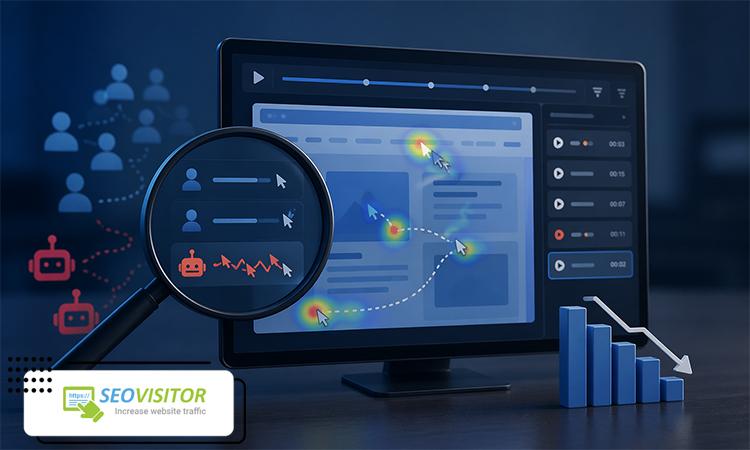
By using Recordings in Microsoft Clarity, website owners can watch real user sessions and analyze how visitors interact with pages in real time. These session recordings provide a clear view of user behavior, helping marketers distinguish between high-quality and low-quality traffic.
In SEO and digital marketing, traffic quality directly impacts key metrics such as conversion rate, bounce rate, and overall ROI. Not all visitors are equally valuable, and understanding their behavior is essential for optimizing campaigns and improving performance.
Session recordings play a critical role in this process by revealing how users navigate your website, where they struggle, and when they leave. In this article, we will explore how Recordings in Microsoft Clarity help identify low-quality traffic and improve overall website performance.
What Are Session Recordings in Microsoft Clarity?
Session Recordings in Microsoft Clarity are a powerful feature that allows you to watch real user interactions on your website as if you were looking over their shoulder. Instead of analyzing aggregated data, you can observe individual user sessions to understand exactly how visitors behave on each page.
Unlike heatmaps, which provide a visual summary of overall user behavior, session recordings focus on one user at a time, showing their complete journey through the site. This makes it easier to identify specific issues such as confusion, navigation problems, or drop-off points.
Microsoft Clarity automatically records user interactions after the tracking script is installed on your website. These recordings capture every meaningful action during a session without affecting website performance.
Through Recordings in Microsoft Clarity, you can see detailed behavioral data, including:
- Clicks: Every interaction with buttons, links, and elements
- Scroll behavior: How users move through page content
- Mouse movements: How users navigate and explore visually
- Page interactions: Form usage, navigation flow, and engagement patterns
By analyzing this data, you gain a deeper understanding of how users actually experience your website, which is essential for identifying issues and improving overall performance.
Why Low-Quality Traffic Is a Big Problem
Low-quality traffic can seriously damage your website’s performance, even if your visitor numbers look high. Understanding its impact is essential when analyzing Recordings in Microsoft Clarity and optimizing your marketing strategy.
Increased bounce rate
When users land on your site but leave immediately without interacting, it increases your bounce rate. This signals to search engines that your content may not be relevant or engaging.
Lower conversion rates
Low-quality visitors rarely take meaningful actions such as signing up, purchasing, or filling out forms. This leads to poor conversion performance and wasted traffic opportunities.
Wasted advertising budget
If your paid campaigns attract irrelevant users, you end up spending money on clicks that never convert. Over time, this reduces your overall marketing ROI.
Negative SEO impact
Search engines consider engagement signals like time on site and interaction. Poor-quality traffic can weaken these signals and indirectly affect rankings.
Irrelevant or bot traffic
Some visits come from bots or non-targeted users who have no real interest in your content, which distorts analytics and makes performance tracking less accurate.
By analyzing Recordings in Microsoft Clarity, you can identify these issues early and improve traffic quality effectively.
How Recordings in Microsoft Clarity Identify Low-Quality Traffic
One of the most valuable capabilities of Recordings in Microsoft Clarity is the ability to detect patterns that indicate low-quality or irrelevant traffic. By watching real user sessions, you can quickly separate meaningful visitors from those who provide no real value to your website.
Suspicious user behavior (unnatural interactions)
Session recordings help you identify abnormal behavior such as random scrolling, repeated page reloads, or navigation patterns that don’t match real user intent. These signals often indicate non-human traffic or poorly targeted visitors.
Short, low-engagement sessions
Low-quality traffic usually results in very short sessions where users leave the page without clicking, scrolling, or interacting. These sessions show that the traffic is not relevant to your content or offer.
Unfocused clicks (rage clicks / dead clicks)
Through Recordings in Microsoft Clarity, you can detect rage clicks (repeated clicking on non-responsive elements) and dead clicks (clicking elements that don’t lead anywhere). These behaviors often reflect frustration or confusion.
Immediate page exits
If users leave your site within seconds, it is a strong sign that the traffic source is not aligned with user intent or expectations.
No interaction with CTAs
A key indicator of low-quality traffic is the complete absence of engagement with call-to-action elements such as buttons, forms, or links.
Key Signs of Low-Quality Traffic in Recordings
When reviewing Recordings in Microsoft Clarity, you can identify low-quality traffic by paying close attention to specific behavioral patterns that appear consistently across sessions. These signals help you quickly understand whether your traffic is truly valuable or not.
One of the most common indicators is a very short session duration. When users leave your website within just a few seconds, it usually means they are not genuinely interested in your content or that the traffic source is poorly targeted.
Another clear sign is the absence of scrolling activity. If users land on a page but do not scroll at all, it suggests that the content fails to capture their attention or does not match their expectations.
Repeated visits without any interaction can also be a warning sign. In some cases, users—or bots—may return multiple times but still not engage with buttons, links, or other elements, indicating low intent or non-human traffic.
Unnatural behavior patterns are also important to monitor. This includes random mouse movements, repeated or rapid clicks, and inconsistent navigation paths, which may suggest bot activity or irrelevant users.
How to Filter and Analyze Traffic Using Microsoft Clarity
To make the most of Recordings in Microsoft Clarity, you need to filter and analyze your data strategically to separate valuable traffic from low-quality sessions.
Session categorization
Start by grouping sessions based on behavior patterns such as duration, engagement level, and interaction type. This helps you quickly identify high and low-quality traffic segments.
Using Clarity filters
Microsoft Clarity provides filtering options that allow you to narrow down sessions by device type, page, country, and engagement metrics, making analysis more precise.
Analyzing traffic sources
Check where your visitors are coming from. Some referral or campaign sources may generate traffic that looks high in volume but low in quality.
Combining with Google Analytics
Using Clarity alongside Google Analytics gives you both quantitative and behavioral insights, allowing for more accurate decision-making.
Identifying low-quality channels
By comparing engagement metrics across channels, you can detect which sources consistently bring irrelevant or low-value users and adjust your marketing strategy accordingly.
How to Improve Traffic Quality After Analysis
After analyzing user behavior through Recordings in Microsoft Clarity, the next step is improving traffic quality by taking targeted and data-driven actions. One of the most effective approaches is optimizing your advertising campaigns. By reviewing performance data, you can adjust ad creatives, keywords, and audience settings to attract more relevant users.
Another important step is removing low-quality traffic sources. If certain referral sites, campaigns, or channels consistently bring unengaged users, it’s better to exclude or reduce investment in them. This helps you focus your budget on high-performing sources.
Improving targeting in ads is also essential. Refining audience segments, interests, and demographics ensures that your content reaches users who are genuinely interested in your offer.
Landing page optimization plays a key role as well. If users are not engaging, you may need to improve page speed, structure, messaging, or call-to-action placement to better match user intent.
Common Mistakes When Using Recordings in Microsoft Clarity
While Recordings in Microsoft Clarity provide powerful insights, many users make critical mistakes that lead to incorrect conclusions and poor optimization decisions.
One common mistake is judging performance based on a single session. A single recording does not represent overall user behavior, and decisions should always be based on patterns, not isolated cases.
Another issue is ignoring traffic context. Without understanding where users come from, it becomes difficult to interpret their behavior accurately.
Focusing only on click behavior is also misleading. Clicks alone do not show the full user journey, and other signals like scrolling and time on page are equally important.
Many users also fail to combine Clarity data with other analytics tools such as Google Analytics, which limits their overall understanding of performance.
Real Use Cases of Session Recordings
Recordings in Microsoft Clarity can be applied in many practical scenarios to improve both traffic quality and overall website performance. One of the most common use cases is evaluating the quality of traffic coming from Google Ads campaigns. By watching real user sessions, you can determine whether paid visitors are genuinely engaging with your landing pages or leaving immediately.
Another important use case is analyzing users coming from social media platforms. These visitors often have different intent levels, and session recordings help you understand how they interact with your content and whether the traffic is aligned with your goals.
Session recordings are also highly effective for landing page optimization. By observing user behavior, you can identify friction points, unclear messaging, or weak call-to-action placement that may reduce conversions.
In addition, Recordings in Microsoft Clarity are useful for detecting bot traffic or suspicious activity. Unnatural navigation patterns, repeated sessions, or zero interaction behavior can quickly reveal non-human traffic sources.
Conclusion
In conclusion, Recordings in Microsoft Clarity play a crucial role in understanding real user behavior and identifying low-quality traffic. Unlike traditional analytics tools that focus on numbers, session recordings provide a visual and behavioral perspective that reveals how users actually interact with your website.
This makes it much easier to detect irrelevant traffic, bot activity, and poor-quality visits that negatively impact your SEO and conversion performance. By analyzing real sessions, businesses can make more accurate and effective optimization decisions.
Ultimately, the key takeaway is simple: real data leads to better decisions. When you rely on actual user behavior instead of assumptions, you can significantly improve your marketing strategy, UX, and ROI.

Lasted Comments (0)