


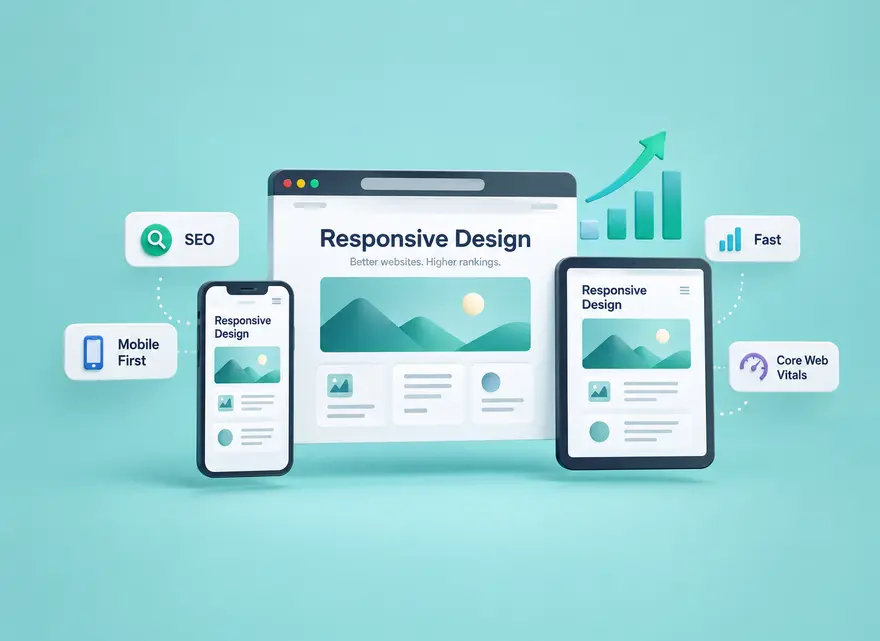
Responsive web design helps users and search engines access a consistent experience across devices. Learn how mobile-first indexing, Core Web Vitals, responsive images, navigation, testing, and common mobile mistakes fit into a practical SEO strategy.
Responsive web design and SEO are closely connected because search engines and users need your content to work well across different screen sizes. A page should remain readable, accessible, fast, and functional whether someone opens it on a phone, tablet, laptop, or desktop monitor.
Responsive design does not create an automatic ranking boost. Its value comes from removing technical and usability problems: keeping important content available on mobile, simplifying maintenance, supporting good page performance, and helping visitors complete the task that brought them to your website.
This guide explains how responsive web design supports SEO, how mobile-first indexing works, which responsive-design mistakes can cause problems, and how to test a WordPress website using current tools.
What Is Responsive Web Design?
Responsive web design is an approach in which a website adapts its layout to the available screen or viewport. The same page can reorganize navigation, columns, text, images, and other interface elements according to the space available.
A well-designed responsive page should allow visitors to read and interact with the website without constantly zooming, scrolling horizontally, or trying to tap controls designed only for a mouse.
Common characteristics of a responsive website include flexible layouts, CSS media queries, scalable media, readable typography, and navigation that adapts to smaller screens.
Responsive Design vs. Mobile-Friendly Design
The terms are related but not identical. A mobile-friendly website is broadly any website that provides an acceptable experience on mobile devices. Responsive Web Design is a specific implementation approach in which the layout adapts to different viewport sizes.
Google supports responsive design, dynamic serving, and separate mobile URLs. Responsive Web Design is the recommended approach for many websites because the same URL and HTML can be used across devices, making the implementation easier to maintain.
This recommendation should not be interpreted as a special ranking bonus simply for using responsive CSS. The important question is whether users and Google can access the appropriate content and functionality.

Why Responsive Web Design Matters for SEO
1. Google Uses Mobile-First Indexing
Google uses the mobile version of a website’s content for indexing and ranking. Mobile-first indexing is now the standard rather than an experimental or upcoming change.
This means the mobile experience should contain the important information Google needs to understand the page. If useful text, links, images, metadata, or structured information exists only in a desktop experience, you can create unnecessary differences between what desktop users see and what Google’s smartphone crawler can evaluate.
A responsive implementation makes maintaining this consistency easier because the same page normally serves the same HTML while CSS changes its presentation according to screen size.
2. Important Content Should Remain Available on Mobile
Responsive design should reorganize content rather than simply delete important sections to make a mobile page shorter.
You can use accordions, tabs, shorter navigation patterns, and different visual arrangements when they improve usability. The essential information should still remain accessible.
For example, an ecommerce product page should not show specifications, delivery information, reviews, or important internal links only on desktop while giving mobile visitors a stripped-down version.
The same principle applies to titles, meta information, structured data, images, and important internal links. Consistency helps both users and search engines understand the page.
3. Responsive Design Can Support Better Page Experience
Google looks at page experience as a combination of factors rather than a single design score. A responsive website can contribute to a better experience by making content readable, controls usable, navigation understandable, and layouts stable on smaller screens.
However, do not treat metrics such as bounce rate, time on page, or number of pages viewed as simple ranking switches. Use behavioral information primarily to understand whether visitors are having difficulty completing a task.
For example, if mobile customers regularly abandon a form while desktop customers complete it, investigate the mobile form itself. A hidden button, awkward keyboard input, overlapping popup, or confusing layout may be responsible.
4. One Responsive URL Is Easier to Maintain
With a typical responsive implementation, desktop and mobile visitors use the same URL. This simplifies many maintenance tasks because you are not maintaining separate pages for each device.
It becomes easier to keep internal links, titles, descriptions, structured information, analytics, and content updates consistent.
This is an operational and technical advantage. It should not be turned into a promise that using one URL automatically creates better rankings.

Responsive Design and Core Web Vitals
Responsive implementation can influence performance, especially when a website serves oversized images, complex scripts, unstable banners, or heavy interface components to mobile devices.
The three current Core Web Vitals are:
- Largest Contentful Paint (LCP): measures loading performance. A good target is 2.5 seconds or less.
- Interaction to Next Paint (INP): measures responsiveness to user interactions. A good target is 200 milliseconds or less.
- Cumulative Layout Shift (CLS): measures visual stability. A good target is 0.1 or less.
These targets are evaluated at the 75th percentile of page loads, with mobile and desktop considered separately.
Core Web Vitals are used by Google’s ranking systems, but passing them does not guarantee a top position. Improve them because they describe important aspects of real user experience, not because a perfect performance score is a shortcut to ranking.
Key Elements of an SEO-Friendly Responsive Website
Use the Correct Viewport Configuration
A responsive page needs the browser to understand the actual width of the device. The viewport configuration belongs in the page’s document head and is normally handled by a modern WordPress theme.
<meta name="viewport" content="width=device-width">If you use an established responsive WordPress theme, do not add another viewport tag blindly. Check the generated source first, because your theme probably already provides it.
Use Flexible Layouts Instead of Fixed Desktop Widths
Modern CSS tools such as Flexbox and Grid make it possible to reorganize layouts as available space changes. Avoid building important page sections around rigid widths that only work at one desktop resolution.
A responsive layout should handle intermediate widths too. Testing only a large desktop and one popular phone can leave problems on tablets, landscape phones, or smaller laptop windows.
Use Responsive Images
Resizing a large desktop image visually with CSS does not reduce the bytes a mobile device has to download. Serve image dimensions appropriate for the display whenever possible.
Responsive-image features such as srcset and sizes allow the browser to choose a suitable image resource for the available space and device characteristics.
Also:
- Compress images appropriately.
- Use efficient image formats when suitable.
- Specify image dimensions to help maintain layout stability.
- Lazy-load non-critical images when appropriate.
- Do not make primary content depend on a user click, swipe, or other interaction before it becomes available.
Make Navigation Work With Touch
Do not simply shrink the desktop menu until it fits a phone.
Mobile navigation should keep important destinations discoverable while giving buttons and links enough space to be tapped accurately. Dropdowns and expandable menus should work without requiring hover behavior.
Test navigation with a finger on a real device. A menu that works with a mouse in a desktop browser’s narrow window may still be frustrating on an actual phone.
Maintain Readable Typography and Spacing
Visitors should be able to read the main content without zooming. Use a comfortable font size, suitable line height, sufficient contrast, and enough space between interactive elements.
Avoid long lines that become difficult to follow on wide screens and layouts that compress text into extremely narrow columns on smaller screens.
Keep Calls to Action Easy to Use
A responsive page is not successful if a visitor can read it but cannot complete the intended action.
Test important buttons, contact forms, search boxes, product selectors, cart controls, account forms, and checkout fields. Make sure floating widgets, cookie banners, chat buttons, or sticky elements do not cover essential controls.

Common Responsive Design Mistakes That Can Hurt SEO and UX
Hiding Important Content on Mobile
Simplifying a layout is different from removing information. If important content exists on desktop, make sure mobile visitors can access equivalent information.
Accordions and tabs can help organize long content without forcing you to delete useful explanations.
Loading Important Content Only After User Interaction
Do not require someone to swipe, click, or type before primary content is loaded. A search engine crawler does not interact with every page as a human would.
This is especially important for product descriptions, article content, images that carry important information, and internal links needed to understand the page.
Serving Oversized Images to Every Device
A large desktop hero image can consume unnecessary bandwidth on a small screen. Responsive images help the browser select a more appropriate resource.
Optimize the actual file rather than relying only on CSS to make an oversized image appear smaller.
Using Too Many Scripts and Plugins
A page can be visually responsive and still perform poorly.
Sliders, tracking scripts, page-builder components, chat widgets, advertising code, and third-party embeds can all add work to the browser. Review which components are genuinely useful and test their effect on important mobile pages.
Using Intrusive Mobile Popups
Large overlays can make content difficult to access, particularly on small screens. Keep necessary banners and dialogs proportionate and make dismissal controls obvious.
A popup should not cover most of the useful content simply to collect an email address or advertise an offer.
Allowing Layout Shifts
Unexpected movement during loading is frustrating because a button or link can move just as the visitor attempts to tap it.
Reserve space for images, advertisements, embeds, and other components whenever possible. Pay particular attention to sticky headers and promotional elements injected after the initial page render.
Using Different Important Metadata on Mobile
If your implementation serves separate mobile HTML, ensure important titles, meta information, structured data, and content remain equivalent.
Responsive WordPress themes usually simplify this because a single document is styled differently rather than maintaining two independent pages.
How to Test Whether Your Website Is Really Responsive
Do not rely on a theme description that says “responsive.” Test the actual pages your visitors use.
Use Google Search Console Correctly
The old Search Console Mobile Usability report and Google’s standalone Mobile-Friendly Test are no longer current testing tools.
Instead, Search Console can still help with several useful checks:
- URL Inspection: investigate how Google crawled and indexed an important URL.
- Core Web Vitals: review real-world performance groups where sufficient data is available.
- Performance: compare search performance by device when useful.
- Page indexing: investigate URLs that Google is not indexing as expected.
Use PageSpeed Insights and Lighthouse
PageSpeed Insights is useful for reviewing performance and Core Web Vitals data. Lighthouse can provide additional diagnostic information about performance, accessibility, and technical implementation.
Use these reports to find problems, not simply to chase a perfect numeric score.
A laboratory test and a real-user dataset answer different questions. When field data is available, compare it with your diagnostic tests rather than assuming one run represents every visitor.
Use Browser Developer Tools
Chrome, Firefox, Safari, and other modern browsers include development tools that can simulate different viewport sizes and help identify overflow, layout problems, and network behavior.
Resize continuously instead of testing only a few preset devices. Responsive problems often appear at widths between standard device presets.
Test on Real Devices
Simulation is useful but cannot replace every real-world test.
Use at least a few physical devices when possible and test:
- Portrait and landscape orientation
- Menus and navigation
- Search
- Forms and virtual keyboards
- Buttons and links
- Images and videos
- Sticky headers and footers
- Popups and chat widgets
- Checkout or account flows
Also test important pages in more than one browser. A site that behaves correctly in Chrome can still expose an implementation issue elsewhere.
A Practical Responsive SEO Audit for WordPress
You do not need to inspect every URL manually. Start with representative page templates and important business pages.
| Check | What to Verify |
|---|---|
| Homepage | Navigation, hero area, main CTA, images, and important internal links work on smaller screens. |
| Blog article | Text is readable, tables and code do not overflow, images resize correctly, and Related boxes remain usable. |
| Product or service page | Important information and primary actions remain visible and easy to use. |
| Forms | Fields fit the viewport, keyboard input works correctly, and validation messages remain visible. |
| Popups and widgets | They do not hide navigation, text, consent controls, or conversion actions. |
| Images | Appropriate dimensions are served and reserved space prevents unnecessary layout shifts. |
| Performance | Important mobile templates are reviewed for LCP, INP, and CLS. |
| Content | Important information and internal links are available on mobile as well as desktop. |
Responsive Design for Ecommerce Websites
Responsive design becomes especially important when the visitor needs to complete several steps before purchasing.
An ecommerce mobile journey may include category navigation, product search, filters, product images, variant selection, delivery information, cart controls, payment fields, and customer support.
A responsive product page should not merely fit inside a narrow screen. Customers still need to understand the product and complete the purchase without unnecessary friction.
Pay particular attention to:
- Product images and zoom controls
- Size and variant selectors
- Add to Cart buttons
- Price and stock information
- Shipping information
- Reviews
- Checkout forms
- Payment controls
- Live chat and customer-support widgets
Test the complete buying journey rather than checking only whether the homepage looks attractive on a phone.
Responsive Design Does Not Replace Good Content or SEO
A fast, responsive website with weak content will not automatically become competitive in search. Responsive design removes obstacles; it does not replace relevance, useful information, internal linking, crawlability, or other SEO work.
The reverse is also true. Excellent content can become unnecessarily difficult to use when visitors must zoom, deal with broken navigation, wait for oversized media, or fight with overlapping interface elements.
Think of responsive design as one part of a wider SEO and customer-experience strategy.
When Should You Redesign Instead of Fixing Individual Mobile Problems?
You do not need a complete redesign every time a mobile issue appears.
Individual CSS problems, image sizing, navigation bugs, spacing, or slow components can often be fixed without replacing the entire theme.
A broader redesign becomes more reasonable when the underlying structure repeatedly creates problems across templates, requires separate workarounds for many screen sizes, or makes essential improvements difficult to maintain.
Before redesigning, document the specific problems you intend to solve. After the change, repeat the same tests so you can evaluate whether those problems were actually resolved.
Frequently Asked Questions About Responsive Web Design and SEO
Does responsive web design directly improve Google rankings?
Responsive design is not an automatic ranking boost. Google recommends Responsive Web Design as an easy-to-maintain mobile configuration, while ranking depends on many systems and signals. A good responsive implementation can remove mobile, performance, and content-consistency problems that would otherwise make the page less useful.
Does Google use the mobile or desktop version of my website?
Google uses the mobile version of a site’s content for mobile-first indexing and ranking. Important content, metadata, structured information, links, images, and other useful elements should therefore remain appropriately available in the mobile experience.
Is responsive design the same as mobile-friendly design?
Not exactly. Mobile-friendly describes the broader goal of providing a usable mobile experience. Responsive Web Design is one technical approach for achieving that goal by adapting one layout to different screen sizes.
Do I still need Google’s Mobile-Friendly Test?
No. Google’s standalone Mobile-Friendly Test and Search Console’s Mobile Usability report were retired. Use current tools such as Lighthouse, PageSpeed Insights, Search Console reports, browser development tools, and real-device testing instead.
Which Core Web Vitals should I monitor?
The current Core Web Vitals are LCP for loading performance, INP for responsiveness, and CLS for visual stability. Good targets are LCP of 2.5 seconds or less, INP of 200 milliseconds or less, and CLS of 0.1 or less at the 75th percentile.
Should mobile pages contain less content?
You can change the presentation to suit a smaller screen, but important primary content should remain available. Accordions, tabs, and responsive layouts can organize information without removing material that users and search engines need.
Prepare the Website Before Increasing Traffic
Before sending additional visitors to a page, make sure the destination works properly across the devices your audience uses. Test navigation, loading, content, calls to action, and important conversion steps first.
Keep campaign traffic separate from organic search performance when you analyze the results. Additional visits alone do not demonstrate that search rankings improved.

Bring USA Visitors to a Mobile-Ready Website
Once your important pages work well across mobile and desktop, explore Seovisitor's USA website traffic options. Review the available targeting, delivery method, and reporting, then measure campaign activity against useful on-site outcomes.
Conclusion
Responsive web design and SEO work together when the implementation makes important content accessible, maintains consistency across devices, supports good performance, and makes the website easier to use.
Google recommends Responsive Web Design because it is generally straightforward to implement and maintain, but responsive design is not a standalone ranking trick. Mobile-first indexing, Core Web Vitals, content quality, crawlability, and the overall usefulness of the page all need attention.
Start with your most important templates. Test them on real phones, review their performance, fix content or controls that disappear on smaller screens, and verify the complete user journey. A responsive website should do more than fit a phone screen; it should allow people to accomplish the same important tasks wherever they visit from.
Frequently Asked Questions
Quick answers to common questions about responsive web design and SEO
Responsive web design uses flexible layouts, media, and CSS rules so the same page adapts to different screen sizes and devices. It helps users access equivalent content and functionality on phones, tablets, and desktops.
Not exactly. Mobile-friendly describes the broader goal of providing a usable mobile experience. Responsive Web Design is one technical approach for achieving that goal by adapting one layout to different screen sizes.
Responsive design is one common way to create a mobile-friendly website. Mobile-friendly describes the outcome, while responsive design describes a flexible implementation that adapts one page and URL to multiple screen sizes.
Google primarily uses the mobile version of content for indexing and ranking. Important text, links, images, metadata, and structured data should therefore remain available and equivalent on mobile screens.
Responsive design is not an automatic ranking boost. Google recommends Responsive Web Design as an easy-to-maintain mobile configuration, while ranking depends on many systems and signals. A good responsive implementation can remove mobile, performance, and content-consistency problems that would otherwise make the page less useful.
Common problems include hiding important mobile content, slow images and scripts, intrusive popups, tiny touch targets, unreadable text, unstable layouts, blocked resources, and mobile navigation that prevents crawlers or users from reaching pages.
Google uses the mobile version of a site's content for mobile-first indexing and ranking. Important content, metadata, structured information, links, images, and other useful elements should therefore remain appropriately available in the mobile experience.



Comments
Leave a Comment