



A clear keyword definition with the difference between keywords and search queries, primary and secondary terms, search intent, and one practical page example.
A keyword is a word or phrase a page deliberately addresses because it describes a subject people may search for. A search query is the exact wording one person typed or spoke in a particular search. The distinction is small but useful: you choose a primary keyword as a planning label, while real people may use many different queries to reach the same helpful page. A keyword is not a command that guarantees a ranking.
This guide answers what a keyword means, how primary and secondary terms relate to intent, and how to use them in one page. It does not try to replace a full keyword-research workflow. For the broader context of crawling, indexing and ranking, see Seovisitor’s plain-English SEO explanation.

Keyword versus search query
Suppose a store plans a page around the keyword “15-inch laptop sleeve.” One shopper searches “padded sleeve for a 15 inch laptop,” another searches “will a 15.6 inch laptop fit this case?”, and another searches the product model. Those are three distinct queries. The page may be relevant to all of them if it actually answers the fit, protection and compatibility questions. Repeating the chosen phrase alone will not make those answers appear.
Search Console reports queries that caused your property to appear in Google Search, subject to its reporting limits. A query is observed behavior; a keyword is your editorial choice. Search-volume tools estimate demand for terms under selected settings, but that estimate is not the number of visits your page will receive. Likewise, an impression or click recorded for a query is not evidence that your chosen phrase was repeated a particular number of times.
| Term | Meaning | Practical use |
|---|---|---|
| Keyword | A phrase selected to describe a page topic. | Plan the page’s main answer. |
| Search query | The exact search wording used by a person. | Observe demand and wording in Search Console. |
| Primary keyword | The central phrase that best summarizes one page’s purpose. | Keep title and content focused. |
| Secondary term | A related phrase or question serving the same intent. | Cover a useful subtopic naturally. |
| Search intent | The task the searcher wants to complete. | Choose the right page format and answer. |
A keyword can contain several words. “Keyword” does not mean a single token, and “long-tail” does not automatically mean low value. Specific phrases often express constraints, such as size, location or problem, that help you understand the answer the page must provide.
Start with intent, not a density target
Before writing, ask what a reasonable searcher wants to do. An informational query seeks an explanation or method; a comparison query asks for differences; a transactional query seeks a product or action. The same word can carry different intent in different contexts. “Laptop sleeve” may suggest product browsing, while “how to measure a laptop for a sleeve” calls for instructions. Do not force both tasks into one page if a product listing and a measurement guide serve them better separately.
Look at the search results to test your interpretation: do users receive product pages, definitions, videos, tools or local listings? Results can vary by location and time, so this is a check, not a certainty. If you cannot provide the expected answer credibly, the phrase is a poor primary keyword for that page even if a tool reports substantial search volume.
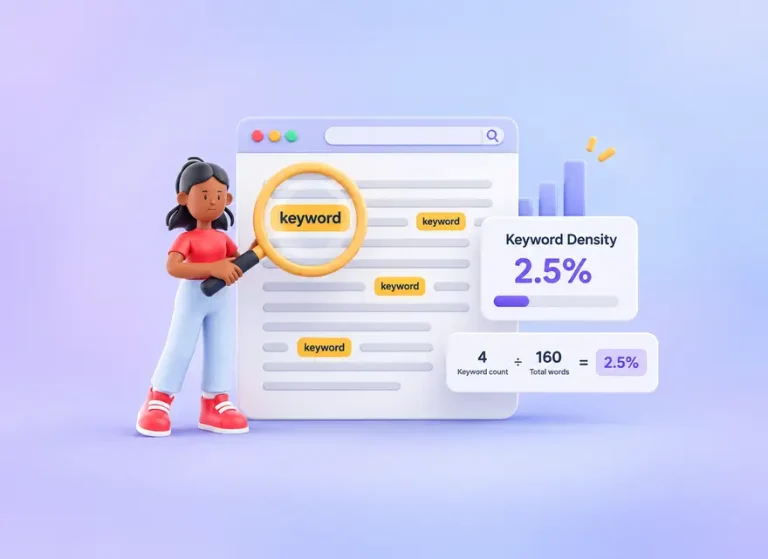
Google’s Search Essentials recommends using words people would use to find your content in prominent, descriptive locations. Its spam policies warn against unnatural keyword stuffing. Neither document specifies a universal keyword-density percentage or a quota for headings. Readability and a complete answer matter more than counting repetitions.

Choose one primary topic and supporting terms
The primary keyword should name the main subject of the page, not every variation you hope to capture. Pick the clearest phrase that matches the audience, page type and answer. Secondary terms should represent real subquestions within that same task. For a laptop-sleeve product guide, they might include internal dimensions, padding, water resistance and whether a 15.6-inch model fits. A term about repairing a laptop hinge is not a useful secondary keyword merely because it contains “laptop.”
Start with your product knowledge or customer questions. Search Console can reveal wording for an existing page; site search, support conversations and customer reviews can reveal uncertainties before the page ranks. A research tool can help compare language and demand, but inspect its geography and time range. This article stops at choosing a coherent page topic; for a detailed traffic-comparison method, use the related guide later in this article.
When several relevant phrases mean the same thing, one page may answer them together. When phrases imply different jobs, plan separate destinations or clear sections only if they genuinely belong on the same page. This reduces the temptation to create near-duplicate pages for minor wording variants. The goal is to satisfy a searcher’s task, not to assign one URL to every possible query.
A hypothetical keyword choice, from question to page
Hypothetical example: A small shop sells a padded laptop sleeve. Its customers repeatedly ask whether a nominally “15-inch” sleeve fits a 15.6-inch device. The team chooses “15-inch laptop sleeve size guide” as the primary phrase for an explanatory page, rather than a broad phrase such as “laptop accessories.” The audience needs a fit decision, not a general catalog introduction.
The page opens with a measurement method, explains that a diagonal screen size is not the same as the laptop’s external dimensions, and shows the sleeve’s verified internal width, depth and height. A short comparison of common laptop dimensions appears only if the shop has checked those models. “How to measure a laptop for a sleeve” becomes a secondary subtopic; “padded laptop sleeve” is used where the material and protection are actually explained. The product page then links to the guide beside the size selector.
In the title and heading, the team makes the task recognizable. In the body, it includes the dimensions, exceptions and a clear route back to available products. It does not insert the exact phrase into every paragraph or promise universal compatibility. After publication, the team can inspect relevant Query × Page data in Search Console and compare support questions about fit. A change in impressions or sales would require separate interpretation; this hypothetical example claims no result.

Where should a keyword appear?
Use the central phrase where it accurately identifies the page: a descriptive HTML title, visible main heading and opening explanation are natural places. Use subheadings for actual subtopics, not to meet a percentage target. A heading like “Check the sleeve’s internal dimensions” is more helpful than repeating “15-inch laptop sleeve” in every section. The page URL can be concise, but do not change an established URL merely to add a phrase.
Write a meta description that previews the page’s real answer. Google may choose a different snippet for a particular query, so metadata is a description rather than a guarantee of display. Internal links should describe the destination in words people understand. For images, use alt text that communicates the image’s content or function; do not stuff a keyword into an unrelated picture. A dimension diagram, for example, can have alt text explaining which measurements are shown.
Read the page aloud once after editing. If the chosen phrase sounds forced, replace it with ordinary language or remove it. Google can connect related terms and concepts, so exact repetition is not necessary for every variation. Avoid adding paragraphs whose only purpose is to increase a count; they make it harder for readers to find the answer.

What keywords cannot do
A keyword alone cannot make a page useful, indexable or competitive. Core Web Vitals measure aspects of page experience; they are not a single Google score for keyword use, and meeting a particular performance threshold does not guarantee a first-page ranking. Likewise, time on site, purchased visits and a chosen keyword-density range are not a formula for better organic positions. This article is about page meaning and searcher intent, not a traffic product.
Be wary of two opposite mistakes. Using no clear topic leaves readers unsure what the page answers. Repeating the same phrase mechanically crowds out the details that would actually resolve their question. The better balance is one recognizable purpose, supporting facts and examples, and language that naturally varies with the explanation.
Check whether the page meets the intended need
After publication, filter Search Console to the page and inspect the queries, impressions and clicks over a meaningful period. Ask whether the queries fit the page’s actual answer. A page appearing for “laptop sleeve measurements” may be on topic; one appearing for “laptop repair” may signal a different interpretation or just incidental wording. Search Console data is limited and cannot reveal every search, so combine it with site search, support feedback and a manual review.
For an existing page, compare its main query groups before and after a focused update, keeping date ranges and segments comparable. Look at the complete journey too: can a reader take the next helpful step after learning the answer? Do not equate more impressions with better user outcomes. If the page’s subject is clear and the information accurate, further research can then assess demand and competition separately.
The related guide covers volume estimates and traffic measurement in detail. This definition page remains a starting point for deciding what one keyword means for one useful page.
Frequently Asked Questions
Quick answers to common questions about keyword
A keyword is a word or phrase chosen to describe the main subject and searcher task a page addresses. It helps plan a clear answer; using it does not guarantee indexing or ranking.
A keyword is an editorial target selected for a page. A search query is the exact wording an individual used in a search. Many related queries can lead to one useful page.
The primary phrase summarizes the page’s central purpose. Secondary terms describe genuine subquestions serving the same intent, such as dimensions and fit within a laptop-sleeve size guide.
Do not treat purchased visits as a ranking mechanism. Measure any paid traffic as a separate campaign and evaluate organic query visibility with Search Console without promising a ranking effect.
No universal density or heading quota is specified by Google. Use the relevant terms naturally where they describe the page, and avoid repetition that makes the content less helpful.



Comments
Leave a Comment