


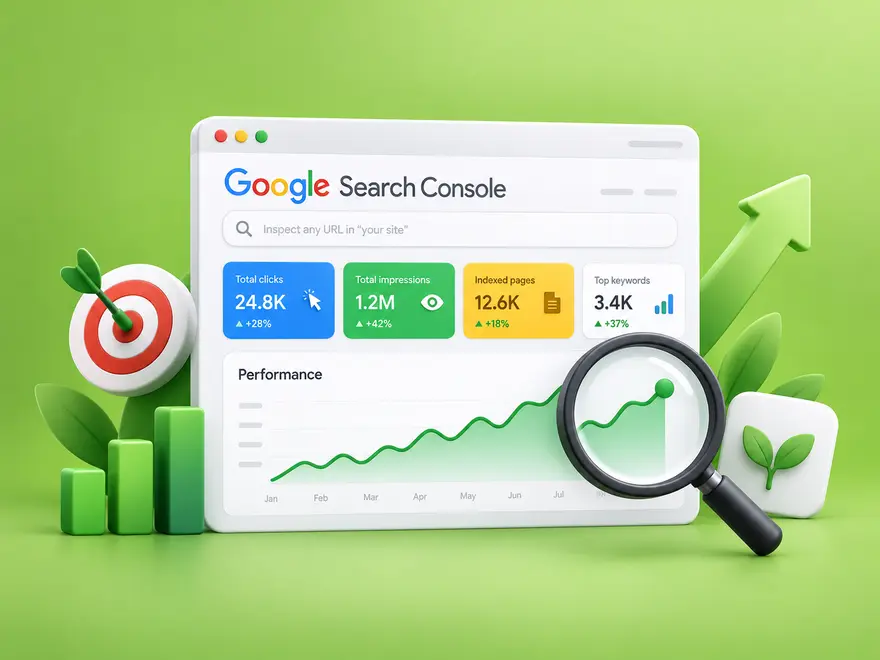
Turn Google Search Console data into an organic growth plan. Find promising pages, improve CTR and content relevance, fix indexing barriers, and measure results while keeping paid campaigns separate.
To increase organic traffic with Google Search Console, find pages that already appear for relevant searches, identify what limits their clicks, and fix one measurable problem at a time. Search Console supplies the evidence; improvements to your content, search presentation, and technical accessibility create the opportunity for growth.
This guide focuses on turning your own search data into an action plan. You will learn how to prioritize pages, improve click-through rate (CTR), diagnose indexing issues, and evaluate results without confusing paid visits with organic progress.
1. Establish a reliable organic traffic baseline
Open your verified property in Google Search Console and review Search results under Performance. Keep the search type consistent, choose a complete reporting period, and compare it with an equally long previous period. For a seasonal business, also examine the comparable period a year earlier before treating a change as a problem.
Record clicks, impressions, CTR, and average position for the pages you plan to improve. Separate branded searches from broader discovery queries where the data allows it. Your company name and a generic product question often attract different audiences, so their results should not be judged against the same expectations.

Choose the correct property and page
Make sure the property covers the live domain, protocol, and subdomains you need. Then apply an exact page filter before studying its queries. A site-wide average can hide a useful opportunity on a small group of pages. If you have not completed verification, set up access before building a reporting routine.
2. Find pages with a realistic growth opportunity
Start with pages that match your business and already receive relevant impressions. A page with some visibility, an incomplete answer, and a clear next step is often a more practical editing project than a page targeting a broad topic outside your expertise.
Build a short priority list
Use the Pages report to choose a candidate, then inspect its queries. Compare performance within similar countries and devices. Look for a mismatch between what people search for and what the page delivers. Do not use an arbitrary CTR threshold across every keyword: search layout, position, intent, and brand recognition all change the context.
| Observed pattern | First check | Practical action |
|---|---|---|
| Relevant impressions, few clicks | Title, intent, and competing results | Clarify the benefit and answer the query more directly |
| Clicks fall while impressions remain stable | CTR changes by query and device | Review the search presentation and result layout |
| Clicks and impressions both fall | Demand, indexing, and position changes | Investigate the cause before rewriting the page |
| A valuable page has little visibility | Indexing, internal links, and topic fit | Resolve access issues and improve discoverability |
For each candidate, write down the suspected cause, the proposed edit, and a success metric. This turns a long export into a manageable queue and makes later comparisons more useful.
3. Improve titles, snippets, and content relevance
Write a distinct title that describes the page’s actual answer. Replace vague promises with useful specifics, such as the task covered or the decision the reader can make. Your meta description should summarize that benefit naturally; it is a suggested snippet, and Google may display different text.
Support the promise inside the article
Give the main answer near the start, use descriptive H2 and H3 headings, and add examples where readers need help applying the advice. Remove obsolete instructions and unsupported claims. When a query reveals a missing question that belongs on the page, answer it clearly instead of repeating the keyword throughout the article.
Use structured data only when it accurately describes visible content and the feature is supported. It does not guarantee a rich result or higher CTR. Treat search appearance as something to inspect in real results, not an automatic reward for adding markup.
4. Remove technical barriers to organic growth
A useful article cannot compete effectively if Google cannot access its main content or identifies a different URL as the canonical version. Check the affected page in URL Inspection, review the indexed information, and test the live URL after resolving a technical problem.
Check indexing and sitemap coverage
Investigate accidental noindex directives, broken redirects, server failures, and conflicting canonical signals on pages you want indexed. Keep your sitemap focused on preferred, indexable URLs. A submitted sitemap helps discovery, but it does not guarantee that every URL will be indexed. Duplicate and deliberately excluded pages do not all need to become indexed.
Use current international SEO practices
Do not look for a country or language targeting switch in Search Console. Google has retired the International Targeting report. For regional or multilingual audiences, provide appropriate localized content and use hreflang when applicable. The Countries filter measures performance; it does not set your target market. See Google’s International Targeting retirement notice.
5. Keep paid traffic separate from organic SEO
Google Ads and purchased traffic campaigns serve different purposes from improving unpaid search visibility. They can form part of a broader acquisition plan, but a higher visit count alone is not evidence of stronger organic rankings. Evaluate each channel against its own costs, audience relevance, and useful actions.

If you are considering a campaign alongside your SEO work, define the landing page and measurement plan first. Review the service’s traffic source and targeting options, and keep campaign reporting separate from your organic baseline.

6. Measure the impact and choose the next improvement
Keep a change log with the URL, edit date, target query group, and expected outcome. After Google has had time to revisit the page and enough data has accumulated, compare equivalent periods using the same filters. Review clicks and CTR alongside impressions and position rather than selecting whichever number improved.
Use a simple scenario to interpret the numbers
For illustration, 10,000 impressions at a 2% CTR produce 200 clicks. At the same impression count, a 3% CTR produces 300 clicks. That is a planning example, not a forecast: demand, ranking, and search features may change at the same time. A before-and-after comparison alone cannot prove that one edit caused the result.
Search Console measures search activity, while analytics and your customer records help evaluate what visitors do after arrival. Check whether the updated page produces relevant enquiries, sign-ups, or sales before expanding the same approach.

Your next step: improve one page with a clear hypothesis
Choose one relevant page, identify the main limitation, make a substantive improvement, and record it. Repeat the process with the next best opportunity. Consistent diagnosis is more useful than changing every title at once or submitting repeated indexing requests.
For metric definitions and reporting details, use Google’s Performance report guide. If you need to assess broader keyword demand beyond the queries your site already appears for, the following guide explains the next step.
Combine that demand research with your own page-level evidence, and prioritize improvements that connect search intent to a useful business outcome.
Frequently Asked Questions
Quick answers to common questions about increase organic traffic with Google Search Console
No. Search Console provides performance and indexing data. You use that evidence to improve pages, resolve technical problems, and measure progress; connecting a property does not itself improve rankings.
Start with relevant pages that already receive impressions and have a clear fix, such as an unclear title, a missing answer, or an indexing problem. Compare similar queries, countries, and devices before prioritizing by CTR.
Record the URL and edit date, then compare equivalent periods after Google revisits the page and enough data accumulates. Keep filters consistent and review clicks, impressions, CTR, and position alongside analytics conversions.
No. Purchased traffic is a separate acquisition activity and does not guarantee organic rankings, sales, or Search Console growth. Evaluate the campaign source and outcomes separately from unpaid search performance.
No. The International Targeting report and country targeting setting have been retired. Use localized content and appropriate hreflang for regional or language versions. The Countries filter reports audience data; it does not set targeting.



Comments
Leave a Comment