


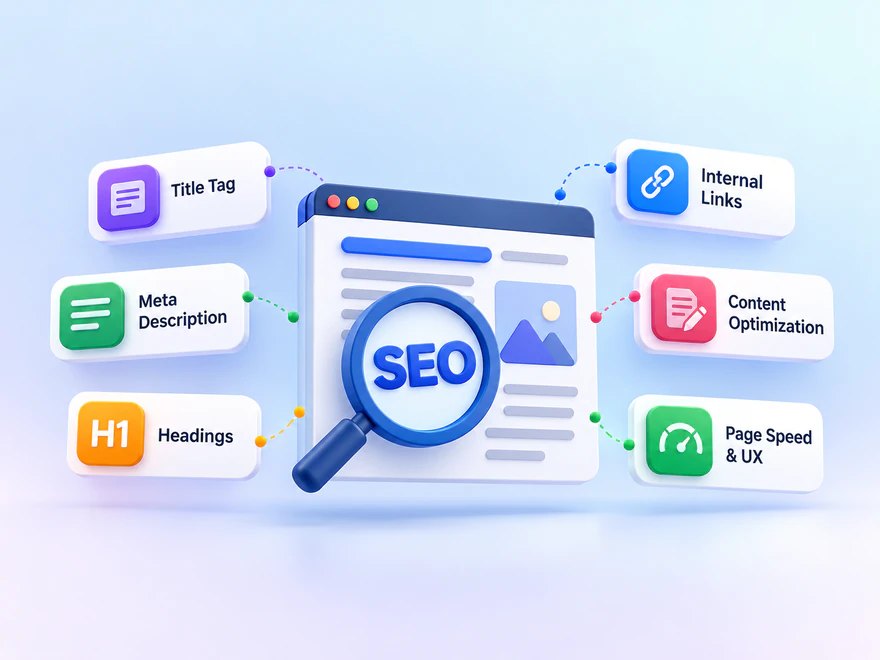
Understand on-page SEO and put it into practice with a 14-step workflow, key-elements table, hypothetical before-and-after example, audit worksheet, and checklist for measuring and verifying changes.
On-page SEO means improving the content and presentation of an individual web page so people and search engines can understand its purpose. It includes the answer the page provides, its title and headings, relevant internal links, and the way images and supporting information are explained. The aim is a useful, clearly described page—not a particular keyword count.
This guide covers the definition, key elements, and practical work in one place. You will find a 14-step optimization workflow, a hypothetical before-and-after example, an audit worksheet, and a checklist for verifying the published page. Start with the reader’s task, fix the most important gap, and measure search performance separately from paid visits and business outcomes.
What Does On-Page SEO Actually Mean?
Think of a page as an answer to a specific need. A product page explains whether an item is suitable, a tutorial helps someone complete a task, and a definition page introduces a concept. On-page SEO makes that purpose clear and supplies enough reliable information to fulfill it.
You can usually edit these elements through your website or content management system, although templates and development resources may limit what you control. You do not control how Google ultimately displays or ranks the page. A clear title and a complete explanation help describe your content; they are not a promise of a particular position.
For example, a laptop-bag size guide should explain device measurements and usable compartment dimensions. Repeating “best laptop bag” does not answer the fit question. The improvement comes from explaining the decision, using understandable labels, and connecting readers to relevant specifications.
On-Page, Technical, and Off-Page SEO: What Is the Difference?
These terms describe different areas of work, not completely separate systems. On-page SEO mainly concerns the information on a page and how it is presented. Technical SEO concerns the website systems that allow content to be accessed, rendered, crawled, and indexed. Off-page SEO concerns relevant external links and other work outside the site.
- On-page example: Replace a vague heading with one that describes the section and add a missing product-fit explanation.
- Technical example: Investigate an accidental indexing restriction or a page that fails to render correctly.
- Off-page example: Earn an editorial reference from a relevant publication because your original resource helps its readers.
The boundaries overlap. Image optimization affects both the usefulness of the page and its loading behavior; internal links help readers navigate and help crawlers discover pages. Treat the labels as a way to assign work, not a reason to ignore a problem. Better copy cannot compensate for an inaccessible page, and a fast server cannot supply a missing answer.
If you need to diagnose a broader visibility problem, the framework for diagnosing ranking problems covers issues beyond the content of one page.
The Core Elements of On-Page SEO
A useful page brings several elements into agreement: what the title promises, what the opening explains, how sections are organized, and what readers can do next. No single element is a substitute for the others. Use the following overview to recognize each element’s role.
| Element | Purpose | Example | Common mistake |
|---|---|---|---|
| Content and intent | Answer the reader’s actual question | Explain how to check whether a laptop fits a bag | Replace guidance with generic product praise |
| Title tag | Describe the page in browser and search contexts | Laptop Bag Size Guide: How to Check the Fit | Repeat keyword variations or promise an answer that is missing |
| H1 and subheadings | Organize the topic and its supporting sections | H2: Compare Device and Compartment Dimensions | Use headings only to make text look larger |
| Meta description | Offer a concise summary that may inform the search snippet | Learn which measurements to compare before choosing a bag | Write an unfinished sentence or a keyword list |
| Internal links | Connect the answer to a useful next resource | Link to the relevant size chart | Send readers to unrelated offers |
| Images and alt text | Explain information visually and accessibly | A measurement diagram with a contextual description | Use decorative imagery as evidence or stuff alt text |
| URL | Provide a readable, stable address | A clear path describing the size guide | Change an established address for a minor keyword variation |
The overview shows how the elements support the same reader task. In practice, choose changes because they address an observed problem, not because every box needs a new keyword. The workflow below turns those elements into work you can save, test, and review.
How to Do On-Page SEO: A 14-Step Workflow
Begin with one important page. Save its current content, title, description, and useful performance baseline before making changes. The steps are a review sequence, not fourteen equally urgent tasks: an access problem may need immediate technical attention, while a minor wording change can wait.
1. Define the Search Intent and Primary Topic
Search intent is the task behind the words someone types. A person asking what on-page SEO means needs a definition; someone seeking an audit checklist needs an implementation process. A combined guide can cover both related educational needs, but a service request may deserve a different page and next step.
Choose a representative query and write down the intended reader, task, and suitable format. Inspect the results for context without copying their outlines. Group related phrases that genuinely belong together, and separate unrelated buying, comparison, or informational needs. Search volume alone does not establish that a query suits your business.

For a laptop-bag size guide, the task is deciding whether a device fits. The page therefore needs measurements and usable specifications, not a generic collection of promotional terms. This brief becomes the reference for the title, headings, examples, and links you review next.
2. Build a Helpful, Reliable Answer
Review the draft against the reader’s actual question. Mark where a usable answer first appears, then identify missing evidence, examples, limitations, and next steps. Answer the main question early and explain the decisions the reader must make. Remove repeated praise, copied explanations, and unsupported statistics.
Content relevance comes from answering the right question with adequate detail, accurate examples, and necessary limitations. Add original explanation, verified information, or relevant experience where it improves the answer. Google’s people-first content guidance is a useful quality reference. Word count alone is not a quality metric, and extra paragraphs should not exist merely to lengthen the page.
3. Write a Descriptive Title Tag
The title tag describes the document in browser and search contexts. Make it specific to the page and accurate to the answer. “Laptop Bag Size Guide: How to Check the Fit” sets a clearer expectation than “Best Bags” or a string of repeated keyword variations.
Review the saved HTML title, not only the editor’s draft. Check whether a template adds repeated branding or whether another page uses the same generic wording. Google can generate a title link from several sources, including the title element and visible headings, so the title should agree with the actual content. Its title-link guidance does not promise that your preferred wording will always appear.
4. Write a Useful Meta Description
Use the meta description as a concise, page-specific summary, not as a hidden place for extra keywords. Explain what the reader will learn or do, and avoid an unfinished sentence, misleading offer, or description copied across unrelated pages.
There is no universal character length that guarantees display without truncation on every device or query. Google often builds snippets from visible page content and may use the description when it is suitable. Follow the official snippet guidance and check that the saved description reflects the page’s current purpose rather than treating a plugin preview as a guaranteed search result.
5. Organize the H1, H2, and H3 Structure
The H1 introduces the page, H2 headings mark major sections, and H3 headings develop a section’s subtopics. They do not need identical wording, but they should describe the same purpose. Use headings to organize information, not simply to enlarge text or insert another keyword.
Read the outline on its own, then read each section’s opening. Put meaningful introductory text between a major heading and its first subsection when it helps explain their relationship. Avoid two headings with no explanation between them, long uninterrupted paragraphs, and an outline that promises an answer the body never supplies.
6. Use Keywords and Related Language Naturally
Keywords connect the audience’s language with the page’s topic. Use the primary term where it clarifies the title, opening, or a relevant section. Related terms belong where they explain the subject; every subheading does not need the same exact phrase.
A page about laptop-bag fit naturally discusses width, depth, thickness, sleeves, and compartment dimensions. Those details develop the topic more usefully than repeating a commercial phrase. There is no universal density target or required share of keyword-bearing headings. Our keyword density guide explains the calculation and why repetition is not a content strategy. Google’s spam policies address keyword stuffing.
Read the page aloud or review it as a customer would. If a phrase feels forced, rewrite the sentence for clarity rather than replacing every repetition with an awkward synonym. Preserve terminology needed to explain the subject accurately.
7. Add Relevant, Crawlable Internal Links
Internal links help readers and crawlers discover related pages and understand their roles. Link when another resource answers a follow-up question or provides detail that would distract from this page. A buying guide can link to verified product specifications; an implementation step can link to a focused technical guide.
Use descriptive anchor text and a normal HTML anchor with a valid href. You do not need a follow attribute to make a standard internal link crawlable. A script-only control is not necessarily a crawlable link. Google’s link best practices explain these distinctions.
Open the destination and confirm that its content matches the anchor. Where an old page redirects, update this page’s link to the verified final destination rather than sending readers through an unnecessary hop. Keep useful links, remove repetition, and do not add unrelated service links to every paragraph.
8. Keep URLs Clear and Stable
Readable URLs help people understand where a link leads. For new pages, choose a meaningful path that fits the site’s structure. For an established page, do not change its address merely to include a slightly different keyword. URL changes need a separate, justified migration plan.
Check which address is intended to represent the page and whether links lead to it consistently. If duplicate variants or a misleading canonical appear, record the issue for technical review. A cleaner-looking URL does not justify casually changing canonical or indexing settings. Google’s SEO Starter Guide provides broader context for site organization and search eligibility.
9. Optimize Images and Alternative Text
An image is useful when it explains something the text cannot communicate as quickly, such as where to measure a device. Put it near the relevant explanation, describe meaningful content in its alt text, and ensure that it scales on smaller screens. Decorative images should not be presented as evidence of an SEO result.
Check file size, appropriate dimensions, responsive sizing, and visible quality. Supply accurate width and height or an appropriate aspect ratio so the layout can reserve space. Write contextual alt text for meaningful images and use empty alt text for purely decorative images where appropriate. Avoid keyword stuffing. Google’s image guidance explains image context and discoverability.
10. Check Page Experience and Core Web Vitals
Readable text, stable layouts, and usable controls help people use the answer. Loading and responsiveness also involve technical work. Current Core Web Vitals are LCP for loading, INP for responsiveness, and CLS for layout stability. Good thresholds are LCP of 2.5 seconds or less, INP of 200 milliseconds or less, and CLS of 0.1 or less, assessed at the 75th percentile separately for mobile and desktop.
Use field data to identify the experience problem and diagnostic tests to find its cause. Reducing an oversized hero image is different from fixing an expensive interaction handler or an unreserved widget. A good performance score does not guarantee a top ranking or make an irrelevant page useful; see Google’s Core Web Vitals guidance.
Use the illustration as a reminder to investigate performance, not as a score or threshold chart. Confirm that the repaired page still works and compare equivalent tests before claiming improvement. For detailed measurement and troubleshooting, use the focused guide below.
11. Verify Mobile Usability and Accessibility
Check the actual page on a narrow screen rather than assuming a responsive template makes every component usable. Important text should remain available, images should fit, and navigation, forms, and buttons should work without overlapping or requiring unnecessary zoom.
Review keyboard access, meaningful link labels, focus visibility, and image alternatives. Test the next action as well as the article text: a readable explanation is not enough if a form cannot be completed. Record the affected component and how to reproduce the problem so content and development teams can resolve it together.
12. Use Relevant Structured Data, Then Validate It
Structured data can describe supported content types and help establish eligibility for particular search features. Use a type appropriate to the real, visible page, such as a supported product, recipe, event, or local-business implementation. Do not add unrelated markup simply because a plugin offers it.
Validate eligible markup with the Rich Results Test and review the applicable feature requirements. Valid syntax alone does not guarantee display, and structured data is not a shortcut to better rankings. FAQ content should help readers; it does not guarantee a FAQ rich result. Google’s structured-data introduction explains these limits.
13. Keep Important Content Accurate and Current
Update a page when its information, tools, screenshots, destinations, or reader needs change—not merely to display a newer date. Review statistics, product details, unsupported statements, and links. Topics that change frequently may need more frequent review than stable explanations.
Keep useful content and document what changed. If a section no longer helps the page’s purpose, shorten or remove it; if customers repeatedly ask a missing question, add a verified answer. A refresh should make the page more accurate or useful, not replace specific information with generic filler.
14. Identify Technical Blockers and Assign the Fix
An accidental indexing restriction, wrong canonical, server error, redirect loop, blocked resource, or rendering problem can prevent a useful page from being accessed or processed as intended. These are technical issues, even when discovered during a page-level audit. Confirm the intended policy before changing a directive.
Check that essential content exists in the rendered page and that important links and controls behave correctly. Semantic, maintainable HTML can support usability and accessibility, but a validator’s approval is not a direct ranking guarantee. Fix errors that affect actual access, rendering, or use rather than chasing a score unrelated to the problem.
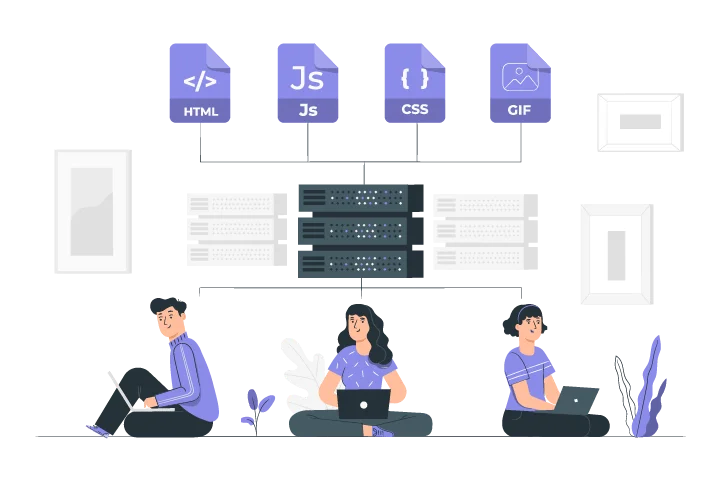
Write a reproducible issue and identify who owns it. A content editor may fix a broken destination or missing explanation, while a developer handles a rendering dependency or server fault. The audit should distinguish those tasks so a technically blocked page is not repeatedly rewritten without addressing the blocker.
A Hypothetical Before-and-After Example
Imagine a store has a page intended to help commuters choose a laptop bag. The following example illustrates a content decision, not a measured campaign or a claim about results.
Before: A Page That Leaves the Decision Unclear
The title says “Best Bags,” the main heading says “Our Collection,” and the introduction repeats that the products offer premium quality. A shopper with a 15-inch laptop still cannot tell which dimensions matter or whether a protective sleeve changes the fit.
The page links repeatedly to the homepage and describes the main image as “best laptop bag buy laptop bag.” The issue is not simply a shortage of keywords. The information, labels, image description, and next step do not support the specific buying decision.
After: A Page That Explains the Fit
The title becomes “Laptop Bag Size Guide: How to Check the Fit,” and the introduction explains that screen size alone is not enough. The page distinguishes device measurements from usable compartment dimensions, notes when a sleeve adds bulk, and links to verified product specifications and return conditions.
A labeled illustration shows the measurements, headings separate the main decisions, and image text describes what is shown. These changes make the page easier to understand. To evaluate the update, record the changes, review relevant search queries and clicks, and separately check whether visitors use the size chart or reach suitable product pages.
Turn an On-Page Audit into a Prioritized Work Queue
This hypothetical audit shows how observations become actions. Priorities are illustrative, not universal: a confirmed access problem normally needs attention before a cosmetic change. Record evidence, the intended page purpose, an owner, and a verification method instead of treating every checklist item as equally urgent.
| Problem | Action | Priority | How to verify |
|---|---|---|---|
| A public guide has an unintended noindex directive | Confirm the intended policy and resolve the restriction | High | Inspect rendered directives and Search Console status |
| The title promises a comparison, but the page only defines the subject | Align the title and content with the chosen reader task | High | Compare the saved title, H1, and answer with the intended query |
| An important internal link points to an unavailable resource | Verify an appropriate live destination and replace the link | Medium | Open the saved link and confirm that its destination matches the anchor |
| A large image disrupts the mobile layout | Review dimensions, responsive sizing, file size, and alt text | Medium | Check a narrow viewport and the relevant performance diagnostics |
Before implementing, distinguish a confirmed issue from a hypothesis. If only one page in a shared template is affected, compare its assets and configuration before changing the entire template. After implementing, reopen the editor and inspect the public page: a completed task or a “saved” message is not enough if the new title, link, or content did not persist.
Measure On-Page Changes with Search and Website Data
Save a baseline for the page and relevant query group before a meaningful update. In Search Console, compare similar periods and inspect queries alongside their landing page, rather than relying on a site-wide total. Record clicks, impressions, CTR, and average position under matching filters where possible.
Interpret those metrics together. More impressions with a lower CTR can reflect a different query mix, not simply a worse description. Fewer clicks can coincide with a position change, seasonal demand, or a different results layout. A single keyword moving the next day is weak evidence that a heading edit caused the movement.
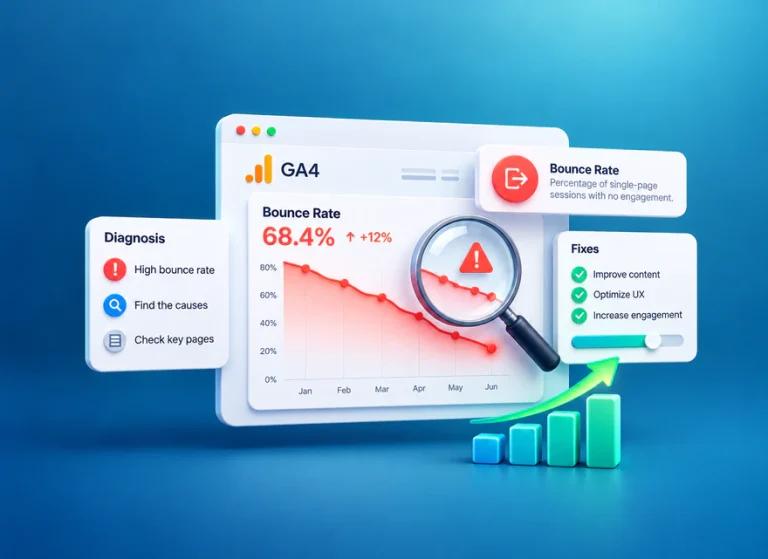
Use GA4 to examine measured organic landing-page activity and meaningful key events, such as a completed enquiry or purchase, where correctly configured. A click in Search Console and a session in GA4 are different measurements; consent, tracking, and attribution can affect what is recorded. Do not expect the totals to match exactly or treat a short visit as proof that the answer failed.
Record the deployment date, actual edits, and other changes such as promotions or template releases. Recheck after enough comparable data is available, while acknowledging that recrawling and reassessment have no fixed timeline. If relevant search visibility improves but useful actions do not, review the next step and audience fit instead of adding more keywords. If a technical issue persists, return to its evidence and owner.
Common Misunderstandings About On-Page SEO
The most common errors treat optimization as a shortcut rather than a clearer answer. Use these distinctions when deciding whether a proposed edit improves the page.
- More keywords do not mean more value: Repetition cannot replace missing explanations or evidence.
- A high plugin score is not a ranking guarantee: Use suggestions as editing prompts, not as Google’s assessment of the page.
- Longer is not automatically better: Keep the detail needed for the task and remove material that distracts from it.
- Every page should not target the same intent: Separate definitions, implementation guides, and service information when they serve different needs.
- Engagement needs context: A short visit can mean a quick answer, while a long visit can indicate difficulty. Neither alone proves content quality.
- Schema must describe the actual page: Unrelated or misleading markup is not a substitute for useful content and does not guarantee a rich result.
- Stable URLs are valuable: Do not change an established address for a minor keyword variation without a justified migration plan.
- Verification matters: Reopen the saved page and test links, imagery, mobile controls, and the next action rather than relying only on an editor score.
Competitor research can reveal missing questions, but it should not turn your page into a copy of another outline. Compare what helps the audience make a decision, not just how many headings a competing article contains.
Paid Traffic Is Separate from On-Page Optimization
On-page SEO changes the page; a paid traffic campaign changes how visits are acquired. Buying visits does not establish that Google considers the content more authoritative, and it does not guarantee better rankings, indexing, sales, a lower bounce rate, or longer dwell time.
For SEOVisitor readers evaluating campaigns, keep paid activity identifiable and assess it against its own purpose and costs. Analytics engagement time is not a direct measurement of the interval between a Google search click and a return to the results. Do not present a change in a dashboard metric as proof that paid traffic improved SEO.
Social promotion and external link acquisition are separate activities too. Social content can distribute a useful resource, while an editorial reference belongs to off-page work. Record those activities independently of internal-link, heading, and content edits so a new source of visits is not mistaken for an organic optimization result.
Research estimates also differ from your own measurement. Our comparison of traffic data from Similarweb, Ahrefs, and Semrush explains why numbers from different tools should not be treated as interchangeable.

Explore a separately measured traffic campaign for a specific landing page. Evaluate its visits and useful actions independently; it does not replace on-page improvements or guarantee organic visibility.
On-Page SEO Checklist Before and After Publishing
Use this checklist as a verification record, not a list of promises. Note any unresolved issue and its owner. The aim is to confirm that the page delivers the intended answer and remains usable after changes—not that every page has the same structure or a perfect plugin score.
- One clear primary topic and compatible search intent are defined.
- The opening gives a useful answer, followed by accurate explanation and evidence.
- The saved title and H1 describe the same page purpose.
- The meta description is complete, specific, and consistent with the content.
- H2 and H3 sections follow a logical hierarchy with useful supporting text.
- Keywords and related terms read naturally without a repetition quota.
- Important internal links are crawlable and point to appropriate live destinations.
- The established URL remains stable unless a migration has been justified.
- Images have suitable sizes, contextual alternatives, and stable layout space.
- Mobile navigation, links, forms, and keyboard interactions work.
- Field experience problems are investigated rather than inferred from one lab score.
- Relevant structured data matches visible content and has been validated where applicable.
- Outdated facts and confirmed technical blockers have an action and owner.
- The update and baseline are recorded for later search and business-outcome review.
Run the checks on the public page, including a relevant next action. If something failed to save or a layout component broke, fix that specific problem before interpreting performance. Keep the record focused enough that another editor or developer can reproduce the issue.
Choose the Next Improvement, Not Every Possible Change
On-page SEO brings a page’s purpose, explanation, and supporting elements into agreement. Start by asking whether the intended reader can understand the answer and take a sensible next step. Then use the workflow, audit worksheet, and checklist in this guide to implement and verify the most important improvement.
Preserve useful information, document meaningful edits, and judge organic visibility separately from promotion and business outcomes. For a narrower execution schedule after identifying priorities, the action plan below provides a separate planning framework without replacing the page-level diagnosis.
Frequently Asked Questions
Quick answers to common questions about on-page SEO
Improving a laptop-bag guide with a clear title, verified compartment dimensions, useful headings, and a link to a size chart is on-page SEO. The changes improve the page itself rather than acquiring visits or external links.
They overlap, but they are not identical. On-page SEO mainly addresses page content and presentation; technical SEO addresses access, crawling, rendering, and indexing; off-page SEO includes relevant external links and mentions.
No. Headings should describe their sections naturally. Use the main term where it helps readers, and use related wording when it explains the topic more clearly. Repeating the same phrase in every heading is unnecessary.
No. A short visit may satisfy a quick question, while a long visit may reflect confusion. Analytics engagement time is not the same as search dwell time. Review relevant search performance and meaningful user actions in context.
No. A paid campaign acquires visits; on-page SEO improves the page. Track paid activity separately and do not treat it as a guarantee of rankings, indexing, sales, or better engagement.
On-page SEO is the process of improving page-level content and elements you control directly, including titles, headings, content, internal links, URLs, images, and other signals that help users and search engines understand the page.
There is no required number. Focus on one clear topic and search intent, then use the primary keyword and related terminology naturally where they improve clarity. Avoid forcing phrases only to increase keyword density.
Meta descriptions should not be treated as a direct ranking shortcut. They can still be valuable because Google may use them when generating search snippets, which can help users understand what the page offers.
Page experience and Core Web Vitals can contribute to Search success, but speed is not the only ranking consideration. A perfect performance score cannot compensate for irrelevant or unhelpful content.
Review important pages when information changes, search intent shifts, performance declines, competitors provide better answers, or the page becomes outdated. There is no single update schedule that applies to every topic.
There is no fixed timeline. Google first needs to recrawl and process the page, and rankings can change gradually. Small changes may be reflected quickly, while larger reassessments can take longer depending on the site and query.


Comments
Leave a Comment