



Find organic CTR opportunities in Search Console, improve titles and snippets, and measure whether your existing search visibility brings more useful clicks.
You can get more clicks from Google without ranking first when your result gives the right searcher a clearer reason to visit. Start with queries for which your page already appears, improve the promise made by the title and snippet, and check whether the landing page delivers it. A stronger result can attract more of the available clicks, but ranking, search intent, and the layout of the results page still limit the opportunity.
This guide focuses on improving organic click-through rate for existing pages. It shows how to find opportunities in Search Console, write more useful search-result copy, and evaluate the outcome without confusing a title change with a ranking gain or an increase in search demand.
What Organic CTR Measures—and What It Does Not
Organic click-through rate is the percentage of recorded search impressions that turn into clicks. The calculation is CTR = clicks ÷ impressions × 100. For example, 60 clicks from 3,000 impressions produce a 2% CTR. At the same impression count, a 3% CTR would produce 90 clicks: 30 additional visits.
Those numbers are an illustration, not a forecast. A higher CTR is useful only in context. Ten clicks from 100 impressions give a higher CTR than 100 clicks from 5,000 impressions, but the second page brings more visits. Also examine whether those visitors read the content, submit relevant enquiries, or complete another meaningful action.
Position still affects the available opportunity
A page that rarely reaches prominent results usually needs stronger relevance and ranking before a snippet rewrite can deliver substantial traffic. Do not assume that a low CTR at an average position of 40 means the title is failing. Conversely, a page appearing near competing results for a relevant query may be a reasonable candidate for a controlled title test.
There is no universal good CTR for every website. Branded searches, mobile results, shopping queries, and informational questions create different click patterns. Ads, local results, videos, featured snippets, and AI answers also affect what people see before they reach your listing. Compare similar queries under similar conditions instead of treating an old industry chart as a target.

Find the Right Opportunities in Google Search Console
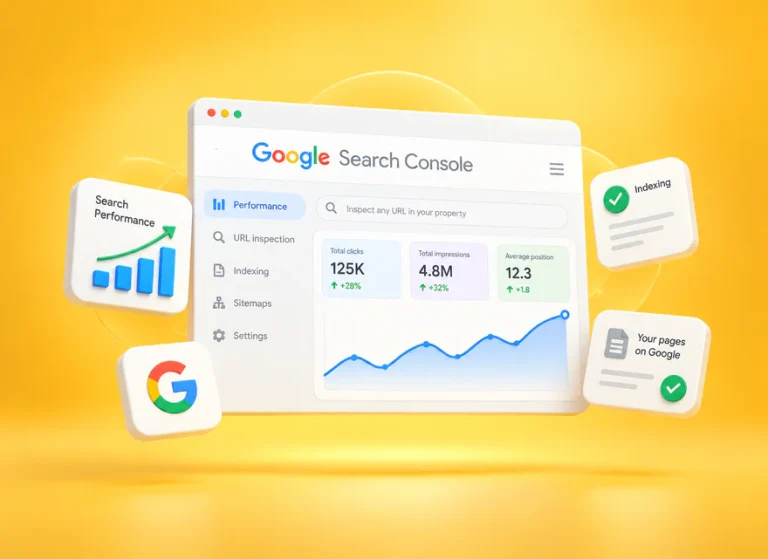
Use Google’s Search Console Performance report to separate pages that need more visibility from pages that might earn more clicks from their existing visibility. Begin with one URL and a defined audience rather than the site’s overall CTR.
Read top queries and top pages correctly
In Performance, select the search type and date range, then review the Queries and Pages tabs. Queries represent searches; Pages represent destination URLs. Sorting either table by clicks identifies its current traffic leaders. To investigate one article, apply an exact page filter and return to Queries, enabling clicks, impressions, CTR, and position.
A label such as “top clicks” does not describe an optimisation setting. It describes the results of a report. The useful question is which searches already expose your article and whether the article is the right answer for those searches.
Choose a specific test candidate
For a small editorial site, a practical starting point is a relevant query group with recurring impressions, relatively stable visibility, and a title that understates what the page offers. This is a working selection method, not a Google threshold. Record the page, query group, country, device, reporting dates, and current title before editing.
If a page has only a few impressions, focus first on whether it covers a useful, distinct topic and receives relevant internal links. With a larger sample, compare its CTR against your own pages appearing for similar intent and positions. A business name query should not be used as the benchmark for an unfamiliar informational page.
Give the Searcher a Specific Reason to Click
The title and description should make the page’s value understandable before a visit. Start by identifying the task behind the query: learning a definition, following a process, comparing alternatives, or buying a product. Then make the promised answer visible in both the search-result copy and the article itself.
Write a title that matches the task
Google’s title-link guidance recommends concise, descriptive titles and discourages repetition and keyword stuffing. Google may create the displayed title from several page signals, so align the SEO title, main heading, and actual content.
Consider these hypothetical rewrites:
- Vague: “Email Marketing Tips.” More specific: “How to Grow an Email List: 7 Signup Form Examples.” Use this only if the page actually contains seven useful examples.
- Overpromising: “The Secret to Unlimited Free Traffic.” More credible: “How to Find Organic Traffic Opportunities in Search Console.”
- Too broad: “Choosing Analytics Software.” More focused: “GA4 vs Server Logs: Which Traffic Questions Can Each Answer?”
These examples improve clarity; none is guaranteed to win a click test. Put the distinctive answer early, remove redundant phrases, and use dates or numbers only when they add useful information. A title can be truncated at different widths, so a fixed character count is an editing aid rather than a universal display rule.
Write a description that adds useful detail
A meta description can explain what the reader will get beyond the title. For a Search Console tutorial, “Find pages with impressions but few clicks, rewrite their search snippets, and compare results using a consistent query and device filter” is more informative than “Read our amazing SEO article.”
Google’s snippet guidance explains that snippets commonly come from page content and may use the meta description when appropriate. Write a helpful description, but also make the introduction and section answers clear enough to stand alone. Check the displayed result because Google can show different snippets for different queries.

Deliver the promise after the click
If the title promises a checklist, make that checklist easy to find. If it promises examples, explain real examples rather than repeating general advice. A clear opening answer, useful H2 sections, and H3 subsections help readers navigate. Do not hide the answer behind repeated promotional blocks or force a long introduction before the practical steps.
Related articles should extend the current task. For example, a reader learning to improve snippets may need a separate explanation of click-through rate across channels. Keep that broader material in its own guide so this article can remain focused on organic search results.
Improve Search Appearance Without Outdated Shortcuts
A useful title works alongside the rest of the listing and landing page. Treat enhancements as opportunities to communicate relevant information, and distinguish what you can implement from what Google chooses to display.
Distinguish featured snippets from rich results
A featured snippet highlights an answer selected from a page. Google says you cannot mark a page as a featured snippet; its systems make that selection. Clear answers and well-organised content help readers, but no plugin can guarantee this placement. See Google’s featured snippet documentation.
Rich results are enhanced search appearances that can be supported by eligible structured data. Markup must match the page and Google’s requirements. It is not a way to invent review stars, and valid markup does not guarantee an enhancement. Use the relevant structured data guidance for the actual content type.
Keep URLs stable and update content honestly
A readable URL is useful when planning a new page. For an existing article, avoid changing its address simply to make a long slug shorter. First consider existing links, indexing history, and whether a migration provides a concrete benefit. A necessary change requires a redirect and consistent internal links; it should be a separate technical decision.
Similarly, update an article because its examples, instructions, or evidence need work. Merely replacing the date does not provide a better answer. Retain a truthful publication history and use a modified date for a meaningful revision. The old advice to install AMP for a special search-result badge should not drive a modern CTR strategy.

Measure Whether the Change Helped
A single-page before-and-after comparison is an observational test, not a randomised A/B experiment. Rankings, competitors, demand, and search features can change at the same time. Define what would count as useful improvement before looking at the outcome.
Use a simple test record
Record the original and revised titles, the reason for the change, the edit date, and the exact report filters. After Google has had time to recrawl and display the revision, compare equivalent reporting periods. A 28-day window can be a convenient starting point when traffic is sufficient; low-volume pages may require longer.
Keep the comparison focused on the same query group, country, device, and search type. Check whether the displayed title changed and whether average position or query mix shifted. Avoid making another title change after only a handful of impressions: you will lose the ability to interpret the first test.
Calculate a scenario without presenting it as a result
Imagine a page received 5,000 impressions and 100 clicks before a revision, giving a 2% CTR. In a comparable later period it receives 5,000 impressions and 140 clicks, giving a 2.8% CTR. That is an increase of 0.8 percentage points, or 40% relative to the original CTR, and 40 additional clicks.

This example assumes equal impressions. It does not prove the title caused the increase. If position improved, the result started appearing for more branded searches, or a competitor disappeared, those changes could explain part of the outcome. Note these factors alongside the numbers.
Decide whether to retain or revise the change
Keep a revision when it communicates the page more accurately and the evidence supports a useful outcome. If CTR falls while impressions and clicks rise, investigate the new query mix before reverting. If visibility stays similar but clicks consistently weaken across comparable queries, review the wording and whether the new promise matches the content.
Finally, examine the quality of the visits in analytics. More clicks are not automatically more customers. Useful outcomes may include reading a relevant guide, completing a product enquiry, or reaching an appropriate next step. Define those outcomes for the page rather than treating every session as equally valuable.
Keep Paid Traffic Separate from Organic CTR
Advertising and other paid campaigns can bring visitors through separate acquisition channels. Their impressions, clicks, costs, and conversions need their own reports. A paid campaign is not evidence that an organic title test worked, and buying visits does not guarantee better Google rankings.
If you also run paid campaigns, label the campaign links and destinations consistently where supported, compare them separately from organic search, and evaluate what those visitors actually do. This preserves a useful measurement plan for both the SEO work and the campaign.

Planning a separate traffic campaign? Review Seovisitor’s website traffic options, choose a relevant destination page, and define how you will evaluate visitor behaviour and results.
Your Next Action
Choose one page with relevant search visibility. Record its current query-level performance, identify one unclear promise in the result, and improve the corresponding title, description, or content. Then allow enough observations to judge the change. Repeat the process using evidence from each page rather than applying the same headline formula everywhere.
Frequently Asked Questions
Quick answers to common questions about get more clicks on Google
Yes. A clearer, more relevant result may earn a greater share of clicks at its existing visibility. However, the opportunity depends on position, demand, competing results, and the searcher's task. A title change cannot compensate for every visibility problem.
There is no single percentage that applies to all pages. Compare relevant queries with similar positions, devices, countries, and search appearances. Use your own comparable data before adopting a broad benchmark.
Open the Search Console Performance report and sort the Queries or Pages table by clicks. Apply a page filter to investigate the searches associated with one article. Review impressions and position alongside clicks.
Not necessarily. Google can select text from the page and vary the snippet by query. A useful meta description and clear page content give it better information to work with.
Not without a specific reason. Improving the title and content is often a more straightforward first test. If a URL change is necessary, plan the redirect and update internal references.
A clearer and more relevant title can improve organic click-through rate when it matches search intent and gives users a specific reason to choose the page. Google may rewrite titles, so measure the actual search appearance and clicks in Search Console.
Allow enough time to collect comparable impressions and clicks, then compare similar date ranges, devices, countries, queries, and average positions. Avoid judging a change from a few days of low-volume data or from periods with major ranking changes.



Comments